Plans and limits
Cliqer Timer has a free plan and paid plans. The plans differ in how much a room can hold and which features are on. The current numbers and prices are on https://cliqer.io/timer#plans, read live from the same plan list the server checks.
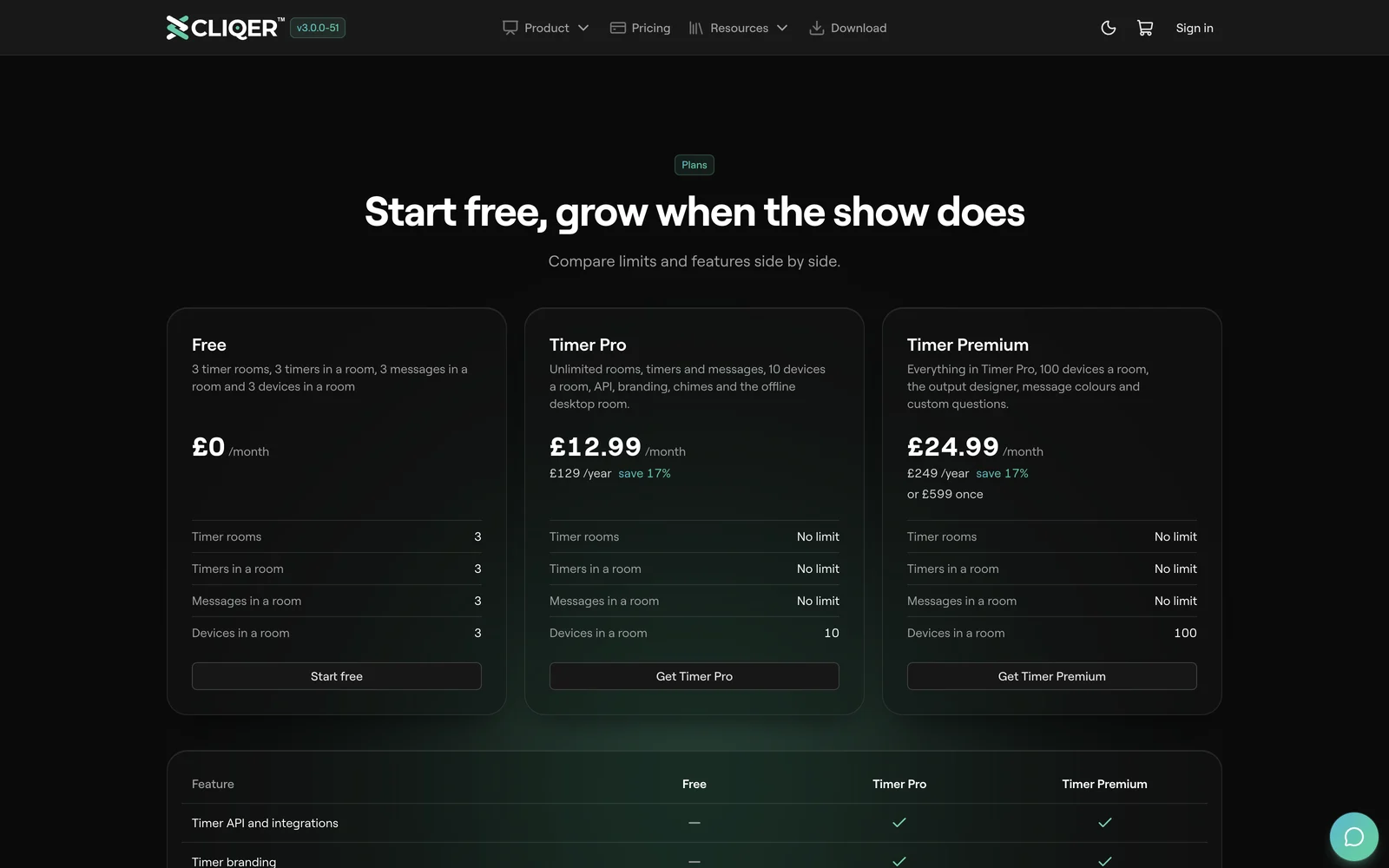
Limits
| Limit | Counts |
|---|---|
| Timer rooms | Rooms on your account. |
| Timers in a room | Rows in one room's rundown. |
| Messages in a room | Messages in one room. |
| Devices in a room | Screens and pages connected to one room at once. One more is refused. |
A plan can leave a limit unlimited. How many new audience questions and outputs a room holds also depends on the plan.
Features
| Feature | Turns on |
|---|---|
| Timer API and integrations | The HTTP API and webhooks. |
| Timer branding | Your logo instead of the Cliqer logo, no "powered by" mark, and a password on outputs. |
| Custom chimes | Your own chime sounds. |
| Offline desktop room | Running a room from the Cliqer desktop app. See Offline and reliability. |
| Output designer | Editing screen layouts. See Output designer. |
| Message colours | Colours on messages. See Messages and on air. |
| Custom audience questions | Your logo, title and labels on the ask page. See Audience questions. |
How licences add up
Limits and features belong to your account, not to one room. Every room you own follows them.
- A feature on any licence is on. Two licences on one account give you every feature either has.
- The larger limit wins. If one licence allows more rooms than another, you get the larger number. Unlimited beats any number.
- A Cliqer main plan comes first. On an account that also has a Cliqer plan, that plan sets the account's plan, and a Cliqer Timer licence adds its timer features and limits.
At a limit
| Where | What you see |
|---|---|
| New room or import | Room limit reached. Move a room to trash or upgrade. |
| Rooms past the count | They stay saved and open read only. The oldest stay writable. |
| Timers, messages | The add button is greyed out. |
| A plan feature you do not have | Its control is greyed out, or the room refuses the change. |
| API | 403 The API is not in this plan, or 403 Refused: limitReached. |
FAQ
On https://cliqer.io/timer#plans and the pricing page. They come from the plan list the server uses, so they are always current.
Yes. Limits and features are per account, so every room you own follows the new plan. Rooms that were read only past your old room count become writable again when the new count covers them.
No. The demo runs in your browser with no plan features. Make a room on your account to try them.