















V2 IS HERE!

Presentation Clicker with Screen Sharing, Notes, Timer, and more!

Advanced online clicker for remote speakers in presentations and events. Control your PowerPoint, Keynote, and any other software, on any device, from anywhere in the world.

PEER-TO-PEER, zero-latency, End-to-End encrypted

DOWNLOAD
Cliqer SlidesFileEditViewPlayWindow
Tue 6 Oct 14:07
JanFebMarAprMayJun

Q3 REVIEW

Revenue up 42%

Every quarter beat the last

CLIQER
01 / 08
Cliqer SlidesFileEditViewPlayWindow
Tue 6 Oct 14:07
JanFebMarAprMayJun

Q3 REVIEW

Revenue up 42%

Every quarter beat the last

CLIQER
01 / 08
Cliqer - v3.0.0 - Studio
Controlling PowerPoint
https://cliqer.io/ACME24
15:00
Presenters3
Maya Chen
Tom Becker
Ana Ruiz
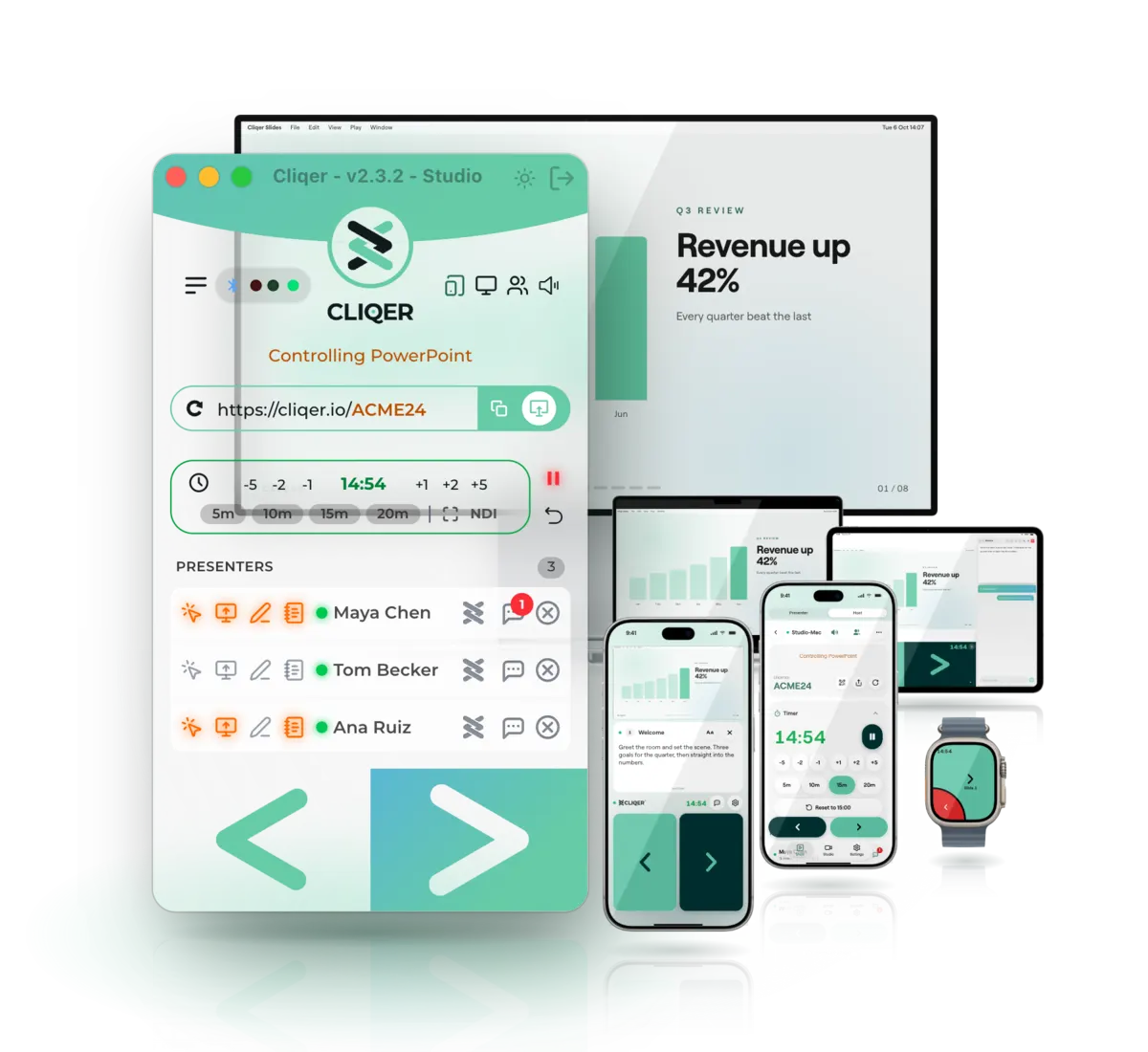
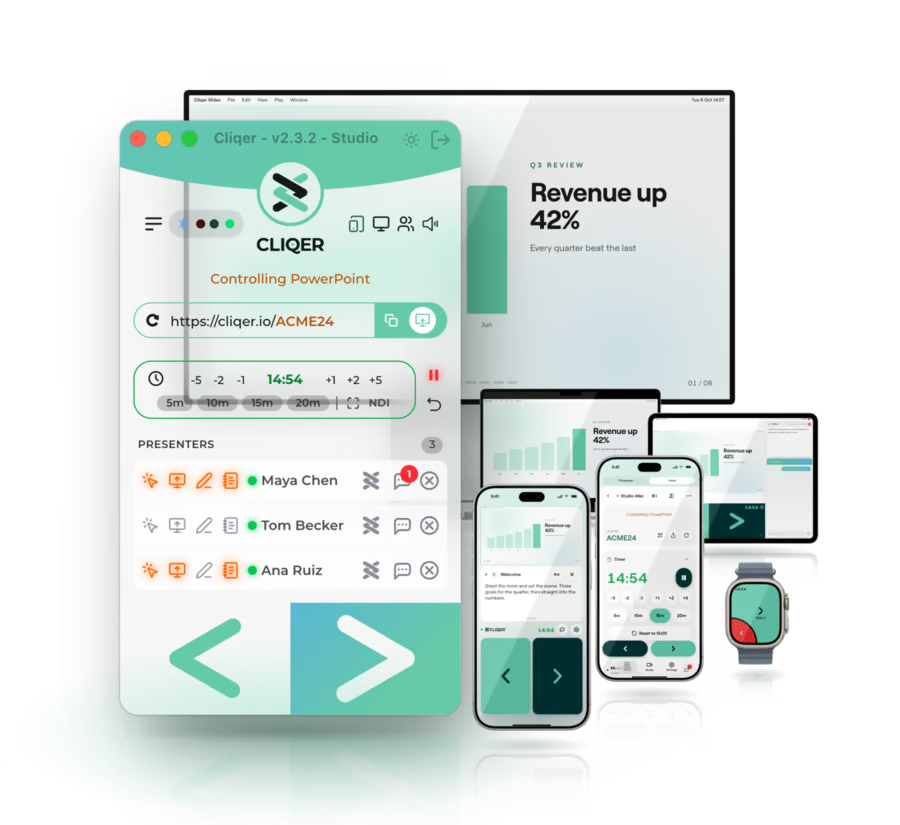
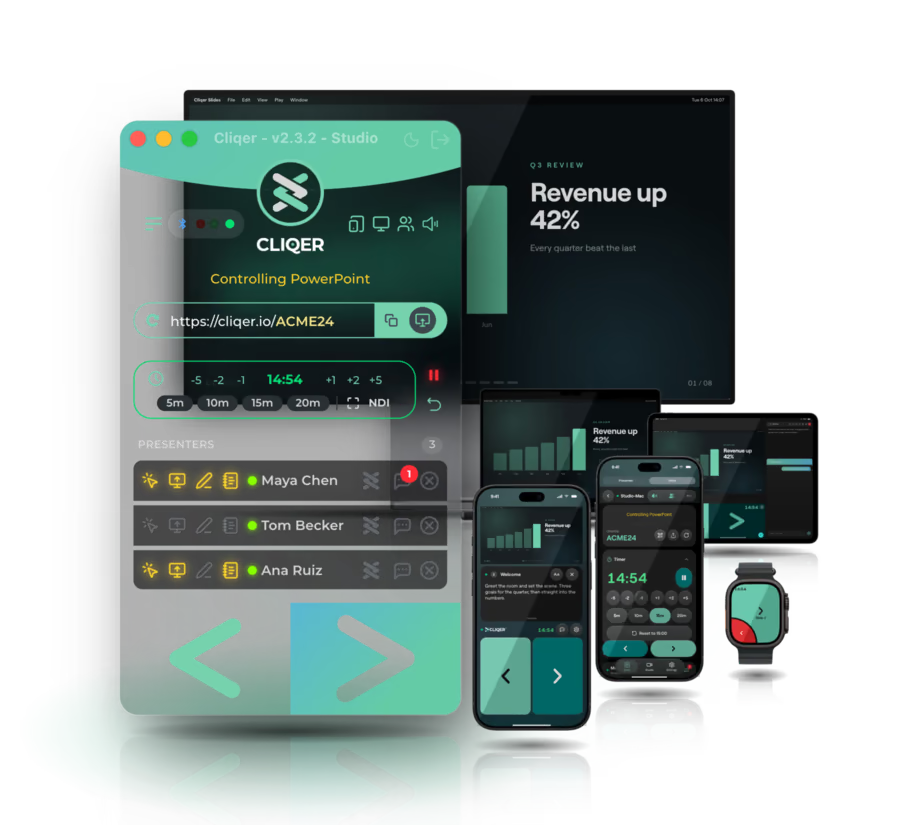
Cliqer host app beside a laptop, display, iPad, two iPhones and an Apple Watch running Cliqer
The Cliqer family

Present, produce and stream, all built in

Three products that work together out of the box, on one Cliqer account.

  1. One Cliqer account

    Sign in once. Studio and Live know who you are.

  2. Studio goes live

    Program streams to Live with no stream key to copy.

  3. Everyone watches

    The room sees Program in the browser or in Cliqer Remote.

New: the native apps

Cliqer Remote is now a native app

Your iPhone, iPad, Android phone or tablet, Apple Watch or Wear OS watch becomes the remote, the pointer, the notes monitor and the control room. Free to install, and joining a room needs no account.

Control the host on an iPad held sideways: the paired computer, the room link, the timer, and Studio with Preview, Program and TAKE
Cliqer Remote on an iPhone: the shared slide, the speaker notes under it, and the big Back and Next tiles
Cliqer Remote on an Android phone: a grid of every host screen in the room, with a Choose a screen tile
Cliqer Remote on an Apple Watch: a large Next arrow, the slide number, the room timer and a red Back button in the corner
Cliqer Remote on a Wear OS watch: a large Next arrow, the slide number, the room timer and a red Back button
Join by code or QR
Type the 6-character room code, scan the QR code on the host screen, or open the room link.
Draw with the ink studio
Eight colours, four brushes and shapes that snap to a line, arrow, rectangle or ellipse, on the shared screen.
Control the host from your phone
Presenters, the timer, Studio and every host setting, from wherever you stand in the venue.
Watches, linked or on their own
Apple Watch and Wear OS: Next and Back on your wrist, following your phone or joined with a room code.
Callers on camera
Join the call with your camera and microphone when the host invites you. Both stay off until you tap Join.
Notes in landscape
Turn the device sideways and your notes sit beside the video, at a width you choose.

Android device frames: Android Open Source Project, CC BY 2.5.

  • Native code
  • Instant clicks
  • No browser
iPhone and iPad
8.8MBThe size the App Store shows for iPhone and iPad
Apple Watch
1.6MBThe watch app comes with the iPhone app and installs from the Watch app
Android phone and tablet
6.1MBThe download Google Play shows for the app, read on a phone
Wear OS
4.4MBThe download Google Play shows for the watch app

Source: App Store and Google Play, build 12, 2026-10-04.

Trusted by Top-Notch Engineers in

MicrosoftAdobeDiscoverySonosPinterestTomTomMcKessonApogeeBritish MuseumNBA-LACAmazonCoca-Cola

...and many more Event Leaders around the world.

New: Cliqer Studio

Live production, native on Mac and Windows

Switch screens, cameras, NDI, media files and people on a video call. Run transitions, titles and replay, mix the sound, and send Program to the room, NDI, recordings, live streams and every display.

macOS 15 or later, or Windows 11

The Studio window on a Mac: Preview and Program, the switcher, input tiles, the audio mixer and the bottom bar
Switch
Preview and Program, Cut, Quick Play, five transitions, 3D DVE, eight stinger keys and the T-bar.
Produce
Titles, scenes, replay, a teleprompter, the Library, the Timeline Editor and your vMix show.
Show
Multiview, extra screens, displays, projection and a mirror for the prompter glass.
Sound
A strip for every input, Bus A and B, Groups, Returns, Phones and Master.
Reach
Record each input on its own, stream over RTMP, SRT or WHIP, go live with translated captions and voice-over.
Control
Keys, MIDI, OSC, X-keys, Stream Deck and Bitfocus Companion.
New: Cliqer Live

Unlimited viewers, under 70 ms

Stream Program from Cliqer Studio to everyone, with captions as people speak, translated into 60 languages, and a voice-over each viewer can switch on.

A presenter on a lit stage in front of an audience, playing in the Cliqer Live player
LIVE12,480
under 70 ms
EN

Welcome everyone, we are live from the main stage tonight.

Watching nowLIVE

12,480

Hear the translation spoken

Only you hear it

Video delay, measured
Under70 ms
viewers
Unlimited
Speech to caption
About0.5 s
Caption languages
60

One clicker, every stage

Drive any presentation software and present inside any meeting platform - from your phone, tablet or laptop, anywhere in the world.

Executive presenting in a boardroom using a phone as the presentation clicker

Control any presentation software

PowerPoint
Next, previous, blackout and laser pointer, live from any device.
Open guide
Keynote
Run Mac or iPad Keynote from across the room, lag-free.
Open guide
Google Slides
Click through Slides in the browser, no extensions to wrangle.
Open guide
Prezi
Glide every Prezi path and zoom straight from your pocket.
Open guide
LibreOffice
Full Impress control for the open-source presenter.
Open guide
vMix
Fire inputs and transitions for live productions and broadcasts.
Open guide
Any software
If it answers to a keyboard shortcut, Cliqer can trigger it. Map any key to any app and present literally anything.
Open guide

Present inside any meeting

Cliqer screen-shares straight into the call, so your audience sees your slides in crisp, real time, whichever platform you are on.

Lecturer moving freely through a lecture theatre while advancing slides from a phone

Easy as 1 · 2 · 3

From download to driving your deck in under two minutes.

1
Step 1

Download & pick a plan

Grab the CLIQER host app for macOS or Windows and create a free account - no card required.

2
Step 2

Sign in or enter your key

Open CLIQER on your presentation computer and sign in with your account, or paste your licence key. You're linked in seconds.

3
Step 3

Share your live link

Send the unique session link to yourself or any guest presenter - they join in a browser, zero setup.

Pick the plan that fits your stage

From a single event to a whitelabelled AV studio, every Cliqer plan includes unlimited internet presentations and support. Subscriptions auto-renew and you can cancel anytime.

Every plan includesMac and WindowsBrowser presenters, no installPeer-to-peer, encryptedStream Deck pluginPerfectCue and LimitimerHardware screen share

Pro

For solo presenters

Everything you need to run polished presentations, with callers and multi-host.

£12.49/month
billed annuallySave 42%

Everything in Free, plus:

  • Full HD 1080p
  • 3 guests as NDI sources
  • NDI output and timer
  • 8 inputs, 2 screens
  • Laser and draw
  • Pro timer with presets
  • Multi-host backup
  • Companion and vMix API
1 device

Ultra

For power users and streamers

The full toolkit: NDI, callers and multi-host, no limits.

£20.99/month
billed annuallySave 39%

Everything in Pro, plus:

  • 4K UHD
  • Unlimited inputs
  • 9 browser guests
  • ISO recording
  • Instant replay
  • PTZ and auto-framing
  • Live to YouTube, Twitch
  • Captions and comments
1 device

Studio

Most popular

For agencies and AV teams

Whitelabel Cliqer for your brand with pooled team seats.

£41.99/seat·mo
billed annuallySave 16%

Everything in Ultra, plus:

  • 8K
  • Whitelabel
  • Custom domain
  • Pooled team seats
  • 16 browser guests
  • Multi-angle replay
  • 16 screens, edge blend
  • Capture out with key
Per seat, pooled

Enterprise

For large orgs and procurement

SSO, SCIM and custom per-seat annual contracts with reseller licensing.

Custom
Custom per-seat

Everything in Studio, plus:

  • SSO, SCIM & team roles
  • Volume per-seat price from 5 seats
  • Purchase order or bank transfer, Net 15 to Net 60
  • DPA countersigned on request
  • Licence keys for resellers and finance teams
Custom per-seat

Each licence activates on one device at a time. It can be moved between computers but not used concurrently
to run more than one machine at once, add seats.

Subscriptions auto-renew until cancelled. You can cancel anytime and keep access to the end of the billing period;
payments are non-refundable.

Every control, explained

The host app runs the room from your computer. Presenters follow along in any browser or the Cliqer Remote app. Point at a number to find it.

Host app for Mac and Windows

Run the room

One small window on your presentation computer. Every presenter, every permission, one click away.

Cliqer - v3.0.0 - Studio
Controlling PowerPoint
https://cliqer.io/ACME24
15:00
Presenters3
Maya Chen
Tom Becker
Ana Ruiz
  1. 1

    Plan and version

    Your plan and app version in the title bar, with light or dark mode and sign out beside it.

  2. 2

    Connected hardware

    Clickers, PerfectCue and Limitimer in one pill. Its LEDs flash red on back and green on next.

  3. 3

    Quick switches

    Click sounds, Studio, the virtual display and remote control of this computer.

  4. 4

    What Cliqer is driving

    The presentation app under control right now: PowerPoint, Keynote, Google Slides and more.

  5. 5

    Your room link

    Share it with your presenters. Copy it in one tap, or open it yourself to check what they see.

  6. 6

    Countdown timer

    Nudge by 1, 2 or 5 minutes, pick a preset, go fullscreen or send it over NDI. Every presenter sees it in sync.

  7. 7

    Per presenter permissions

    Clicks, screen sharing, draw and laser, and notes. Switch each one on or off, live, per presenter.

  8. 8

    Chat or remove

    Message one presenter or everyone at once, or drop a presenter from the room.

  9. 9

    Click status

    Lights up on every click from that presenter: red for back, green for next.

  10. 10

    Back and next

    Big arrows to change the slide yourself, whoever else is clicking.

Web presenter and Cliqer Remote

Follow along anywhere

Presenters open the room link in any browser, or use the native Cliqer Remote app. Same controls on every screen.

  1. 1

    Live screen share

    The host's screen in real time, whenever Screen is on for this presenter.

  2. 2

    Timer in sync

    The host's countdown on every device, turning red in overtime.

  3. 3

    Speaker notes

    Notes for the current slide, when the host switches Notes on.

  4. 4

    Chat with the host

    Ask for two more minutes or a screen switch without leaving the slides.

  5. 5

    Back and next

    Big tiles you can hit without looking. They dim when the host pauses your clicks.

  6. 6

    Native on your phone

    Cliqer Remote for iPhone, iPad, Android, Apple Watch and Wear OS, with the same controls as the web.

Cliqer Quote Icon

"Cliqer is the link between your presentation software and your presenters. Direct live chat with the core developers not with sales people."

- Team Cliqer

Jeff E.

Independent Tech Consultant

We were looking for a solution to help us present PowerPoints and up level our virtual presentations. I stumbled upon Cliqer and they had the solution for us. Wow. Did they ever deliver... What a great product too. It works. It just works. Easy to use... Thanks Cliqer for making great software and being great people. Virtual Hug!

Anne W.

Event Planner

Cliqer is the best online presentation clicker I've used! Easy to use for both presenters and event staff, high quality screen sharing, and exceptional customer service. Anytime I have had a question, issue, or suggestion, the Cliqer team replies instantly... I can't say enough good things about Cliqer!

J. Damany D.

Chief Imaginator @ The Event Nerd

Your team was absolutely amazing in being able to jump in quickly and deliver a last-minute request by our client. To go from knowing nothing about you all to seeing you deliver a kick-ass and bespoke solution in a matter of hours is a testament to your customer service...

Get Started with Cliqer Today!

Download the app, choose a plan, and revolutionize your remote presentations. Experience seamless control and professional features.

Presenter on a conference stage advancing slides with a phone as the presentation clicker