New in v3macOS and Windows

Cliqer Studio
Live production, native

Switch cameras, screens, NDI, media and people on a video call. Add titles, a teleprompter and replay, mix the sound, and send Program to the room, every display, recordings and live streams.

Studio comes with Pro and up, or the free trial. macOS 15 or later, or Windows 11.
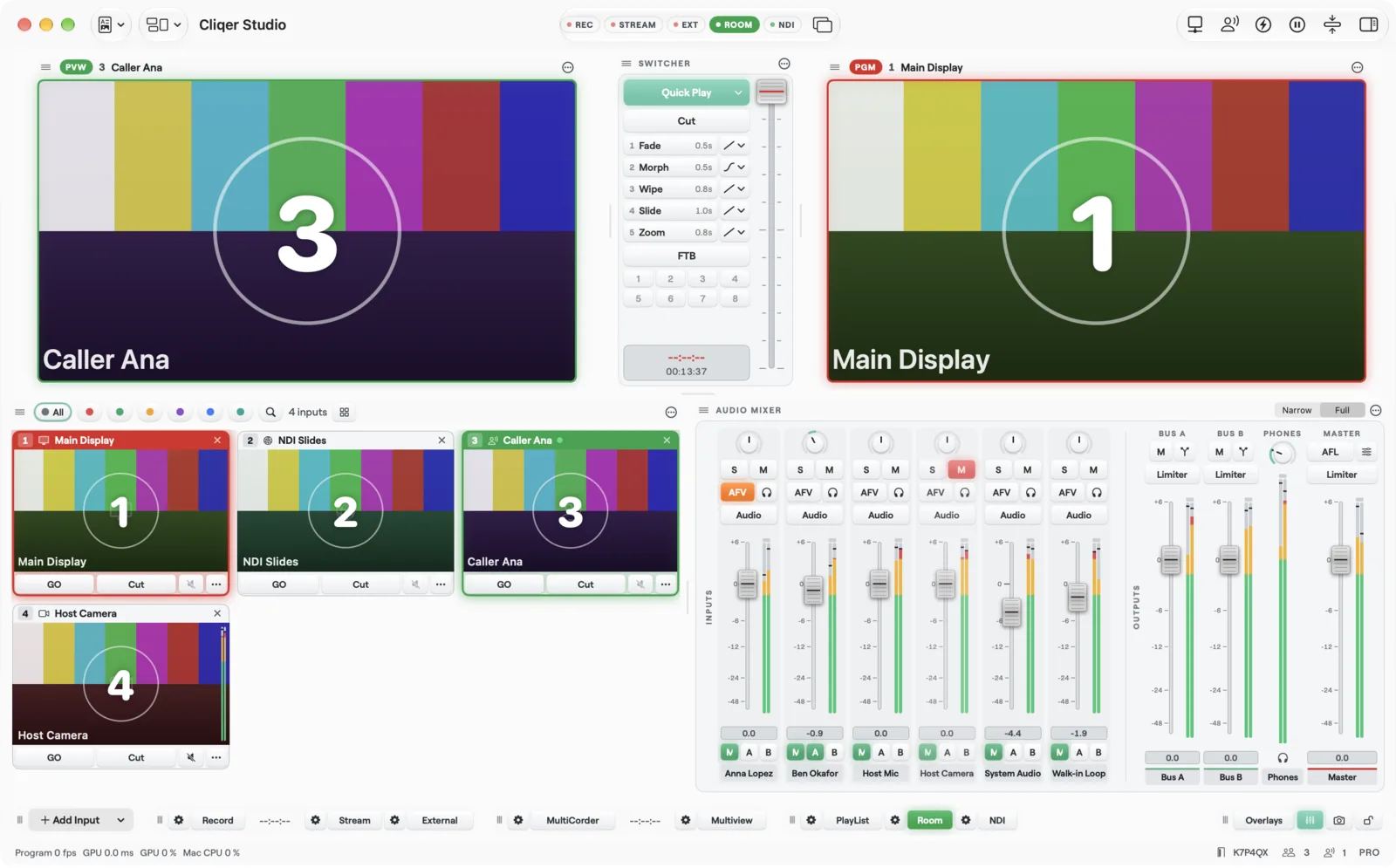
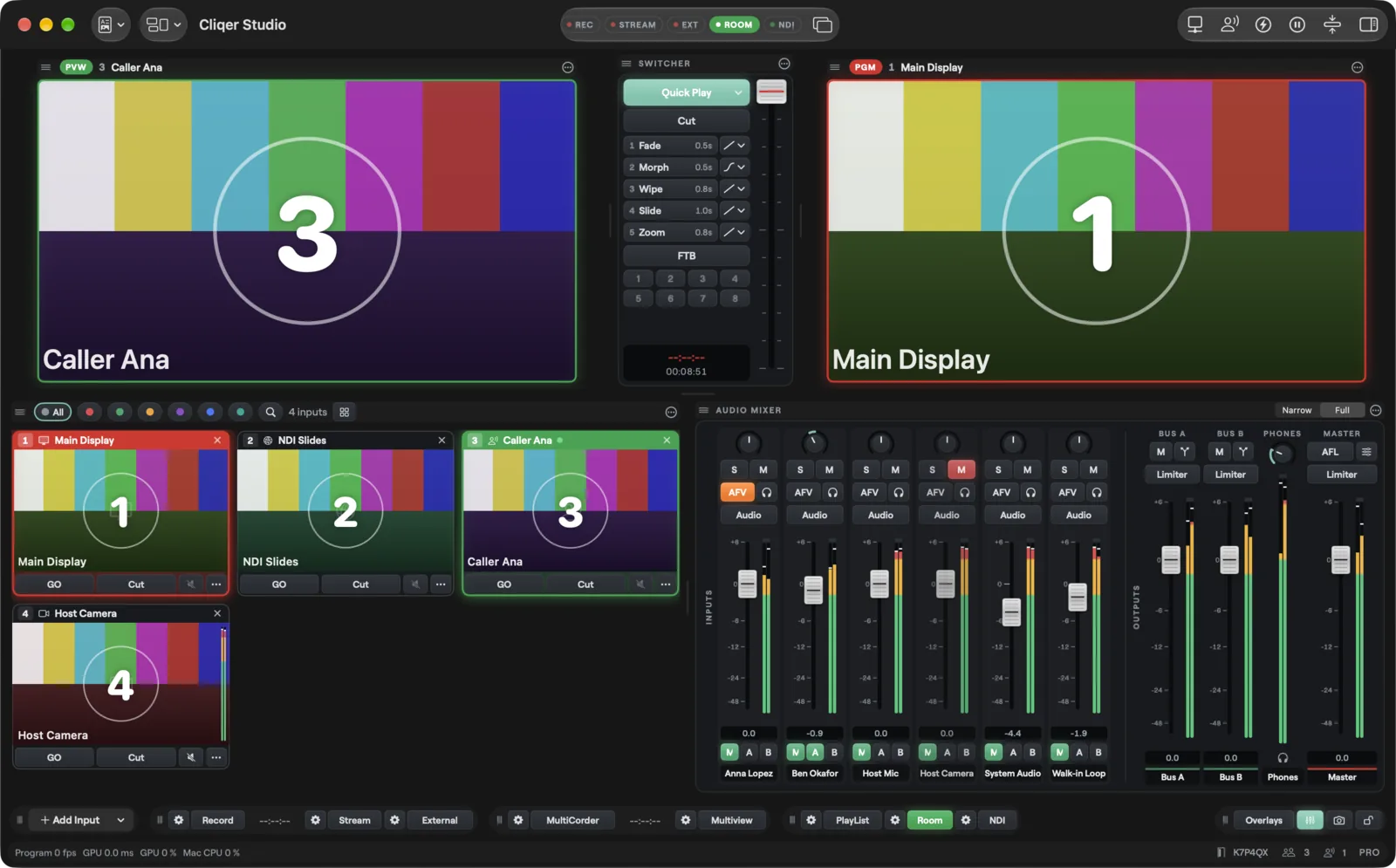
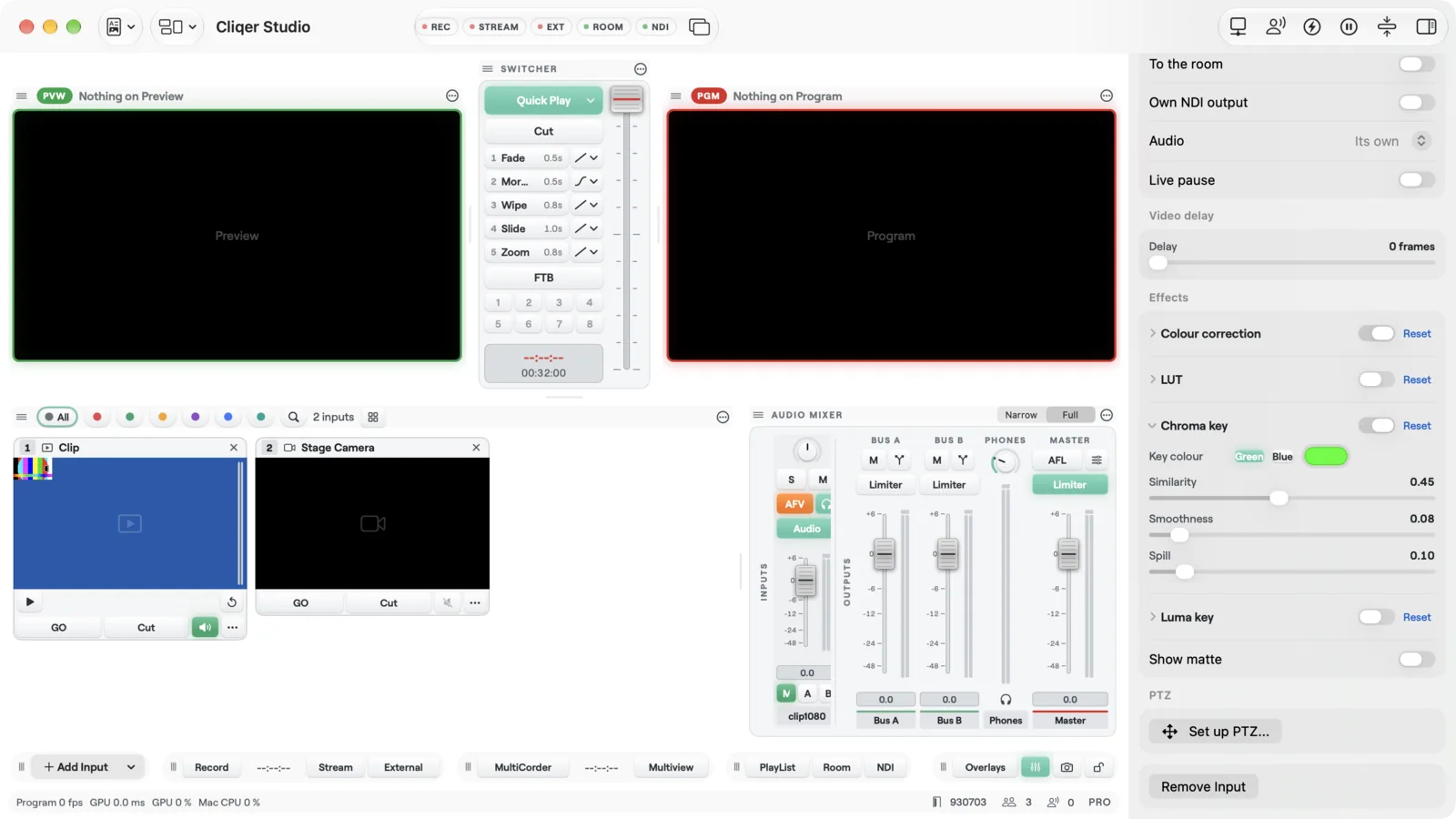
The Studio window on a Mac: Preview and Program, the switcher, input tiles, the audio mixer and the bottom bar
Program on Studio and Enterprise
8K1
Transition buttons, each any effect
52
Stinger keys beside them
82
Longest replay ring
300 s3
Why Studio

One window for the whole show

Switch, produce, show, mix and reach your audience without a second app on the desk.

Native on Mac and Windows

A real desktop app on Metal and Direct3D, not a browser tab. macOS 15 or later, or Windows 11.5

People on a call are inputs

Each person lands as a tile with their own return video and a mix-minus return audio, so nobody hears themselves.1

Up to 8K Program

1080p on Pro, 4K on Ultra and 8K on Studio and Enterprise, recorded and streamed from the same Program.1

Screens with their own Take

Each screen is an extra Preview and Program with its own Cut and Take, for a confidence monitor or a side screen.1

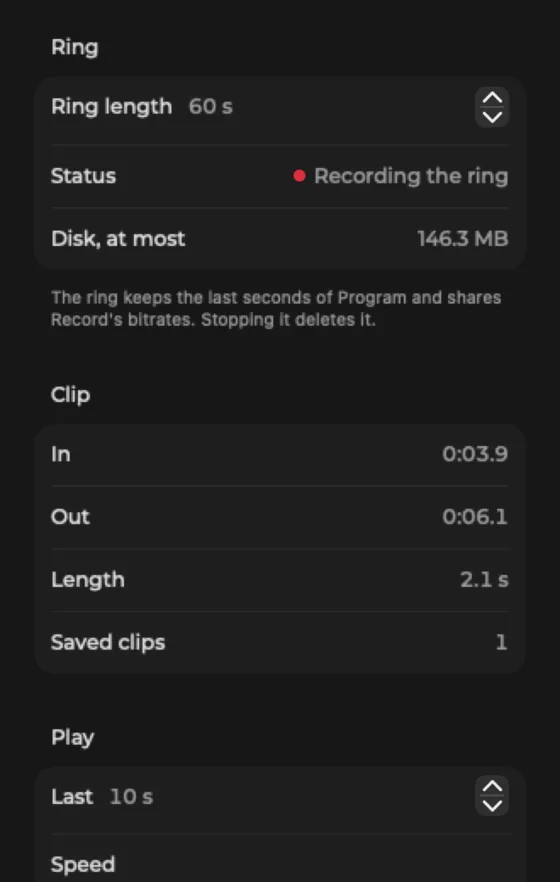
Replay up to 300 seconds

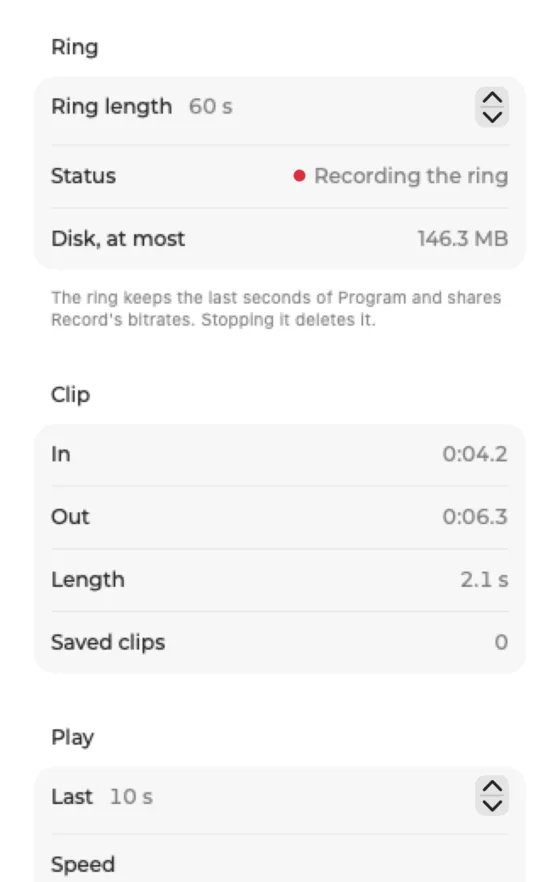
In and out marks, saved clips and playback from the Replay popover. Multi-angle replay on Studio and Enterprise.3

Every action bindable

Keys, MIDI, OSC, Stream Deck, X-keys and Bitfocus Companion reach the same map of actions.

Switch

Preview, Program and a Take you trust
Every input lands as a tile. Pick the next shot on Preview, dress it, and take it to Program with a cut, a transition or the T-bar.
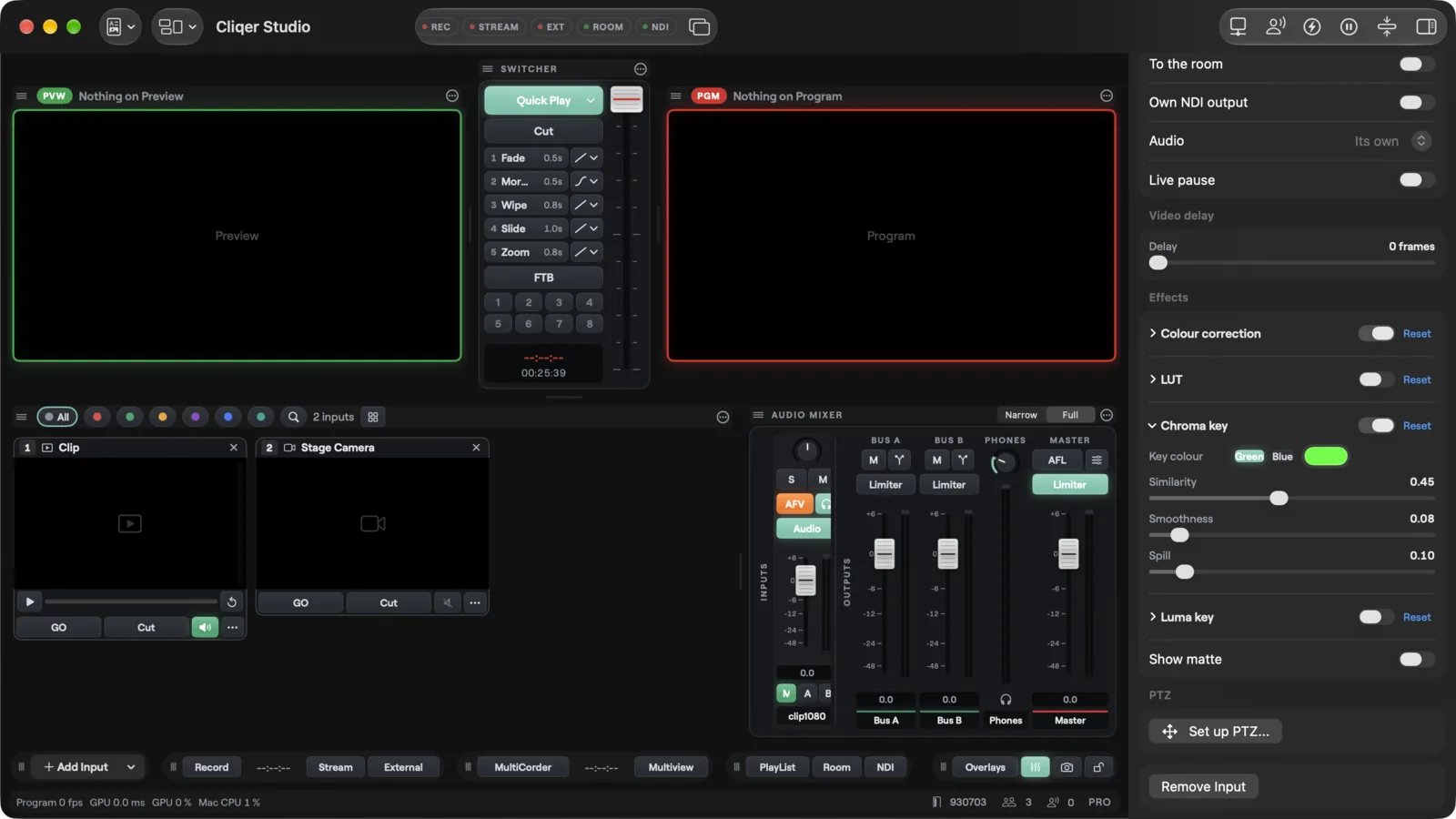
The inspector of a camera input with the Effects section: colour correction, LUT and chroma key
Preview, Program, Take
Build the next shot on Preview while Program stays on air. Take it with Cut, Quick Play, a transition button or the T-bar.
Transitions, 3D DVE and stingers
Five numbered buttons, each set to any effect up to 5000 ms, 3D DVE transitions included, plus Fade to Black and eight stinger keys.2
Every kind of input
Screens, cameras, NDI, capture cards, network streams over SRT, RTMP, RTSP or HLS, Syphon and Spout, web pages, media files and images.
People on a video call
Each person is an input. Their return video is Program, Preview or any input, and their return audio is always mix-minus.
Talkback and green room
Talkback sends your microphone to one person only, never to Program. On Stage moves a person between the show and the green room.
Keying, colour and LUTs
Colour correction, a LUT and a chroma key on every camera, plus AI background removal.
Produce

Titles, prompter, replay and PTZ in one app
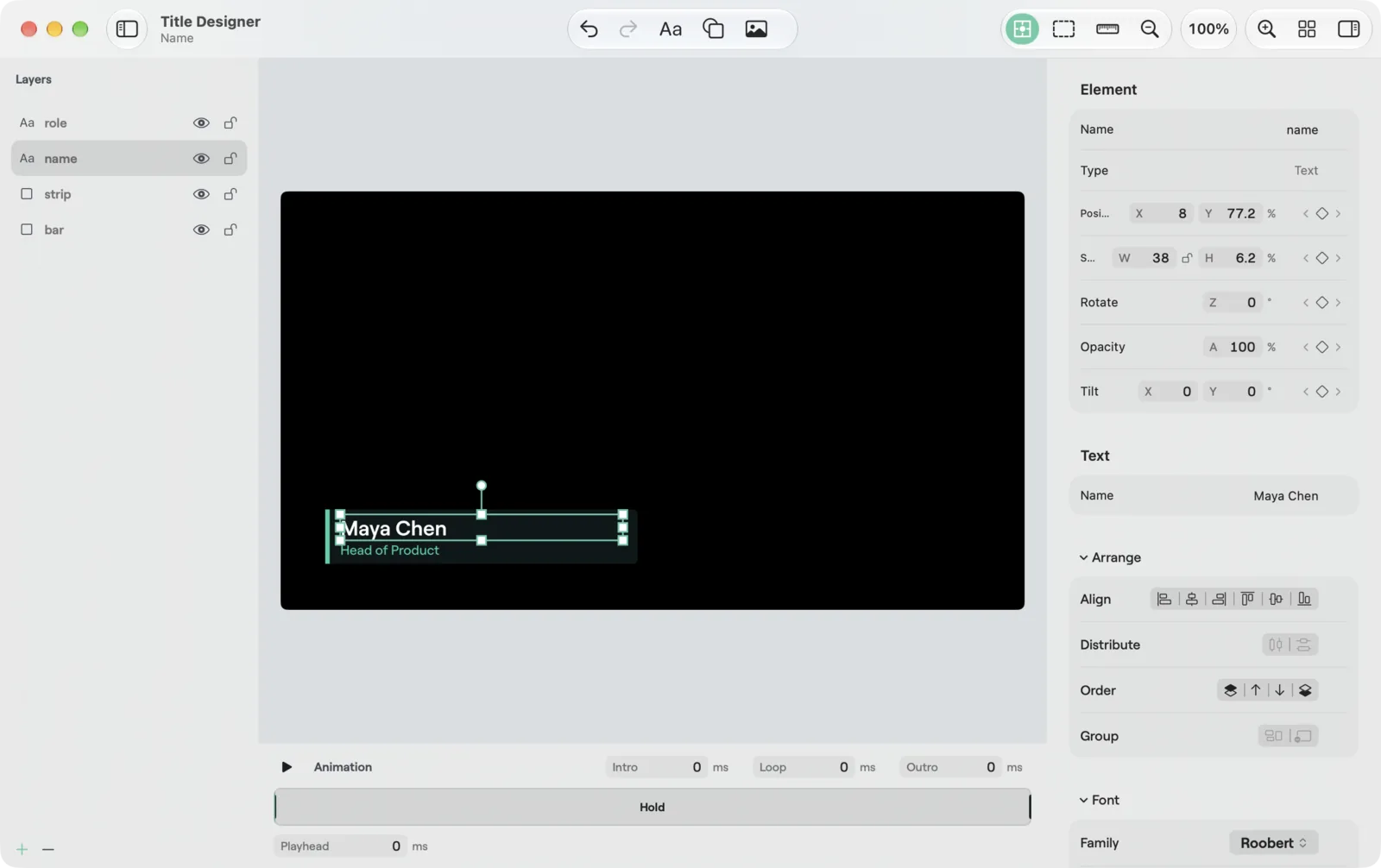
Design titles while the show runs, keep the presenter on time, roll a replay and move the cameras, all from the same window.
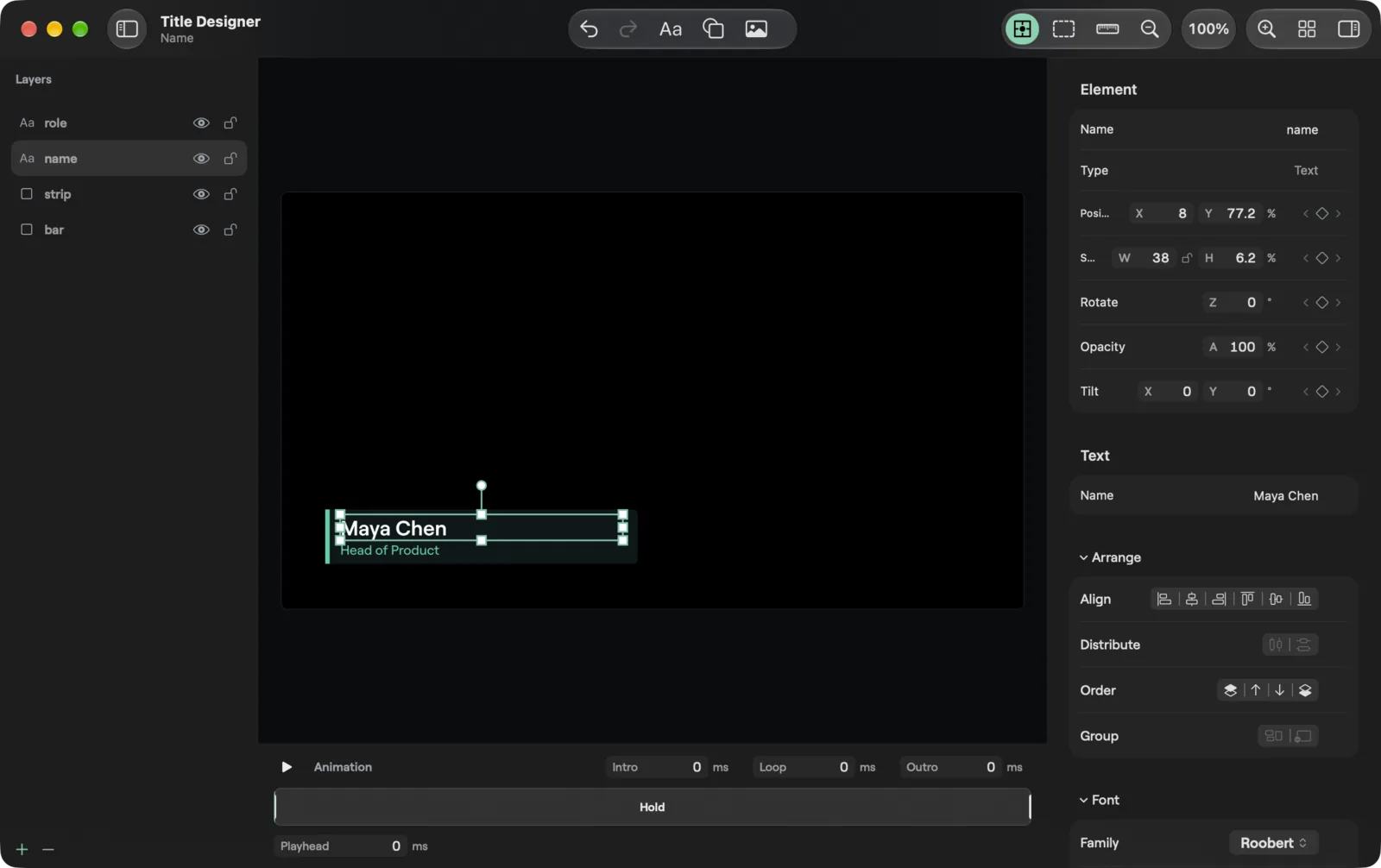
The Title Designer on macOS: Layers on the left, canvas, timeline strip and Inspector
Titles
The Title Designer has layers, a canvas, a timeline strip and an Inspector. Edits show on Preview live and reach Program on Take.
Teleprompter with timer
Your script scrolls past a reading line. Jump between sections, watch the reading speed and Time left. It follows Preview then Take like a title.
Instant replay
A ring of 5 to 300 seconds, in and out marks and saved clips. Multi-angle replay comes with Studio and Enterprise.3
PTZ cameras
Move, zoom and focus PTZ cameras from the inspector, with 16 presets per camera.4
Timeline Editor
Add and move clips, trim, fade, dissolve, change speed, keyframe a layer, add titles and grade.
Library and scenes
Videos, sounds, images, LUTs and data files in bins, with search, filter and import. Scenes build layers of other inputs into one input.
Show

Every screen in the room, each with its own job
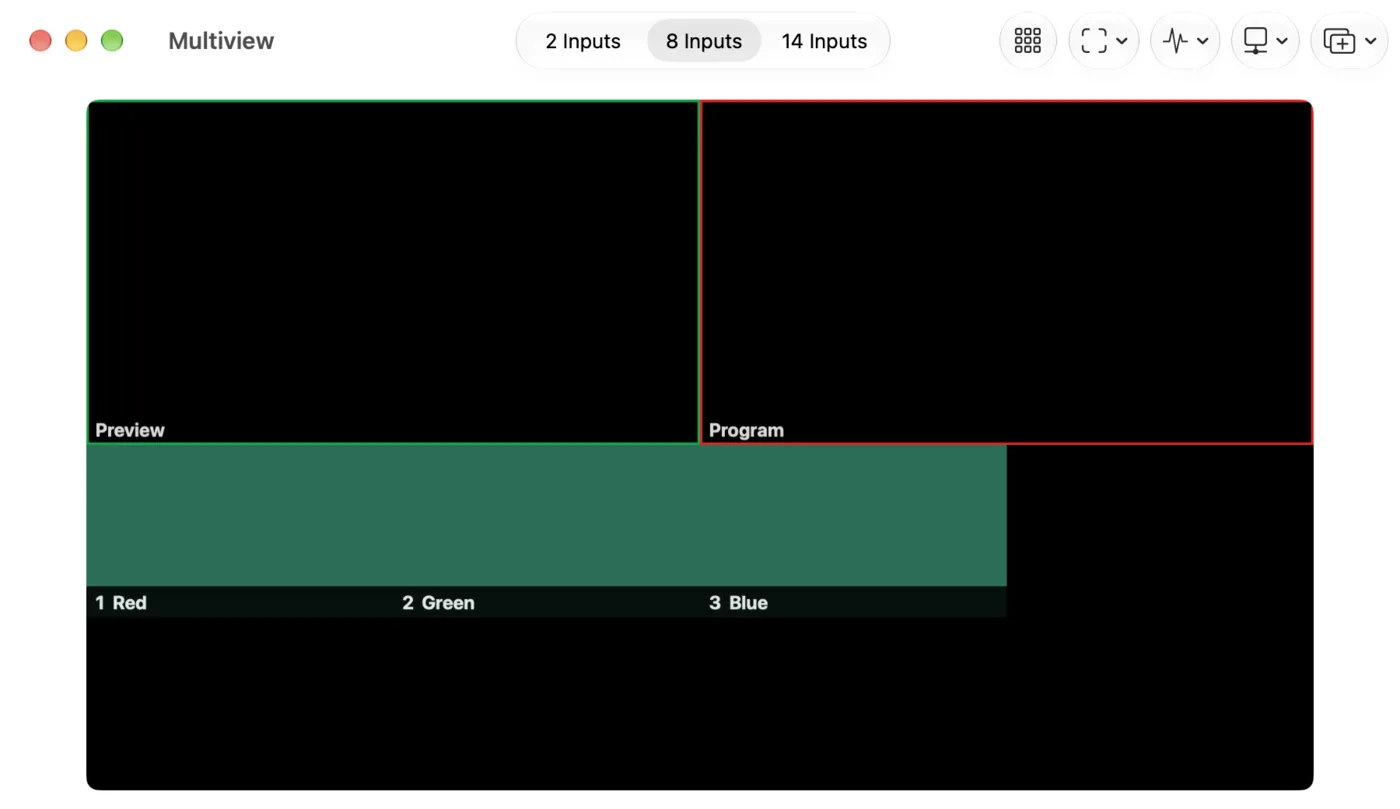
Watch everything on Multiview, give side screens their own Preview and Program, and put any feed on any display.
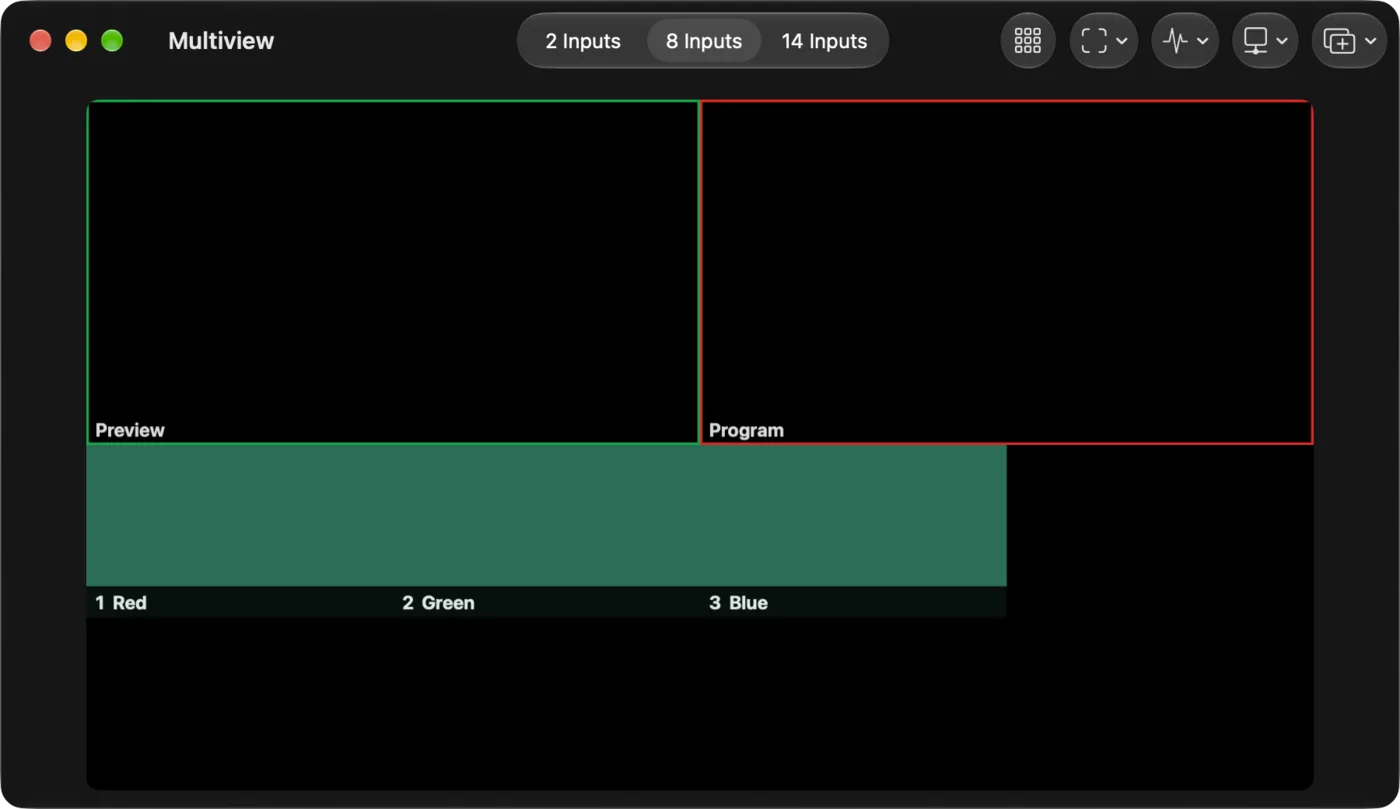
Multiview in a window on a Mac: Preview and Program on top, input cells below, and a toolbar with layout, cells, guides, scope and send
Multiview
Preview and Program on top, input cells below, with layouts, guides, a scope and a Send menu.
Screens with their own Take
A screen is an extra Preview and Program bus with its own Cut and Take: a confidence monitor, a timer for the stage or a side screen. On Pro and up.
Any display
Send Program, Preview, Multiview or one input full screen to any display the computer drives.
Mirror for the glass
Flip an input horizontally or vertically in Effects, so a teleprompter reads right through the glass.
Edge blend and warp
Blend and warp outputs across projectors on Studio and Enterprise.
Virtual sets
One input draws a 3D studio around your talent, each person in a slot cut out by a chroma key, on Studio and Enterprise.
Sound

A real mixer, with buses

Strips, Groups, Returns, Phones and Master, so the room, the stream and the people on the call each hear the right mix.
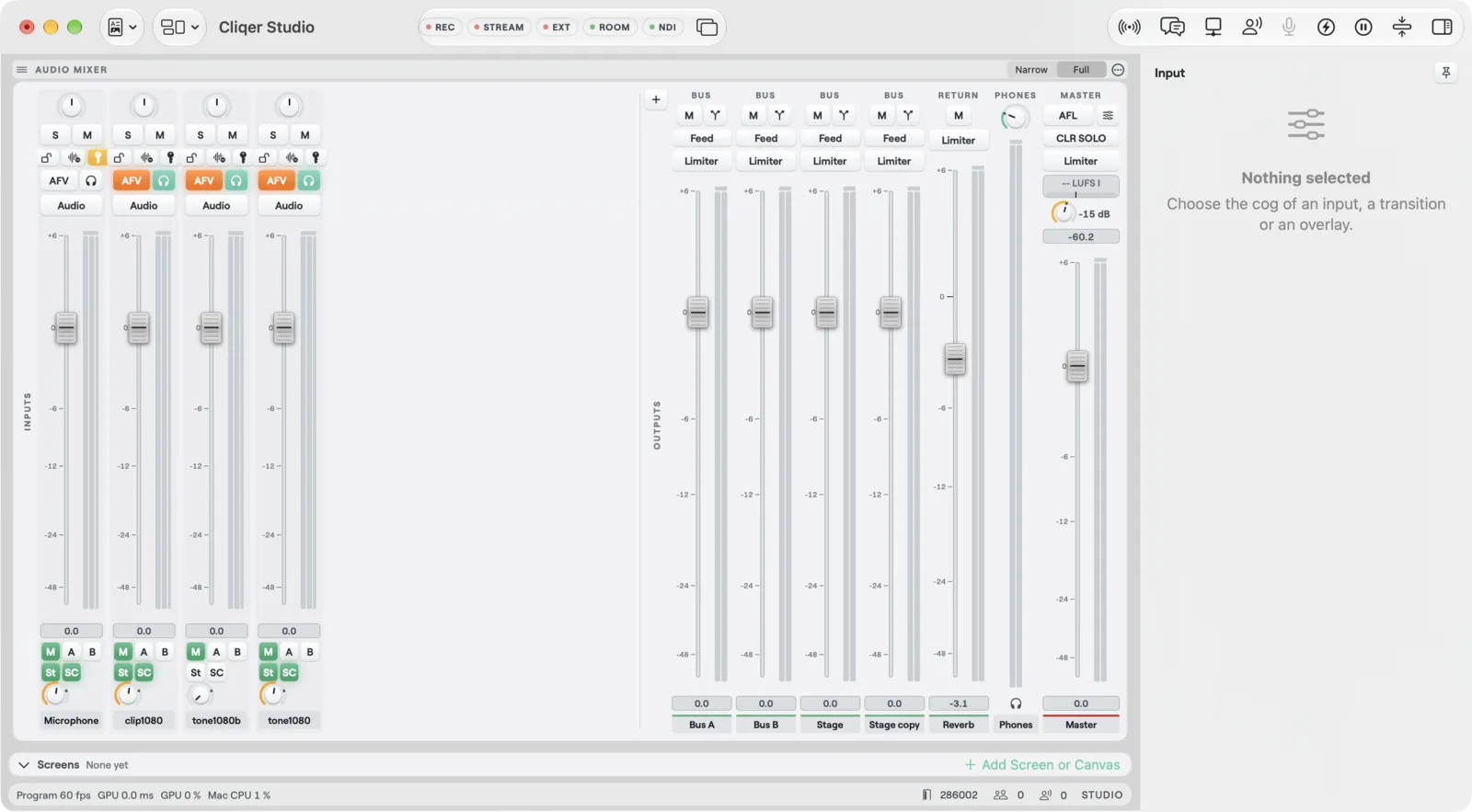
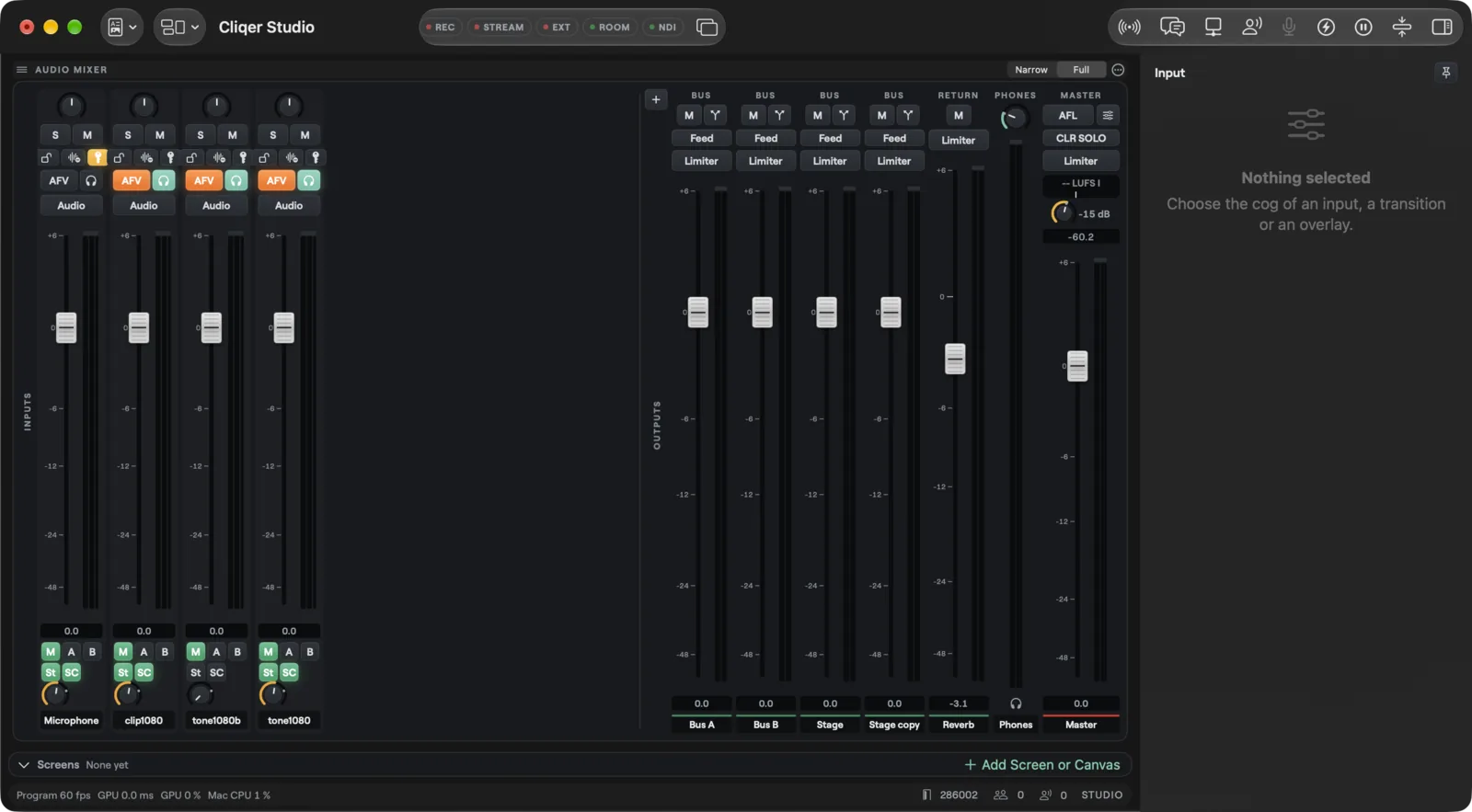
The Audio Mixer on macOS with input strips, Bus A, Bus B, a Group, a Return, Phones and Master
A strip for every input
Each input that carries sound gets a strip, sent to Master, to any Group and to any Return.
Groups and Returns
Bus A and Bus B to start, then add as many Groups and Returns as the show needs.
Phones and Master
Listen on Phones while Master carries the Program mix. The room and an NDI output can each hear Master, the headphones mix or a Group.
Reach

Record, stream and go live with captions
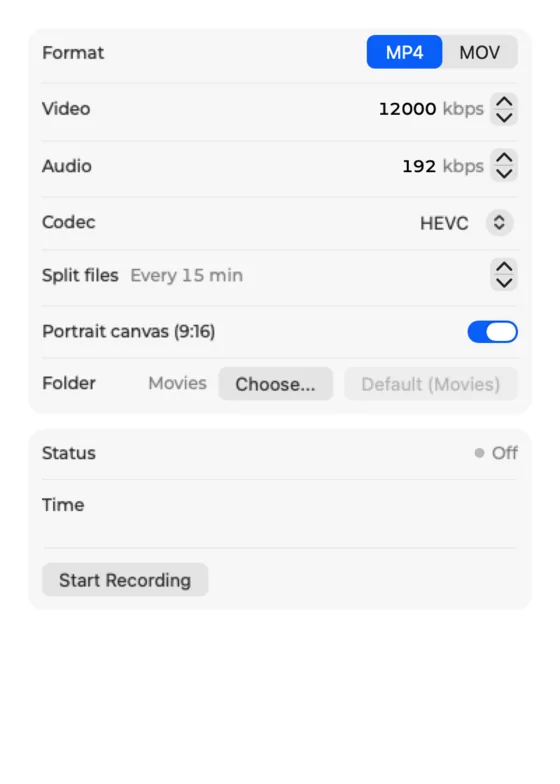
Keep a master and an ISO file per input, stream to your own servers, or go live on YouTube and Facebook in one click.
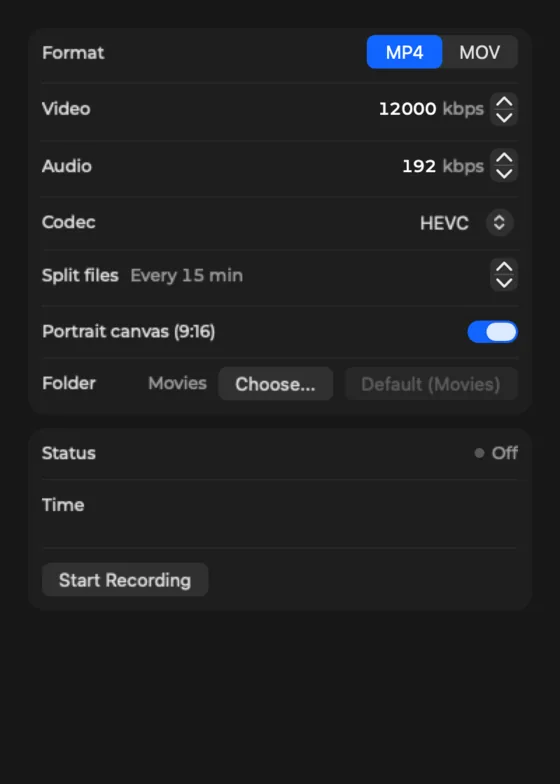
The Record popover with format, bitrates, codec, split files, portrait canvas and folder
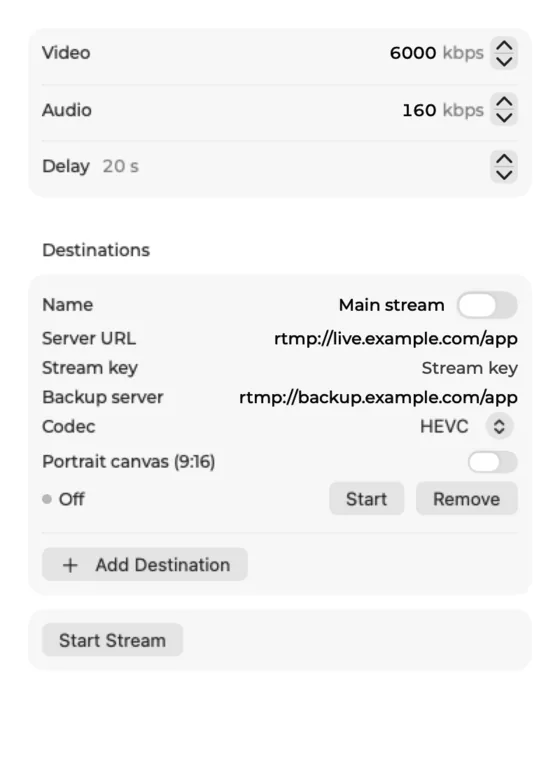
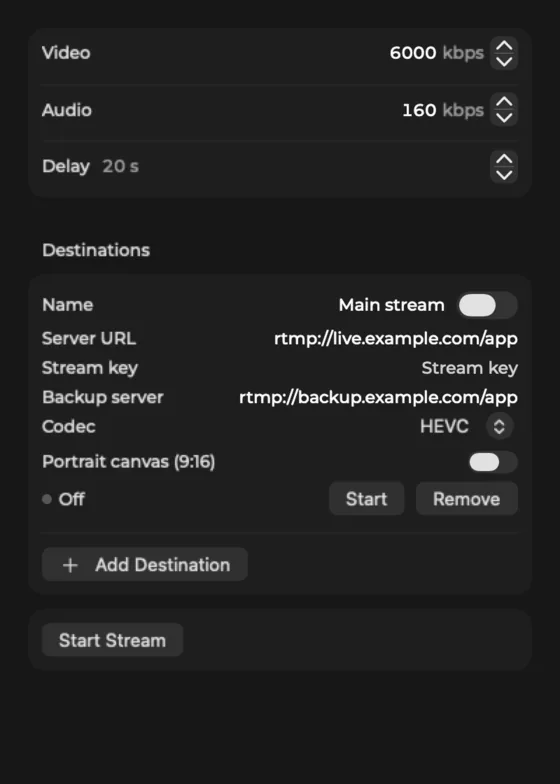
The Stream popover with bitrates, delay and a destination with a backup server
Record and ISO
Record Program with your format, bitrate and codec, split files and a portrait canvas. ISO records each chosen input to its own file.
Stream anywhere
RTMP, RTMPS, SRT and WHIP, with a delay, and a backup server for RTMP.
Go live in one click
Go Live broadcasts to YouTube and Facebook with a title, a description and who can watch. Show live comments on air.
Live captions
Turn on live captions, send them to YouTube too, and teach custom words. A captions input draws the lines in their own frame. On Cliqer Live, viewers also get translated captions and a spoken voice-over they can switch on.
NDI out
Send Program to NDI, and each person on a call out as their own NDI source.
Virtual camera
Program shows up as a camera Zoom, Teams, OBS and browsers can pick.
Control

External Control for every surface

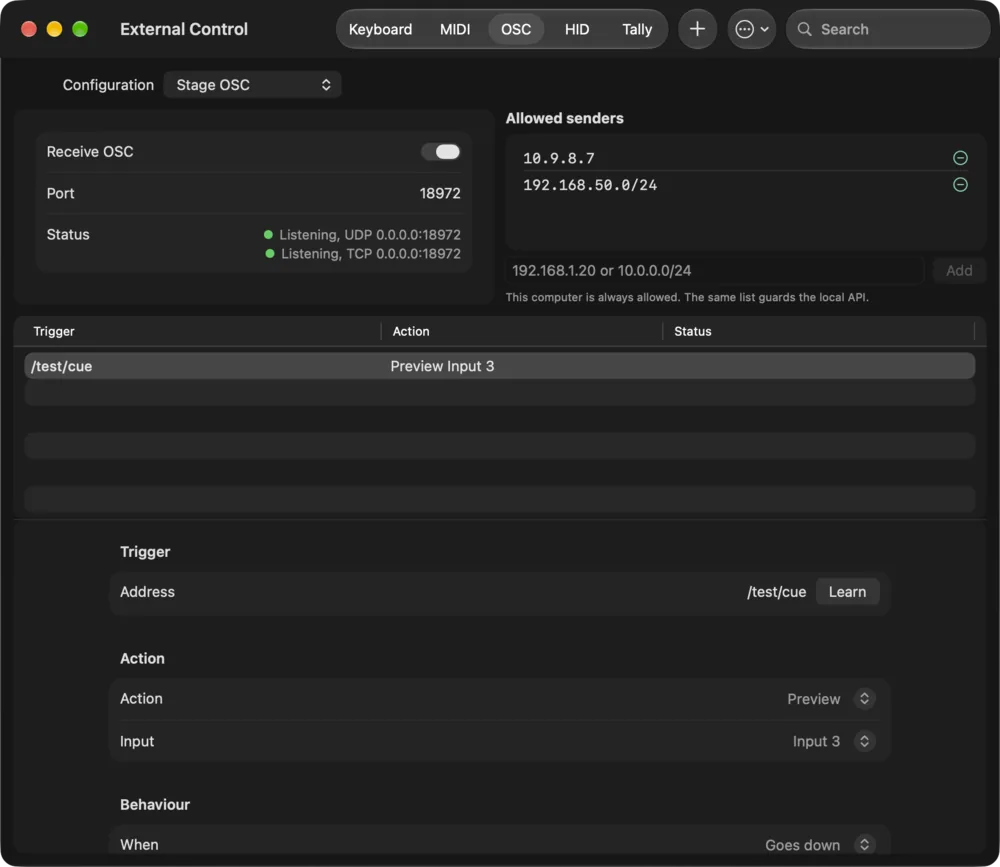
Every action in Studio can be bound to a key, a MIDI note, an OSC address or a button, and the same map serves them all.
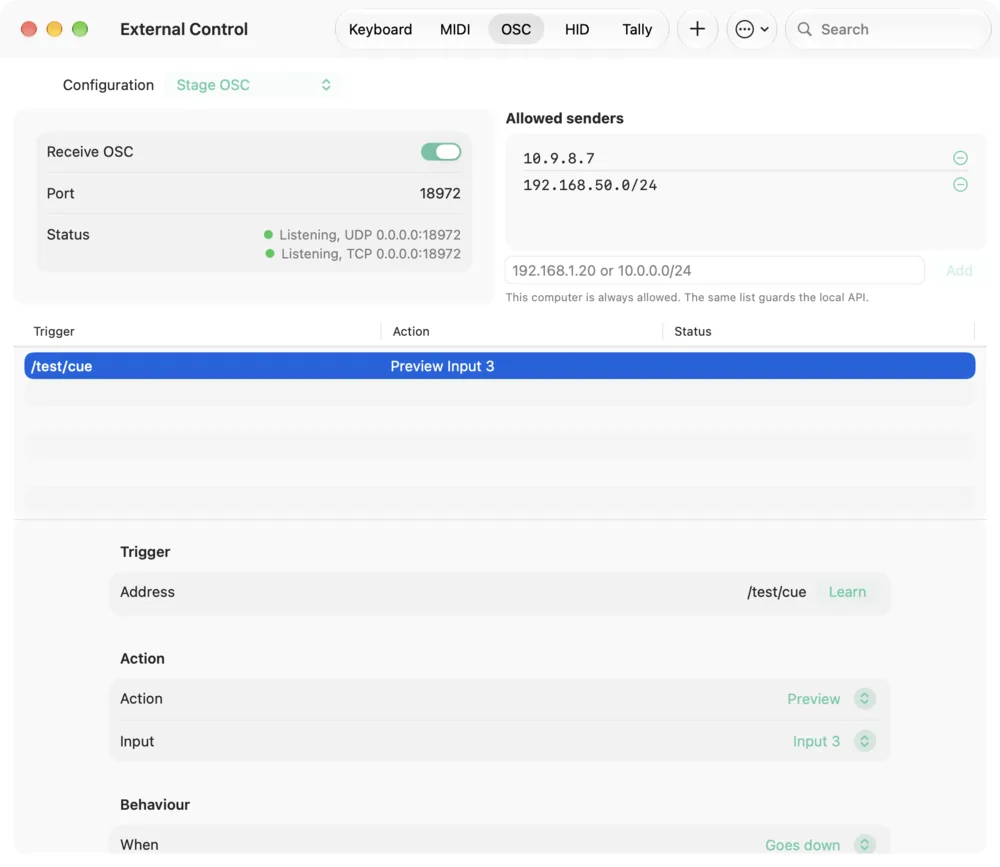
The OSC tab of External Control with the receiver, the allow list and a learned binding
Keys and shortcuts
Map any action to a key, and learn a binding by pressing it.
MIDI and OSC
Faders, pads and show controllers over MIDI, and OSC with a receiver and an allow list.
Stream Deck, X-keys, Companion
Stream Deck, X-keys, Contour Shuttle, foot pedals and Bitfocus Companion all reach the same actions.
Plans in numbers

Room to grow the show

People on a call, screens and Program size rise with each plan.1

People on a call, as inputs

  • Cliqer Pro
    3
  • Cliqer Ultra
    9
  • Cliqer Studio
    16
  • Cliqer Enterprise
    16
LimitProUltraStudioEnterprise
People on a call391616
Screens241616
Largest Program1080p4K8K8K
Stream destinationsNone155
Overlay channels4888
Sources8No limitNo limitNo limit

Free trial limits and prices are on the pricing page.

Cliqer Studio vs video tools

Studio against vMix, OBS, Wirecast, Ecamm Live, StreamYard, Restream and Riverside. Blank cells: not yet compared.

Start with a free trial, grow into Studio

The free trial has the Ultra features with trial limits and a watermark. Ultra adds 4K, and the Studio plan adds 8K, scopes, auto switching, edge blend and virtual sets.

Questions

Download Cliqer Studio

For macOS 15 or later and Windows 11. Sign in with Pro or up, or start the free trial.
  1. Plan limits come from the live plan catalogue on the pricing page, matching Plans and limits.
  2. Transitions: five numbered buttons, each any effect from 0 to 5000 ms, and eight stinger keys. See Transitions.
  3. Instant replay keeps a ring of 5 to 300 seconds, in steps of 5.
  4. PTZ cameras hold 16 presets each.
  5. Cliqer Studio runs on macOS 15 or later and Windows 11.