Import from Stagetimer
Moving from Stagetimer, or keeping your rundown in a spreadsheet? Import the CSV and Cliqer Timer makes a new room from it. A Cliqer Timer JSON export comes back in as a whole room.
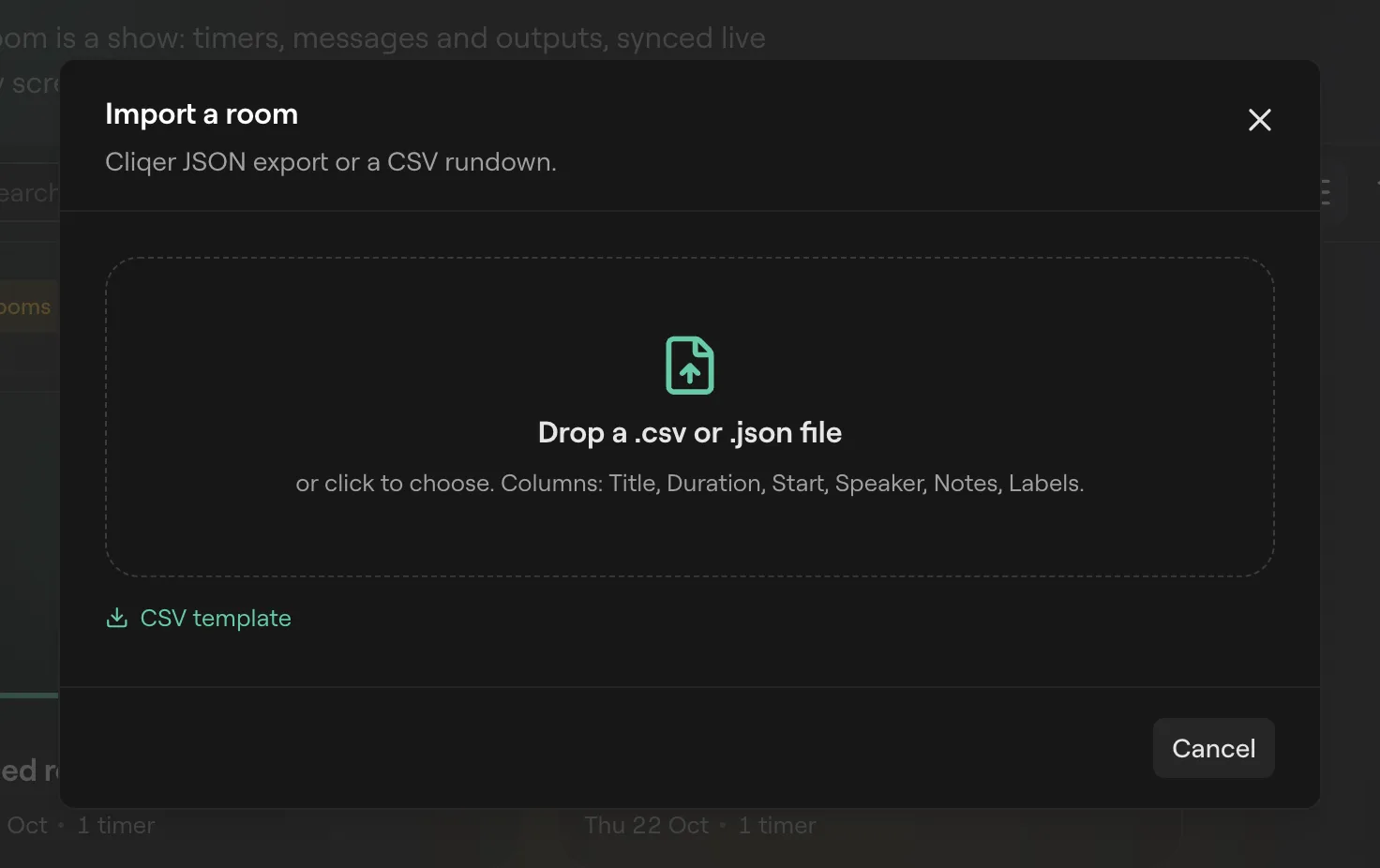
Import a CSV
Export from Stagetimer or your spreadsheet
Save the rundown as a .csv file. Any CSV with a title or duration column works; the column names below cover the usual spreadsheet and Stagetimer headings.
Open Import
Go to Cliqer Timer rooms and click Import.
Drop the file
Drop the .csv on Drop a .csv or .json file, or click to choose it.
Check the preview
The room is named after the file; change it under Room name. Each row has a tick box. Untick rows you do not want, or use the box in the header for all of them. An event date in the file shows as Event date.
Create the room
Click Create room with N rows. The new room opens in the control room. Back returns to the drop zone to pick another file.
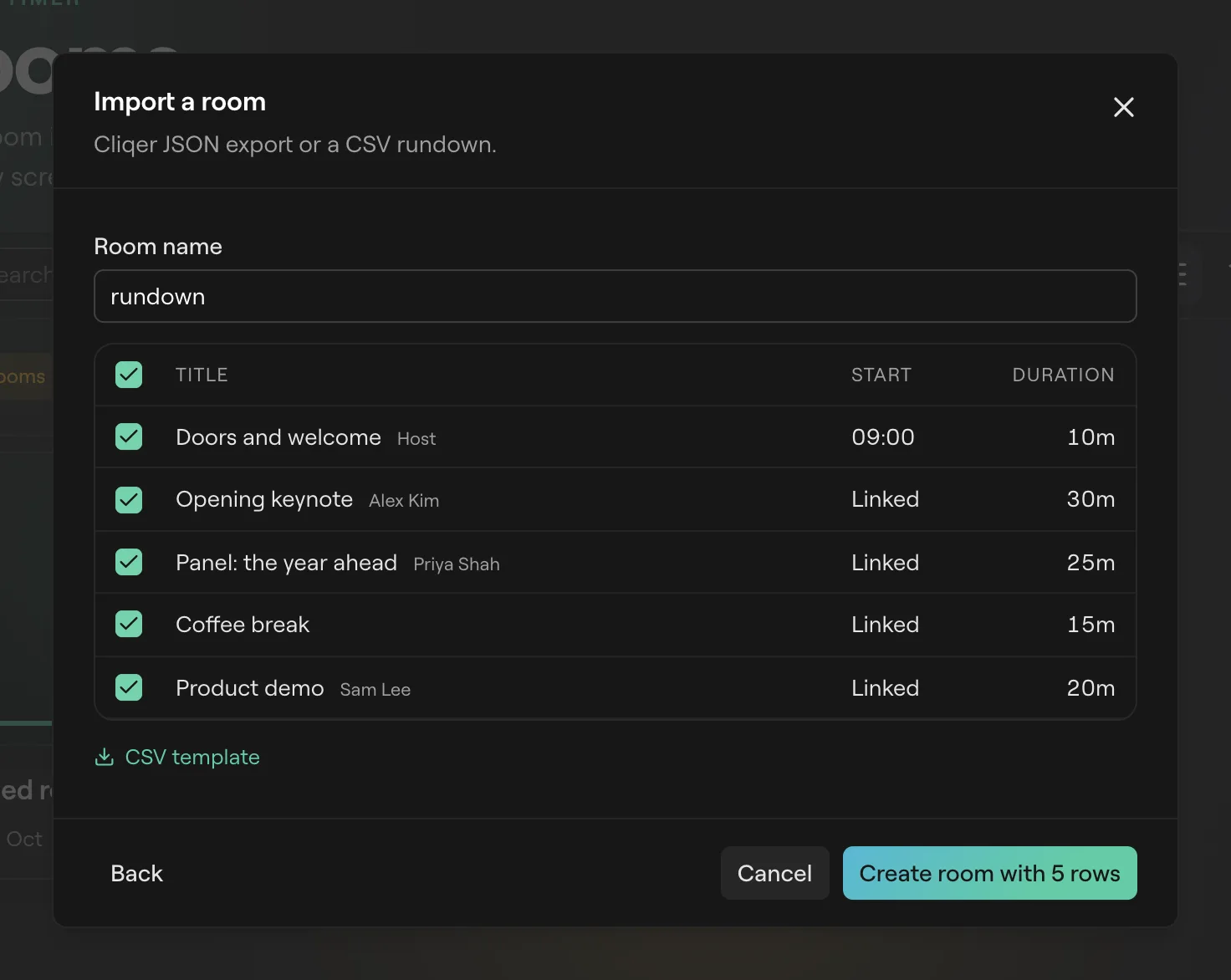
Nothing is written until you click Create room. The room goes into the folder you have open.
Columns
Only a Title or a Duration column is needed. Column names are not case sensitive, and the common names Stagetimer and spreadsheets use all work.
| Column | Also read as | Becomes |
|---|---|---|
| Title | name, segment, topic, item, agenda, description | The timer's title. Blank is "Untitled". |
| Duration | length, dur, trt, runtime | Its length. |
| Start | time, clock, begin, start time | A scheduled start at that clock time. |
| Speaker | presenter, host, moderator, who | Its speaker. |
| Notes | remarks, comment, comments | Its notes. |
| Labels | tags, category, label | Its labels, split on ,, ; or |. |
Rows above the column names are skipped, so a title block at the top of the file is fine. A line there like Date: 2026-11-04 sets the room's event date. Empty rows are skipped. A row that starts with "End of day" becomes a Day break.
CSV template in the dialog downloads a starter file with the columns in place.
Durations
| You write | Read as |
|---|---|
1:30:00 | 1 hour 30 minutes |
45:00 | 45 minutes |
1h 30m, 45m, 90s | Hours, minutes, seconds |
90 | 90 minutes. A bare number is minutes. |
A duration Cliqer Timer cannot read becomes 10 minutes. Check the preview's Duration column before you create the room.
Start times
9:00, 09:00:30 and 9:00 PM all work. A row with a start time starts at that time. A row without one is linked: it starts when the row before it ends. The first row without a time starts by hand.
Move a room between accounts
Every room card on Cliqer Timer rooms has Export JSON and Export CSV in its menu.
| Export | Holds | Use it to |
|---|---|---|
| Export JSON | The whole room as it is saved. | Copy the room to another account, or keep a backup. Import it to get the room back. |
| Export CSV | Title, date, time zone, then #, Start, Duration, Title, Speaker, Notes, Labels. | Open the rundown in a spreadsheet, or take it to another tool. |
A JSON import always makes a new room. The server gives it new ids and new link codes, so links from the old room do not open it. Only a Cliqer Timer export is read as JSON; a Stagetimer room comes in through its CSV.
To import over the API instead, see import_csv in API and integrations.
FAQ
No row has a column named like Title or Duration. Rename the header in your sheet, or start from the CSV template.
The file has column names but nothing under them.
You have as many rooms as your plan allows. Move a room to trash, or see Plans and limits.
The .json file is not one Cliqer Timer exported. Export the rundown as CSV and import that.
Its duration was in a form Cliqer Timer cannot read. Fix it in the control room, or change the file to one of the forms above and import again.