Devices
Devices are the things that press Next for you: a phone running Cliqer Remote, a Bluetooth clicker, a Stream Deck, a DSAN PerfectCue. Cliqer finds them by itself. You only approve new clickers and pair phones.
Where devices show up
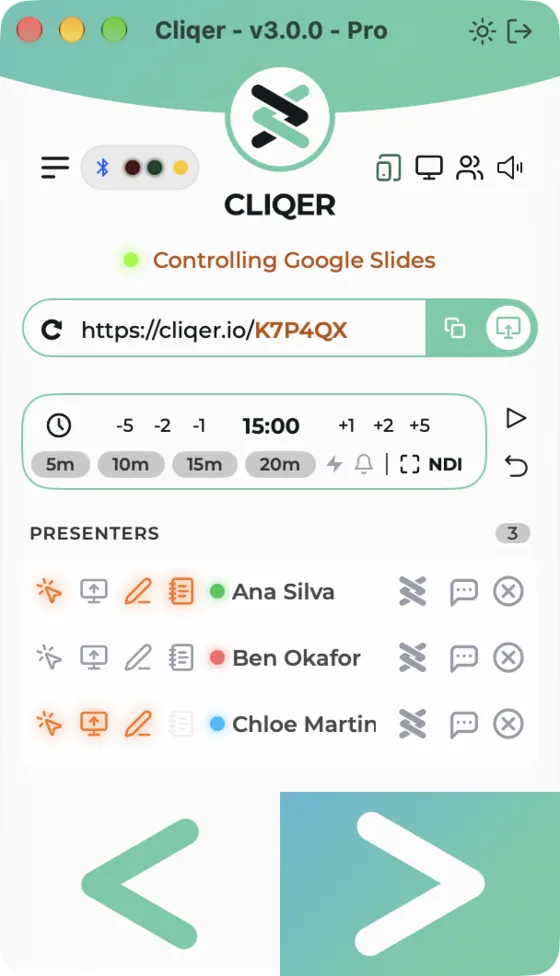
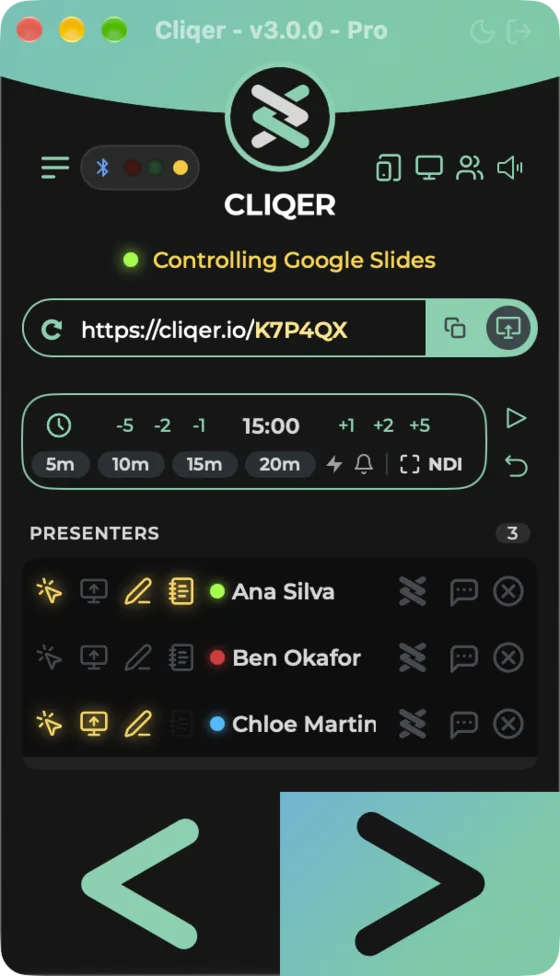
- Classic Panel: the Devices pill next to the Settings icon appears while a clicker, PerfectCue or Limitimer is attached. It shows a Bluetooth symbol with the lowest clicker battery (several clickers read like "x2 40%"). Click it for a list: Clickers with each name and battery, PerfectCue, and Limitimer with its mode and clock. Battery turns amber at 40 per cent and red at 15 per cent. With a PerfectCue attached the pill also shows two small cue lights: the red one lights on a left press, the green one on a right press. The list repeats them under Cue lights.
- Split View: the Devices section lists everything (below).
- Remote control icon: opens Pair a Device.
- Classic layout: the devices pill next to the Settings icon appears while a clicker, PerfectCue or Limitimer is attached. It shows a Bluetooth symbol with the lowest clicker battery (several clickers read like "×2 40%"), the two cue lights of a PerfectCue, and the Limitimer clock. Click it for a list: Clickers with each name and battery, PerfectCue with its Cue lights, and Limitimer with its mode and clock. Battery turns amber at 40 per cent and red at 15 per cent.
- Windows layout: the Devices page lists everything (below).
- Remote control icon: opens Pair a Device.
The Devices list
| Section | macOS | Windows |
|---|---|---|
| Presentation control | Presentation control, row Accessibility: Granted or Grant. Warning "Accessibility access is needed to move slides." | Bar Presentation control is ready or Presentation control is blocked (see Presentation control) |
| Connected | Connected: one row per device with its name, and the kind (Bluetooth clicker, Stream Deck, DSAN, Limitimer). With nothing connected it reads Nothing connected and lists what Cliqer works with. | not listed |
| Bluetooth clickers | Bluetooth clickers: each clicker with its approval state (Waiting for approval, Blocked). Shown only when there is a clicker. | Clickers. Empty: "No clickers found. Turn a clicker on and bring it close." |
| Stream Deck | Stream Deck: each deck with "USB" or "Through the Elgato software", Connected and HID mode or Plugin mode, and Plugin installed with the path. Shown only when a deck is there. | Stream Deck: "USB, serial <number>" or "Through the Elgato software". Empty: "No Stream Deck connected." |
| Timer cables | DSAN and Limitimer: DSAN PerfectCue, Limitimer. Shown only when a cable is attached. | Timer cables: "DSAN on <port>", "Limitimer on <port>". Empty: "No PerfectCue or Limitimer cable connected." |
| USB | USB: other USB devices with their vendor and product ids. Shown only when there are any. | USB: the same. Empty: "No other USB devices reported." |
| Integrations | Companion (Module: Installed, shown only when the module is there), Google Slides extension (shown only when connected or when it has tabs) (Extension: Connected or Not connected, with the tabs Presenting or Open) | Integrations: Companion, and Google Slides extension connected or not connected |
Cliqer Remote (phone or tablet)
Cliqer Remote on your phone can control most of the host: the room and its screen sharing, its presenters, chat, the deck and slides, the timer, Bluetooth clickers and NDI. In the Studio it covers the basics: Preview and Program, Cut and Take, the transition, adding and removing inputs, mixer levels, Mic Mode, output audio, sending Program to the room and calls (invite, put on Program, return feed, hang up). Recording, streaming, Go Live, the T-bar and the rest of the Studio stay on the computer for now. It can also change a few of the app's own switches: sound, click volume, always on top, notifications, visible in screen capture and dark mode. It can open or close the Studio window, the timer window and the Audio Mixer panel, and run Reset All Settings once you have confirmed on the phone. Pairing works like linking WhatsApp Web. The full guide for the phone side is Control the host.
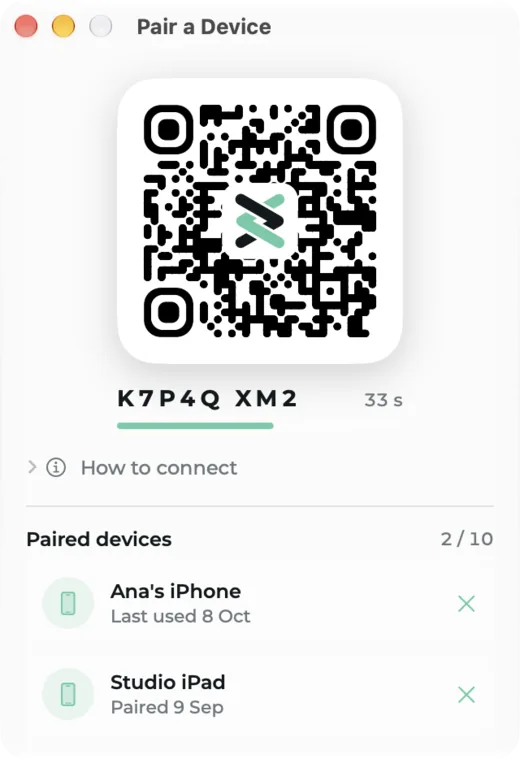
- Click the Remote control icon in the Classic Panel, or choose Room, Pair a Device. The Pair a Device window opens.
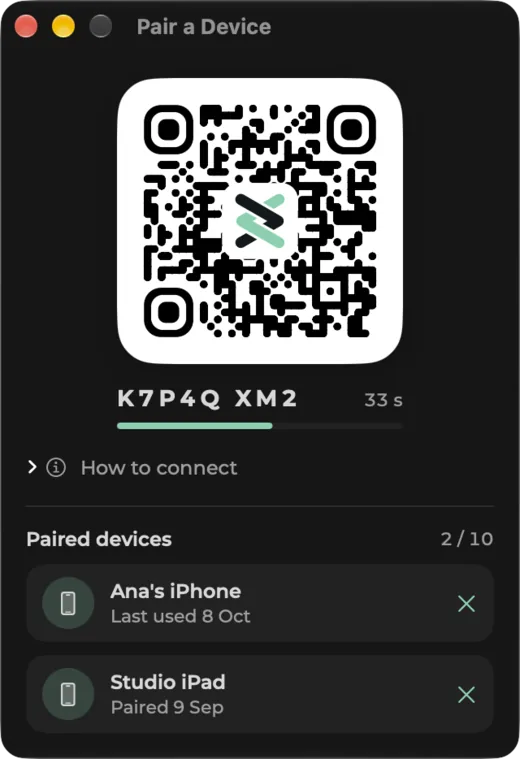
- It shows a QR code (a link to cliqer.io/pair), the code beside it split into two groups, and a bar that drains over 60 seconds with the seconds left. The code works once and renews itself while the window stays open.
- On the phone, open Cliqer Remote and tap Control the host, then scan the code. The window's How to connect fold-out lists the steps: "Download Cliqer Remote on your phone or iPad", "Open it and tap Control the host", "Scan this code".
- Paired devices shows the count as "n / 10", each device as "Paired <date>" or "Last used <date>", with an x (Remove) to unpair.
Messages: "This computer already has 10 paired devices. Remove one below, then try again." and "Too many codes in a minute. Wait a moment, then try again." with Try Again. The window shows "Connecting to Cliqer" and "Getting a pairing code" while it works.
- Click the Remote control icon, or choose Pair a device in the Studio Settings menu. The Pair a Device window opens.
- It says "Pair a phone", "Open Cliqer Remote on the phone and enter this code." and shows the code. Windows shows the code, not a QR code.
- Paired phones lists each phone as Paired or "Paired, not watching now" with an Unpair button. Empty: "No phones yet."
Messages: "Too many codes asked for. Wait a moment, then try again.", "This desktop has as many phones as it can pair. Unpair one first." and "The server did not give a code." with Try again.
Bluetooth clickers
A Bluetooth slide clicker connects by itself when it is on and close. The first time a clicker connects, Cliqer asks you to approve it. Until you do, its presses wait.
The alert New clicker detected says "<name> wants to control your slides. Allow it?" with Allow and Deny. Deny blocks the clicker.
Manage clickers in Split View, Devices, Bluetooth clickers, or in Settings, Control, Clickers:
| State | What you see |
|---|---|
| Waiting | Waiting for approval, with Allow and Deny |
| Allowed | Battery percentage, Rename... (dialog Rename Clicker with Name, Cancel, Rename) and Ban |
| Blocked | Blocked, with Allow and Forget device |
Settings, Control, Clickers is empty with the text "Clickers you allow appear here." until you allow one. macOS asks for the Bluetooth permission the first time (see Permissions).
The dialog Allow this clicker? says "<name> connected. Its presses wait until you allow it. You can change this later in Settings, Control." with Allow, Deny and Later.
Manage clickers on the Devices page (name, Connected or "Seen, not connected", signal strength in dBm, battery with "charging") and in Settings, Control, Clickers:
| State | What you see |
|---|---|
| Waiting | "Waiting for approval: its presses wait until you allow it.", with Allow and Deny |
| Allowed | Allowed, with Rename... (dialog Rename clicker), Ban and Forget |
| Blocked | Blocked, with Allow |
Free plan allowance for hardware
On the Free plan, physical clickers (Bluetooth clickers, Stream Deck, DSAN, and clickers sent through the API) work for a limited demo time and then stop. The clock starts at the first hardware click, and Cliqer tells you about the limit about once a minute. The current Free plan definition gives 10 minutes. When the time is up, Cliqer shows Clicker Time Limit Reached: "Physical clickers are limited on the Free plan. Upgrade to keep using your clicker." with Upgrade. Your keyboard, the on-screen Next slide button and a phone running Cliqer Remote are not limited. Paid plans have no limit.
Stream Deck
Cliqer talks to a Stream Deck in two ways: directly over USB, or through the Elgato Stream Deck software and its Cliqer plugin. Cliqer installs the plugin by itself when the Stream Deck app is present (see Settings, Control, Integrations). Connect or unplug at any time. The key layouts, the models and the caller and screen-share keys are in Stream Deck. On the Free plan a Stream Deck can run 2 actions (current plan definition).
DSAN PerfectCue and Limitimer
Plug the DSAN USB cable in and Cliqer detects it, no driver needed. A PerfectCue's remote presses move your slides like any clicker. A Limitimer keeps the timer in step, see Timer. Cables, DIP switch settings and where to buy: DSAN PerfectCue and Limitimer.
Bitfocus Companion
Cliqer installs its Companion module by itself when Bitfocus Companion is present, and Companion connects to Cliqer on port 24601 of your own computer. Buttons and layouts are in Bitfocus Companion. On macOS, finding Companion and NDI sources on the network needs the Local Network permission.
Google Slides extension
The extension lets Cliqer move Google Slides in your browser without switching windows. The Devices list shows whether it is connected. See Presentation control.
Other ways to control Cliqer
Keys can run Studio actions with External Control.
Screen Sharing
Share a display, the Studio Program or an NDI source with the whole room or with one presenter, with audio, and what each platform needs to allow it.
Presentation Control
Which presentation apps Cliqer can drive on macOS and Windows, how to pick a control mode, what permissions it needs, and what the slide error alerts mean.