Audience questions
The audience sends questions from their phones through the room's ask link. A moderator approves, queues and answers them, and puts one on stage for the presenter.
Collect questions
Share the ask link
In the control room, open Devices and copy the ask link, or show its QR code on a screen in the room. It opens /timer/r/<room>/ask without signing in.
The audience asks
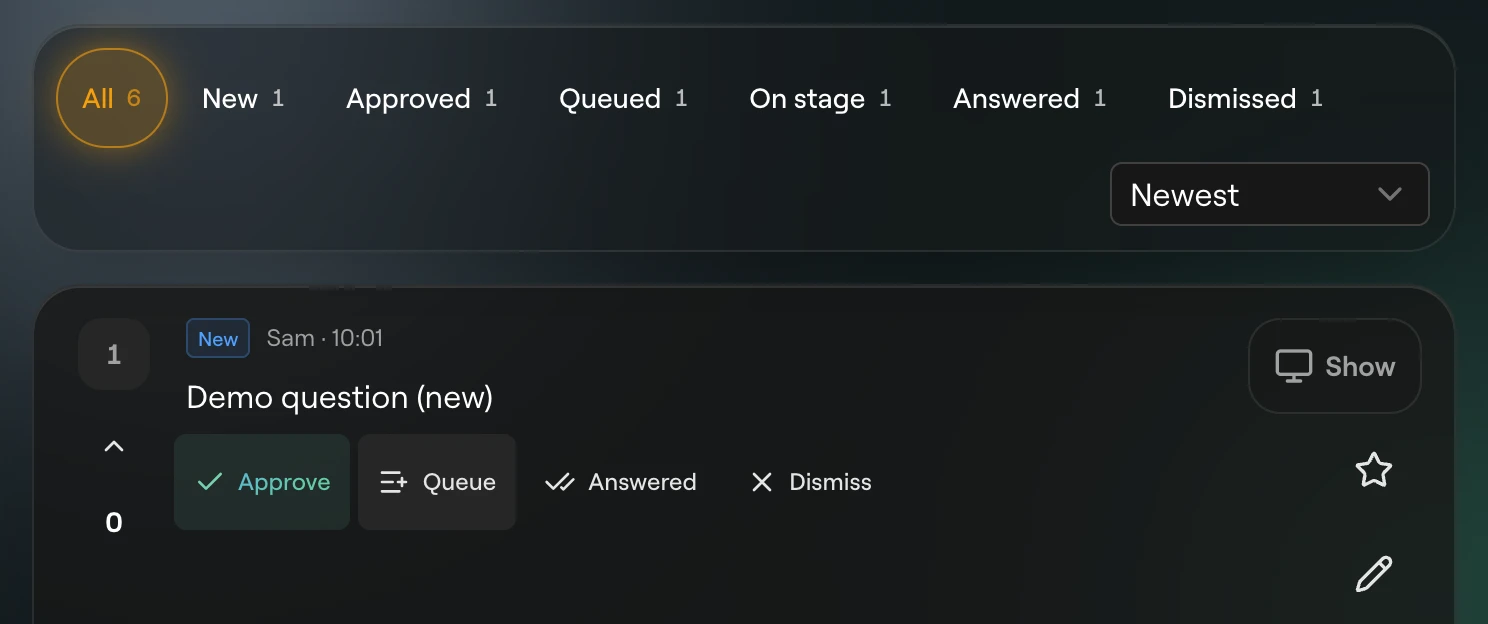
They type a Question and, if they like, a Name. A blank name asks anonymously. Submit sends it, then Submit another clears the form for the next one.
Moderate
Open the moderator link (/timer/r/<room>/moderator). New questions arrive at the top of All and New as they are sent.
Put one on stage
Click the show button on a card. Screens whose layout has a Moderator element show it, with the approved and queued questions under it as up next. Only one question is on stage at a time.
Question states
| State | Meaning |
|---|---|
| New | Just sent, not looked at yet. |
| Approved | Fine to take. |
| Queued | Lined up to be asked next. |
| On stage | Showing to the presenter now. |
| Answered | Done. The card dims. |
| Dismissed | Not taken. The card dims. |
The moderator page
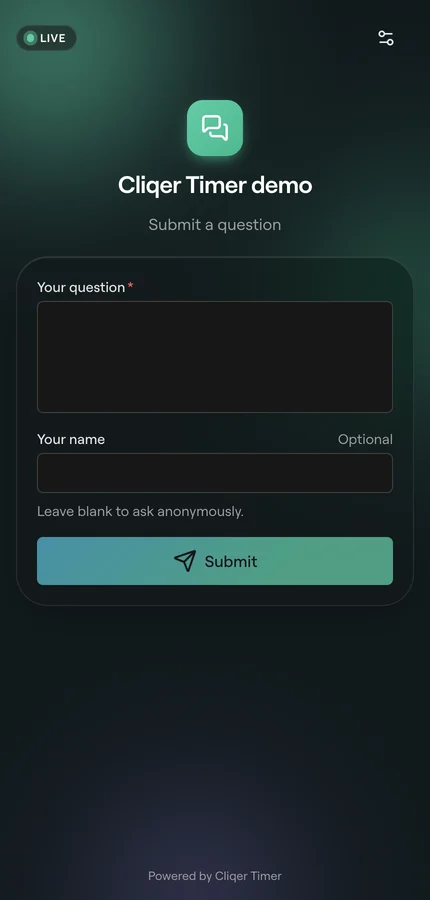
The filter bar picks All, New, Approved, Queued, On stage, Answered or Dismissed, each with its count. Sort by Newest, Oldest, Most votes or Starred first; the Queued view keeps queue order, so sort is off there.
In the header, Ask page opens the audience page in a new tab and Flash flashes the screens three times without a message, to tell the presenter a question is waiting.
Each card shows the votes, the question, who asked (or "Anonymous") and when.
| Button | What it does |
|---|---|
| Approve | Marks a new question approved. |
| Queue | Lines it up. Shown on new and approved questions. |
| Show on stage / Hide from stage | Puts it on stage, or takes it off. |
| Answered | Marks it done. |
| Dismiss | Sets it aside. |
| Star | Stars it, so Starred first puts it at the top. |
| Edit | Fixes the wording. Cmd+Enter saves, Esc cancels. |
| Colour | Tags the card with a colour, or clears it. |
| Note | A Private note for the moderators. The audience never sees it. |
| Delete | Click once to arm ("Tap again to delete"), again to delete. |
Ask page settings
Open the ask page while signed in as the room's owner and click Ask page settings (the gear). Anyone else who saves is refused, as the audience can only send and vote.
| Setting | What it does |
|---|---|
| Open or closed | Turns submissions on or off. |
| Closed message | Shown while questions are off. Blank shows "Submissions are closed". |
| Logo | Cliqer, None or Custom with an image address. |
| Title | Blank uses the room title. |
| Subtitle | Blank shows "Submit a question". |
| Question label, Name label | Your own field labels. Needs custom audience questions in your plan. |
| Hide name | Removes the Name field, so every question is anonymous. |
Click Confirm to save or Cancel to leave without saving.
Plans
How many new questions a room holds at once depends on your plan. Questions you approve, queue, answer or dismiss no longer count. Past the cap, a new question is refused until the moderator works through some. Custom field labels need custom audience questions in your plan. See Plans and limits.
Questions can also come in through the API: submit_question and vote_question need no key.
FAQ
Questions are turned off. Open Ask page settings and turn them on.
The room holds as many new questions as your plan allows. Approve, queue, answer or dismiss some in the moderator page.
That screen's layout has no Moderator element. Add one in the output designer.