


Why we threw away our Flutter app and rebuilt Cliqer Remote native, on a Rust core
We built Cliqer Remote in Flutter, measured it on a real phone, then rebuilt it native on one Rust core: half the battery, no heat. The numbers and lessons.
Cliqer 3 is out today, and the first thing to know about it is what it is not: it is not our web app in a bigger desktop frame. It is a native app for each system, a Mac app and a Windows app, with a native engine underneath and native Remote apps on your phone and your wrist. Same rooms, same sign-in. What changed is who is in charge of the video, the displays and the hardware: the operating system and the GPU, not a browser engine.
This post is the reasoning, with numbers where we have them. It is also a fair account of what version 2 got right, because most of it carried straight over. We simply hit a ceiling that more tuning could not lift, and we would rather explain it than pretend it was not there.
Version 2 started from a simple promise: any phone or browser can be a presenter's remote. A room link opens in a browser, the host's computer runs the slides, and the web connects them. That is why a guest can join with no install, and why the internet clicker idea worked at all.
The desktop app in version 2 wrapped that web app and added what a browser cannot do alone: driving PowerPoint and Keynote, mixing audio, sending NDI. On top we added Cliqer Studio as a compact vision mixer, with displays, cameras, NDI sources and remote callers as inputs and a program that went to the room and out as NDI.
It was a good design. The web gave us one codebase, instant updates and a presenter view that works on any device, and nothing in this post undoes that. Guests and presenters still join from a browser or a phone in Cliqer 3, exactly as before.
When a screen share lagged, we did not give up on the design. We spent months fixing it, and wrote each fix up as we went.
First, the video path. Shared-screen video in version 2 travelled over a reliable data channel, and the standard it is built on waits a full second before it resends a lost packet. We cut standing latency about fourfold by removing duplicate encoding and tightening buffers. Then we retuned the resend timers to Chrome's values and stopped full refreshes queueing behind the backlog. In a simulated lossy Wi-Fi run, a 1080p share went from 15 to 22 freezes of a second or longer every two minutes to 0 to 2.
Median lag behind live on simulated lossy Wi-Fi, 1080p share (milliseconds)
Second, the click. A click that reaches the desktop app has to move the slides and then report the slide number. We kept one connection to PowerPoint or Keynote open and read the position straight from the step just taken. On a Mac, over 20 runs, the median click to slide fell from 509 ms to 48 ms in PowerPoint and from 408 ms to 42 ms in Keynote. The full story is in why milliseconds matter and the latency fixes.
Third, the servers. In September we moved our realtime off Cloudflare onto our own dedicated servers, and desktop start-up checks now answer up to 17 times faster.
48 ms
click to slide in PowerPoint on a Mac, from 509 ms
12 ms
median lag on lossy Wi-Fi, from up to 2.3 s
0 to 2
freezes of a second or more per run, from 15 to 22
Up to 17x
faster desktop start-up checks after we moved our realtime
Every one of those wins was us working around a layer we did not control, and the list of things we could not work around did not shrink.
Tuning can only move work around inside the box you are given. Four limits stayed.
| Job | When a browser engine does it | When a native engine does it |
|---|---|---|
| Capturing and encoding the screen | Through the browser's capture and codec choices, with its permission prompts and its resend timers | Straight from the operating system, with the machine's own hardware encoder |
| Drawing the picture | A page in a compositor, shared with everything else the engine does | The Mac's Metal or Windows' Direct3D, in a window we own |
| Reaching displays and cards | Through whatever a page may open | Real outputs to each connected screen, capture cards and other apps |
| Using hardware features | Only what the browser chooses to expose | HEVC, ProRes, 10-bit colour and genlock, as the system and the card offer them |
A browser engine is excellent at being a browser. It is not designed to be a switcher that holds 60 frames a second for hours and sends a picture to a projector, a capture card and a recording at once. The more Studio became a switcher, the more those mismatches showed.
Cliqer 3 is an app for each system rather than one app for both. On the Mac it is built for macOS 15 or later, with Liquid Glass on macOS 26. On Windows it is built for Windows 11, with Acrylic and Mica materials. Menus, windows, permissions and shortcuts follow the platform. The v3 documentation lists exactly what each platform does today.
The desktop engine, written in Rust, runs everything that is not drawing, and the native Remote apps are built on a Rust core of their own, so each platform shares its logic instead of repeating it. We explained that choice, with measurements, in why we rebuilt Cliqer Remote native on a Rust core.
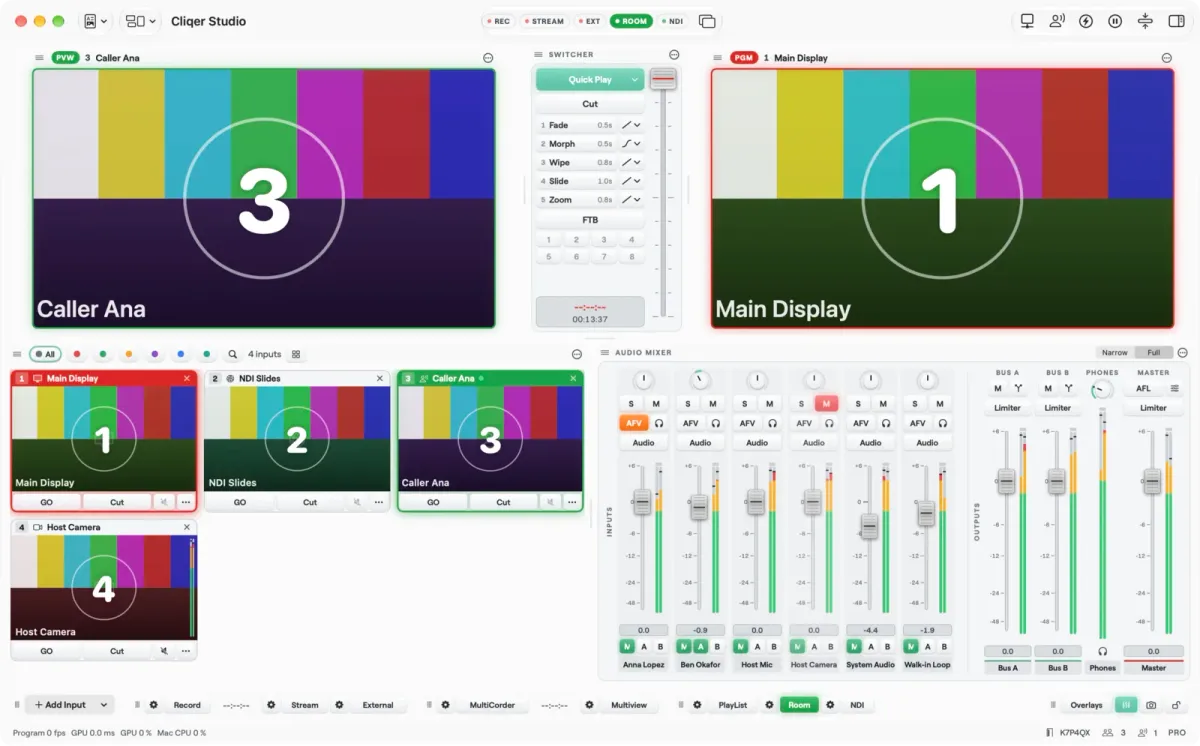
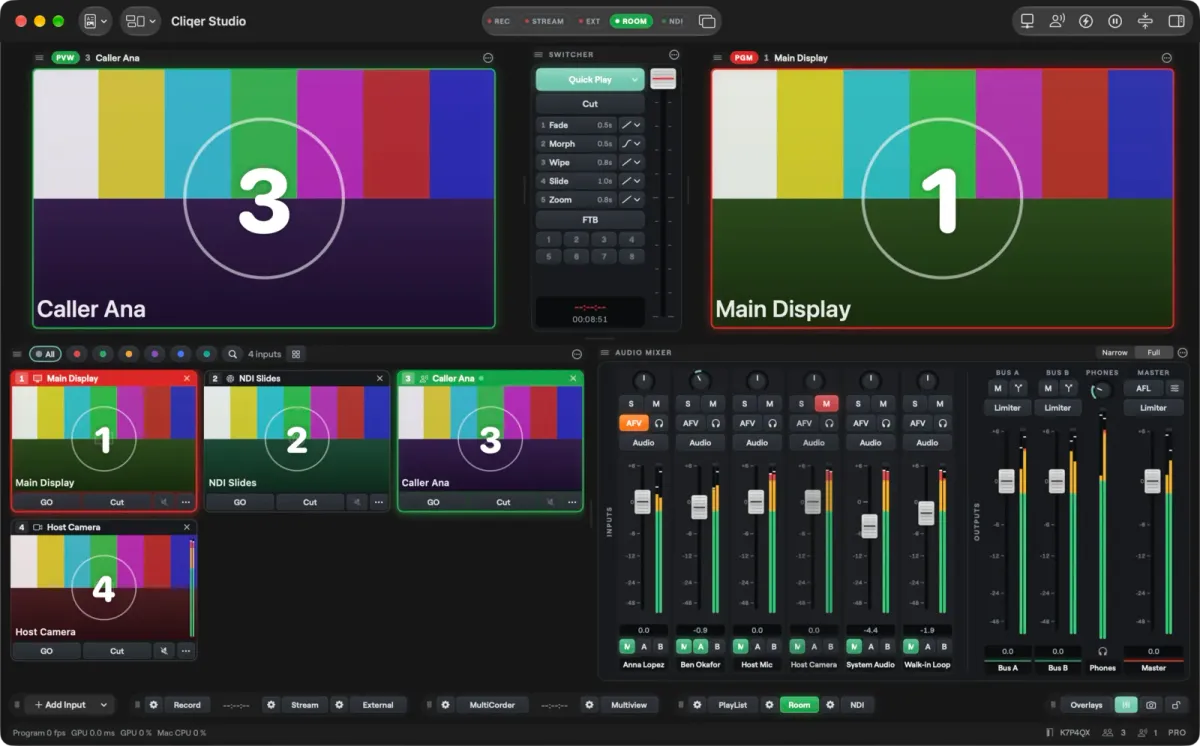
The Studio window on macOS. The status line shows the Program frame rate and the GPU and CPU load.
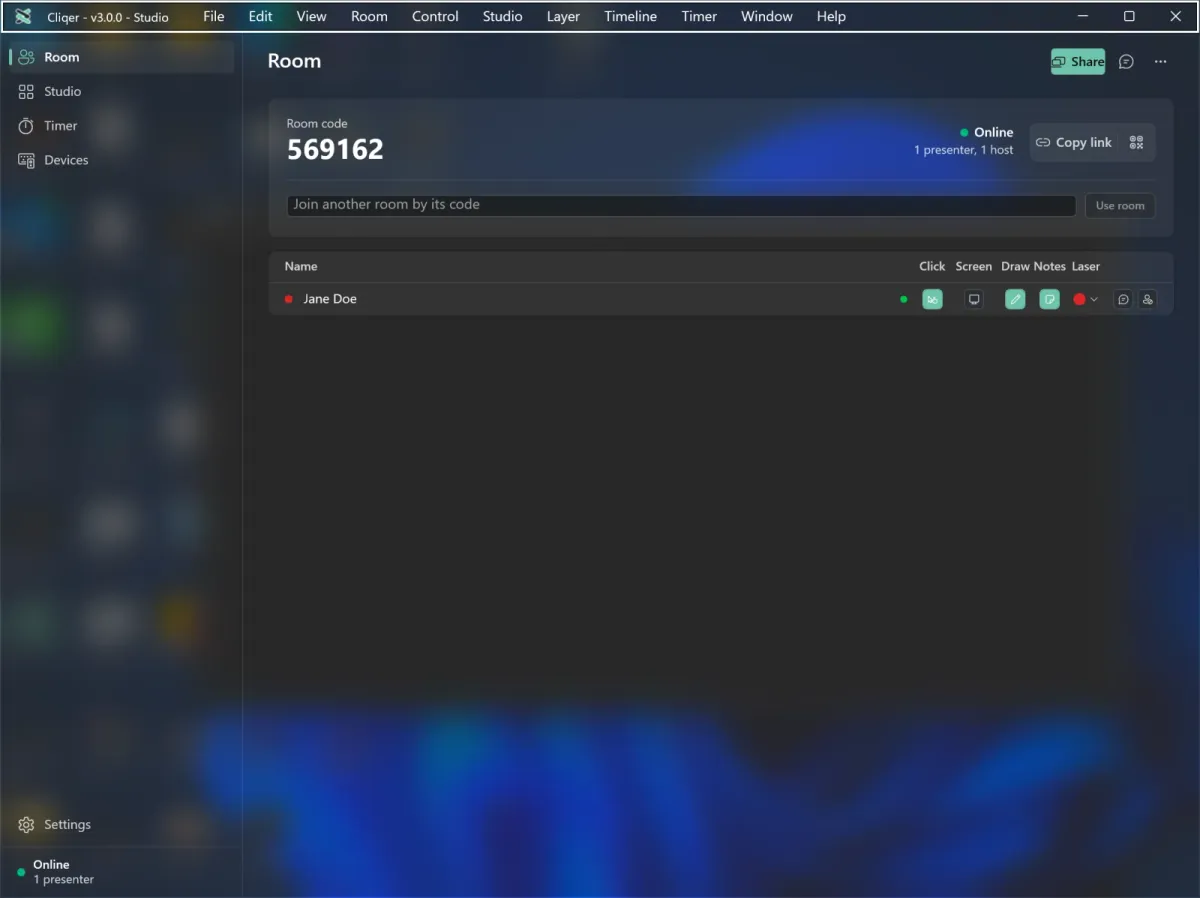
The main window holds the room link, the QR code, your presenters and the timer. Studio, the timer, the share picker, chat, settings, External Control and logs are windows of their own, so you can put each on the screen you want. You still sign in with the licence key or account you already have.
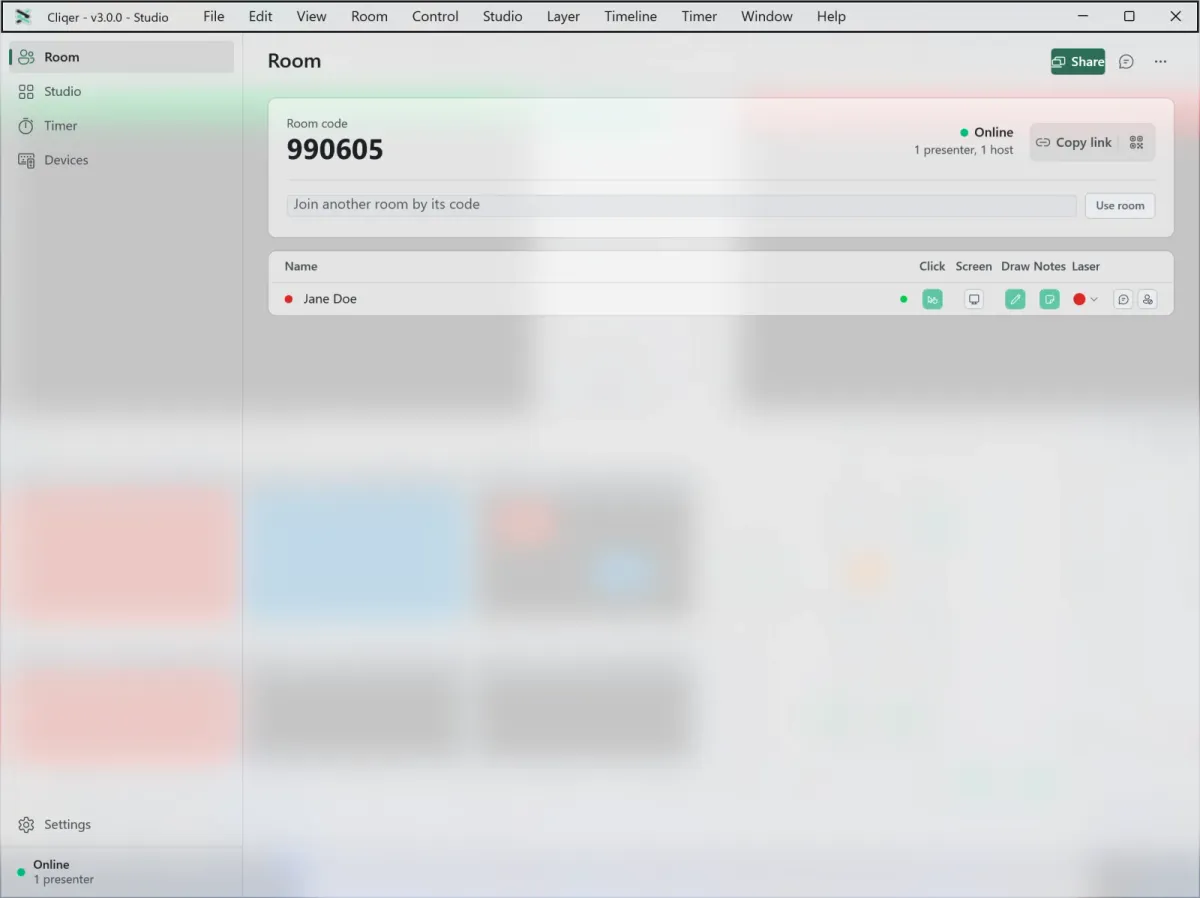
Latency is a sum, and a native app lets us delete terms from it. Capture comes from the system, encoding runs on the machine's hardware encoder where it has one, and the GPU draws the picture in a window the app owns.
We are careful with promises here. The measured gains so far are the ones above, and they began in version 2. What ships today gives you:
A screen-sharing comparison between version 2 and version 3 depends on your network and displays, so the fairest test is a rehearsal on your own.
The system's hardware encoder codes video with less heat than software and leaves the CPU free for the rest of the show. A native app can ask for it directly.
In Cliqer 3, the video path on a Mac is zero copy. Camera frames, sources and Program stay in GPU memory from start to finish, and the hardware encoder reads Program straight from the GPU surface, so the picture is never copied out to the CPU and back on its way to a stream or a file. On Windows, camera decoding and colour conversion run on the GPU.
Streams are encoded for real time, too. Studio uses no frame reordering, so there are no B-frames for a viewer's decoder to wait on, and viewers add no decode delay of their own.
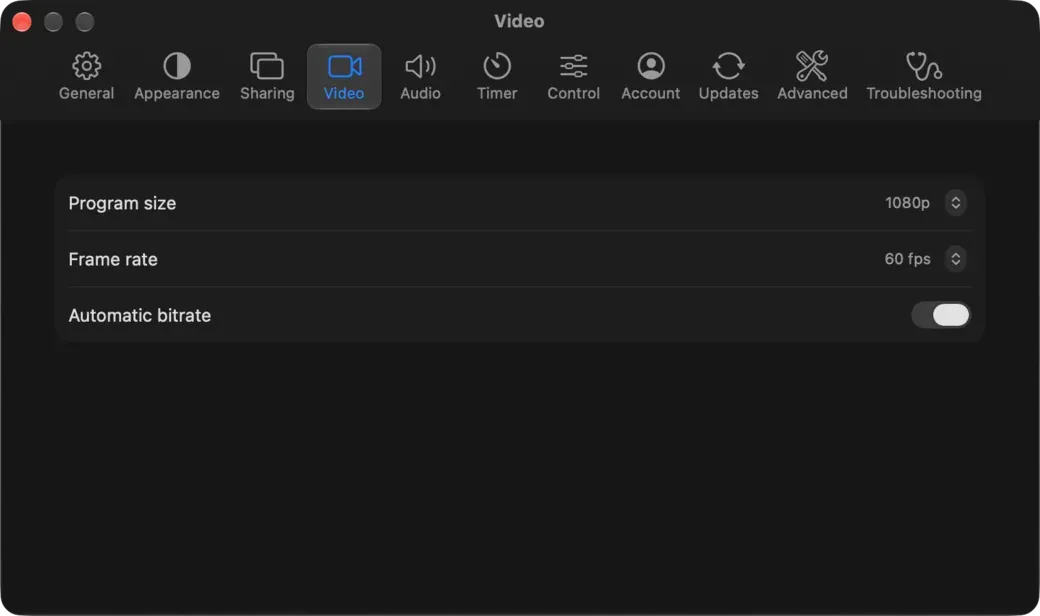
In the Studio documentation this shows up in plain numbers: on a Mac, the hardware encoder codes H.264 at up to 2160p, HEVC codes the full Program size, and 8K runs at up to 30 frames a second with every Cliqer Live quality running beside it, without dropped frames. The Program size runs from 720p up to 8K, with 25 to 60 frames a second, on the plan that includes it. The two top plans, Studio 8K and Enterprise, carry 8K, and pricing has the live limits for every plan. An 8K canvas is 7680 x 4320: sixteen full HD screens from one computer. Studio's status line always shows the Program frame rate with the GPU and CPU load beside it, so you can see how the machine is coping at any moment.
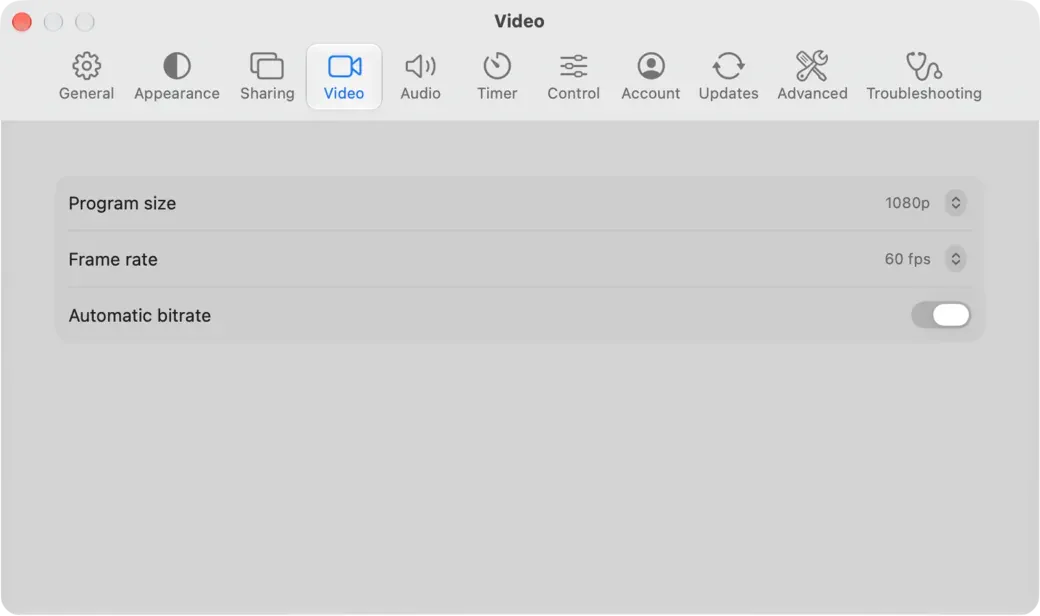
The phone side follows the same rule. A native Remote app decodes video with the phone's hardware decoder and shows it on a layer the system composes, so the interface does not redraw for every frame. That made the difference in our phone test, below.
This is where a native app earns the most. A show is rarely one picture on one screen: it is a program for the room, a confidence monitor for the speaker, a feed to a streaming computer, a recording and a wall of projectors.
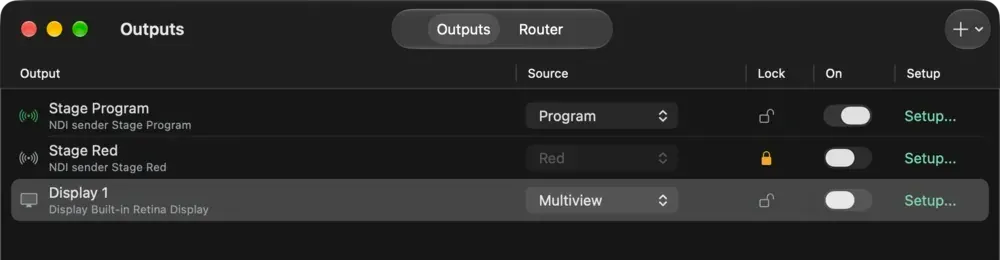
Studio sends Program to the room, to NDI, to a recording, to a stream, to a virtual camera, to a display, to Syphon on Mac or Spout on Windows, and to a Blackmagic card. Any input can leave as its own NDI source, and Multiview has its own NDI feed. Each output has its own switch, setup and status, and you can run any mix of them together. Outputs in the documentation covers each one, and our NDI guide for event teams explains where it fits.
On a large show we split the pictures in two. The main screens, the projectors and the LED, stay on a hardware path from the switcher to the processor, where latency has to be zero. Everything else goes over NDI: the presentation laptops send their timer as Cliqer Timer, one Studio computer takes in every NDI source, and it sends comfort screens to the downstage monitors, the Multiview to the crew and Program to the recording and the stream. That is the layer a native app makes possible, and it saves the hardware outputs for the wall. Cliqer vs Barco E2 draws the whole split.
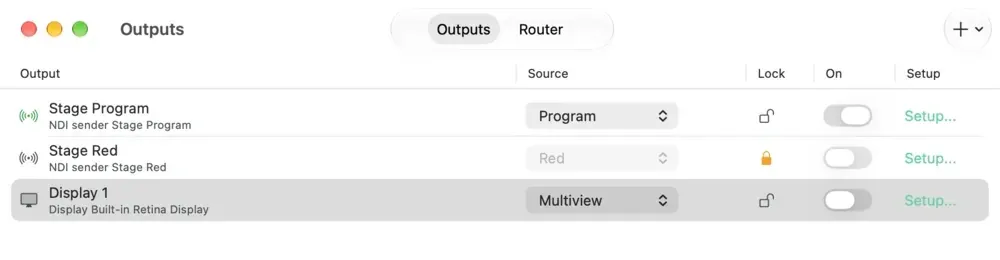
On a Mac, a display plugged in or out while Cliqer is running is picked up. A display output can carry Program, Preview, Multiview or one input, full screen, in the monitor's native mode for the sharpest picture. For a big wall, Projection lets one picture span several outputs, with a slice per output, four-corner pinning and edge blending. It goes further than a slice map: a Warp Grid of 2 to 9 columns and rows, Linear or Bezier, an Edge Blend worked out from the overlap, Gamma for red, green and blue, a black level and up to 8 masks. Projection comes with Studio 8K and Enterprise.
When one computer is not enough, pair several as render machines in Settings > Advanced > Redundancy. One show then splits a canvas across them, each drawing its regions on the same frame, and a paired Backup follows the Main and takes over if it stops. Render machines come with Studio 8K and Enterprise; Redundancy has the setup.
In Cliqer 3, Studio's Program can run in 10-bit SDR, HDR PQ or HDR HLG, up to 4K, and HDR inputs are tone mapped for the outputs. With a 10-bit or HDR Studio Format, Blackmagic outputs send 10-bit, NDI sends 16-bit, and HEVC carries a real 10-bit picture (Main10). A Blackmagic output shows its genlock state, and the card sets the frame rate.
Recordings get the same care: Studio records in H.264, HEVC, ProRes 422 and ProRes 422 HQ, with ProRes on a Mac. Media plays back in HAP, HAP Q, HAP Alpha, HAP Q Alpha and HAP R. 10-bit and HDR, HEVC and ProRes come with Studio 8K and Enterprise, and pricing shows what each plan carries.
A screen in Studio is a second switcher with its own Preview, Program, Cut and Take. Use one for a confidence monitor, a stage timer or a quarter of a 4K wall, then mix a whole screen back in as an input. Studio 8K runs up to 16 screens. For the full picture of Studio, read Cliqer Studio, our live production switcher, and for the screen math, screens and mix.
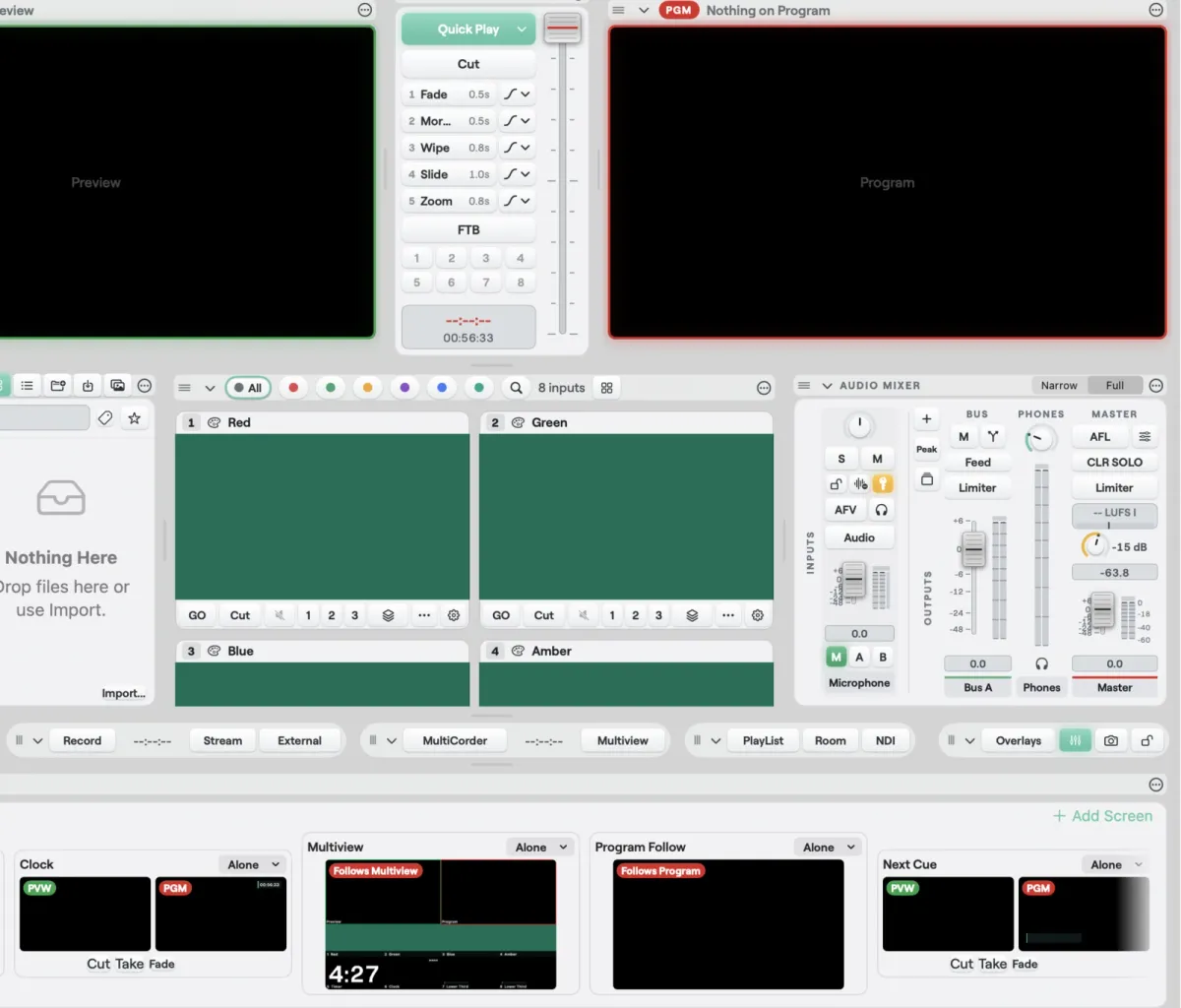
Version 2's Studio was a compact vision mixer: Cut and Fade transitions, an audio mixer with strips, faders and a Program master, and Program going to the room and out as NDI. Cliqer 3's Studio offers the following, all documented in the Studio guide:
Sound gets the same native treatment as the picture. In Cliqer 3, Studio's mix engine runs in 32-bit floating point: every strip, bus and plugin works in float, so nothing clips inside the mix however hot the sends, which gives you effectively unlimited internal headroom. The limiters set the ceiling on the way out, one on Master and one on every bus, adjustable from -24 to 0 dB, and video call guests get a mix-minus return that never exceeds it.
Every input strip carries Cliqer's own processing: a delay of 0 to 1000 ms, a high-pass filter from 20 to 400 Hz, a gate, a four-band EQ across 20 Hz to 20 kHz with -18 to 18 dB of gain and a Q of 0.1 to 10, and a compressor with ratios up to 32 and a knee up to 24 dB. It is written for the real-time audio thread, where it never allocates memory and never takes a lock, so it does not glitch under load. When you want a particular sound, add your own plugins as inserts on input strips: VST3 on macOS and Windows, Audio Units on macOS, each with its own editor and its state saved in the show.
This is a full mixer with routing, not a row of faders. Add your own Groups for sub-mixes and Returns for effects and shared sends, then rename, reorder and duplicate them. Sends are pre or post fader, there is a Phones mix, and every bus has its own fader, mute, meter, processing and limiter. The room, each NDI output, each router output and each video call guest's return picks any bus by name, and every edit is one undo step. The strip processing, groups and returns come with Studio 4K and up.
The Router shows every audio input and output in Patch and Matrix views: devices in, network in, devices out and network out. Dante Virtual Soundcard, Dante Via, AVB and BlackHole appear as ordinary devices to route. AES67 network audio carries up to 64 channels per endpoint at 24-bit, clocked by PTP. Ableton Link brings tempo, beat and Link Audio, Windows gets ASIO at 48 kHz, and you pick channels per device and choose the clock master.
A live show is judged on its worst minute. Native helps in three ways that are in the documentation.
Recordings survive a crash. Studio writes recordings in small fragments, so if the app or the computer dies, everything up to about the last two seconds is on disk.
A second computer can take over. With Redundancy, a Backup follows the Main, keeps its show media in step, and goes on air when the Main stops answering. Hot standby comes with Studio 8K, and you pair the two computers with a code.
The servers stopped surprising us. Cliqer's realtime runs on our own dedicated servers, a planned update reconnects clients in about a second, and an idle connection opens in 0.14 seconds where it took 1.2. See why we moved off Cloudflare.
Reliability is also about what sits in a presenter's hand for an hour. We tested a Galaxy S24+ with three builds, ten minutes each, watching the same moving shared screen. The first Flutter build redrew its interface about 48 times a second to show a video, used 168 mAh and warmed the phone by 5.9 °C. The native app drew no interface frames at all, used 86 mAh and warmed it by 0.2 °C. That is half the battery for the same job.
Battery used in 10 minutes watching a live shared screen, Galaxy S24+ (mAh)
The native apps are also smaller: 10.8 MB for the iPhone app with its Apple Watch app inside, and 5.8 MB for an Android phone. The platform stories are in Cliqer Remote for iPhone, iPad and Apple Watch and Cliqer Remote for Android and Wear OS.
We have not measured the desktop app's battery use against version 2, and a plugged-in computer is a different problem from a phone in a warm hand. On the desktop, watch the GPU and CPU numbers in the Studio status line.
Honest accounting. Native means we maintain a Mac app and a Windows app, and test every feature twice. Cliqer 3 needs macOS 15 or later or Windows 11, so Windows 10 stays on the previous desktop app. Some features follow the platform: Keynote control is Mac only and vMix control is Windows only. The v3 overview has the full table.
What stays the same: your room, your link, your sign-in and your licence. Presenters still join from a browser or Cliqer Remote with nothing to install, and the computer that holds your slides still runs the Cliqer desktop app. New in the same release: Cliqer Timer for the stage, and the Studio teleprompter in teleprompters for presenters.
If you present, the room works the way it always did, with a faster click, a cooler phone and a desktop app that follows your system. If you produce, Studio now has real outputs, real recordings and a backup, a zero-copy video path on the Mac, a float audio engine with plugins and routing, and 10-bit and HDR pictures on Studio 8K and Enterprise. If you are comparing tools, we have written them up fairly: Cliqer against vMix, against Ecamm Live and against Barco E2, with the comparison hub and the vMix feature rows for the detail.
Native is a decision about who is in control when something is under load. Our answer is the operating system, the GPU and an engine that we write and measure ourselves, not a browser engine. That is Cliqer 3. Download it and run a rehearsal on the free trial, or read the pricing page to see which plan covers your show.
Cliqer 2 was a web app with a desktop app around it, and a browser engine decided how video was captured, encoded, queued and drawn. We tuned it hard, but display outputs, hardware video and capture cards sit outside what a browser engine can reach. Cliqer 3 is built for macOS and Windows directly.
No. Cliqer 3 needs macOS 15 or later, or Windows 11 (build 22000 or later). On Windows 10 you keep using the previous Cliqer desktop app, and your room, link and sign-in stay the same.
No. The computer that holds your slides runs the Cliqer desktop app, and that app hosts the room. Presenters and viewers join from a browser or from Cliqer Remote on a phone, tablet or watch.
Yes. Studio sends Program as an NDI source, sends any input as its own NDI source and gives Multiview an NDI feed. It also outputs to displays, Syphon on Mac, Spout on Windows and Blackmagic cards. NDI needs the NDI runtime installed, and there is no NDI on Windows on Arm.
In our test on a Galaxy S24+, ten minutes of live shared-screen video used 86 mAh with the native app and 168 mAh with our first Flutter build, and the phone warmed by 0.2 °C instead of 5.9 °C. It was one phone and one run per build, so treat it as a careful field test.
Control a Presentation From Your Phone: Every App Compared
PowerPoint, Keynote, Canva, Unified Remote, PPTControl, Cliqer and more: which phone remote apps work over the internet, show notes and suit you.
Cliqer Studio: a live production switcher for Mac and Windows
Cliqer Studio is a live production switcher with multiview, transitions, an audio mixer, replay and NDI, on Mac and Windows.
Keep reading


Practical guides for presenters, AV crews and event teams, plus the Cliqer releases that matter. No spam, one click to leave.