


AV Industry
Cliqer Timer: the stage timer with rundowns, messages and screens for every role
Stage timer for live shows: countdowns, overtime, messages, rundown cues, screens and phone control in Cliqer Timer.
For twenty years the Barco E2 has been the box many productions treat as a must-have. Rent it, rack it, hire the operator who knows it, and the screens will be fine. On a modern corporate event the picture is different: a 31 kg steel processor that blends by hand, lists no warp, adds a frame of processing delay, runs warm, and takes hours of patching for a job software does in seconds.
We build Cliqer, and we run shows. This post explains why we no longer put an E2 in a corporate show, what we use instead (Cliqer Studio for the wall and for everything around it, plus a couple of plain hardware boxes), and where the E2's spec sheet still counts. Every Barco number comes from Barco's own spec sheets and user guide, and every Cliqer claim from our docs.
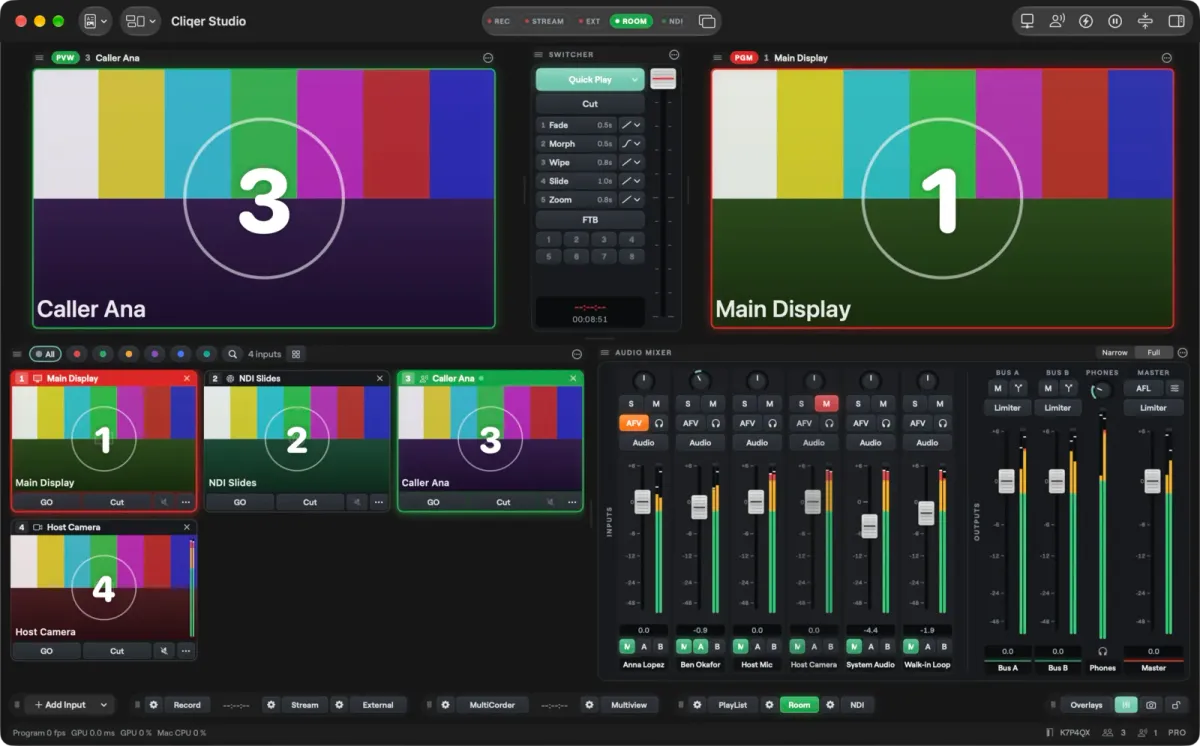
Cliqer Studio on a Mac: Preview, Program, the switcher, input tiles and the audio mixer.
Barco's Event Master family is a line of hardware presentation switchers: the E2, E2 Lite and E2 Jr, the S3 and EX expansion units, and the EC consoles. Rental houses flight-case them and production companies put them on every quote, because it has long been the default.
The E2 still does what it was built for. But most of that is now done faster and for less by software on a capable computer and a network, and what the E2 lacks is exactly what a modern corporate stage needs: curved and uneven projection surfaces, quick changes, NDI everywhere, and one crew that can see every source.
Cliqer is the presentation platform we build: a desktop app on Mac and Windows with a live production window called Studio, a stage timer, and phone remotes. For the full tour, read our Studio overview.
These are the problems we have watched happen on large corporate events. We have left out the client, the venue and the people; the pattern is the point.
Barco's user guide for the Event Master processors sets out the limits.
| Barco figure | What it means on a show |
|---|---|
| "Independent edge blending/feathering control for all four sides" | Blends are set by hand, side by side, on flat rectangles. No grid, no curve |
| No warp or geometry correction in the processor feature list | A curved, angled or uneven surface has to be fixed in the projectors or in software before the E2 |
| 4K program screens on E2 and E2 Gen 2: "2x blended (2 outputs)" | In 4K it blends two screens of two outputs each. E2 Jr "does not support 4K blending" |
| "1 frame processing latency for progressive sources" | The E2 adds a frame. A plain HDMI matrix adds none |
| 4RU, rugged steel chassis, 1100 W Gen 2 power supplies | 31 kg of steel and a lot of heat in the rack |
| No NDI on the E2 Gen 2 spec sheet | Every network source needs a decoder in front of an input |
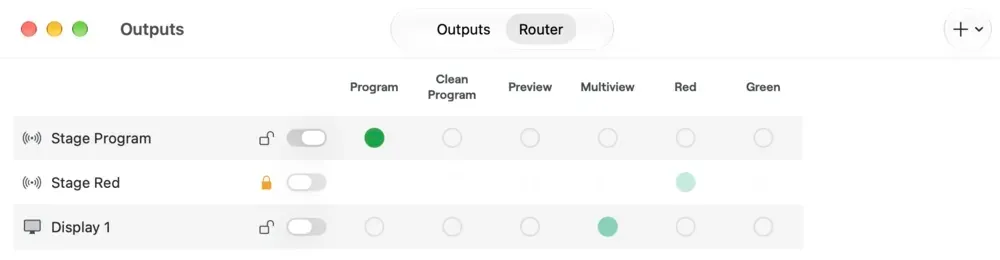
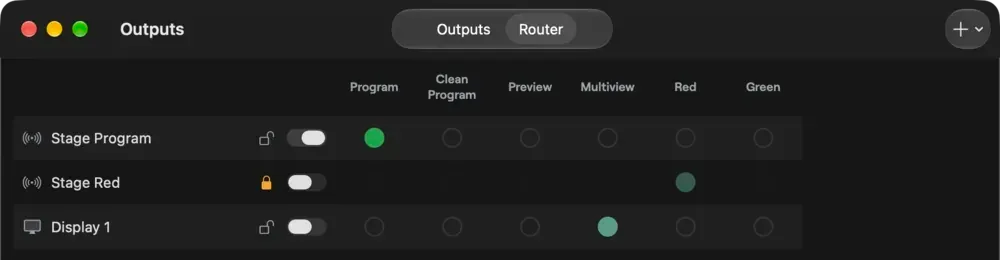
The Router view of the Outputs window: each output picks its source from a grid, with no cable to move.
A real stage is rarely a flat white rectangle square to the projectors. Screens curve, trusses force an angle, scrims and set pieces break the surface. The E2 only blends straight edges between flat outputs. That suits a perfectly straight projection, and little else.
Cliqer Studio maps first and blends second. Each projector's output takes its own slice of the picture, warped onto the real surface and blended into its neighbour, so what leaves the computer is already finished. Nothing after it has to touch the picture.
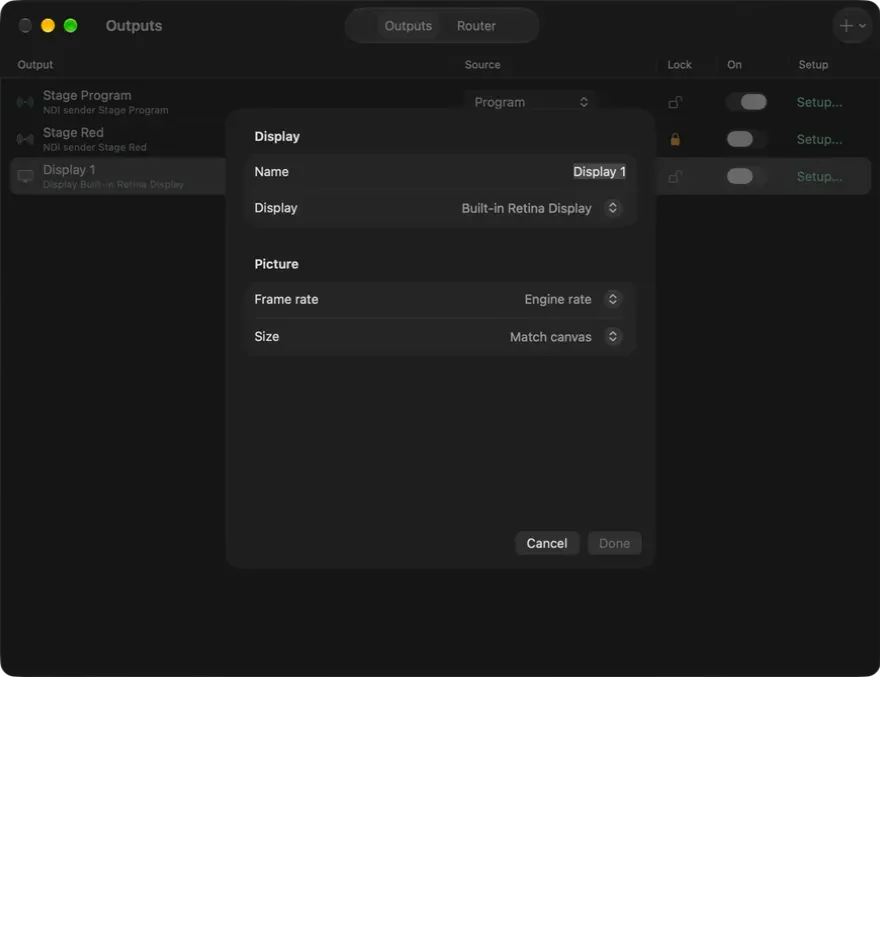
It is all in the Projection section of each output in Studio, on the Studio 8K and Enterprise plans, on Mac and on Windows (Projection in the docs):
Planning the room? Stage is a 3D window where you import the venue model, place screens, projectors and cameras, and watch your outputs play live on them before you are on site.
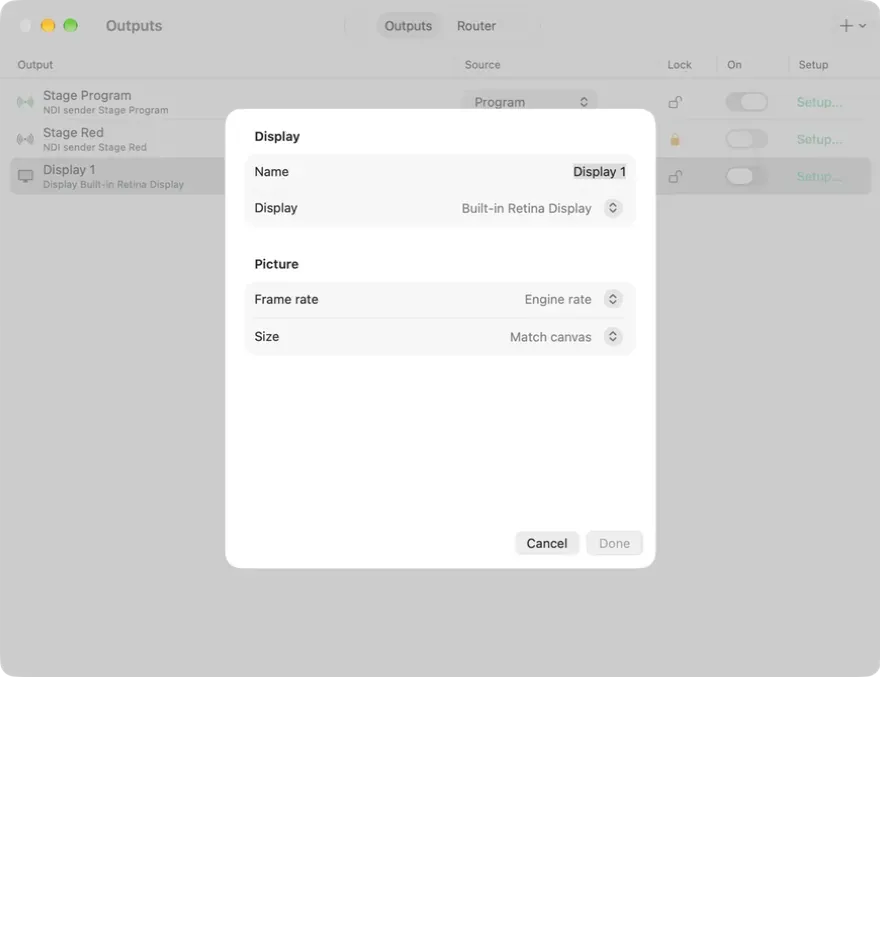
Pointing an output at a connected display. Projection sits further down the same Setup sheet.
We split the system in two with one question: does this picture need zero latency?
The hardware path. Cliqer Studio drives the wall from a main and a backup computer. Each projector's output leaves already mapped and blended. An HDMI switcher picks main or backup, and a matrix sends each feed to its projector or to the LED. Those boxes do not process the picture, so they add no frame of delay, and there is nothing in them to set up by hand. Nothing after Studio waits for a network. It does the E2's job on the wall.
The NDI network. Everything else rides a network: 100G switches, a main and a spare, and good WiFi. Think of the switches as the "invisible E2": unlimited inputs and outputs, no physical patching. The presentation laptops run Cliqer for slide control and send the timer as the Cliqer Timer NDI source. A Cliqer Studio computer for the NDI layer takes in every NDI source on the network: the laptops, the timer, the cameras, the graphics. Studio builds the pictures the crew and the speakers need and sends each one back out over NDI: the Cliqer Timer source or a comfort screen with the clock or the next cue for the downstage monitors, the Multiview for the crew on any screen or tablet, wired or over WiFi, and Program for the recording and the stream. Phones and tablets in the room watch Program or any NDI source through screen sharing.
Sound travels on the same layer. Studio's mixer runs in 32-bit floating point, so nothing clips inside the mix however hot the sends, and a limiter on Master sets the ceiling on the way out. On Studio 4K and up you add your own buses, each with its own limiter, and each NDI output picks any bus by name, so a feed can carry one mix while the room hears another. AES67 network audio and Dante Virtual Soundcard patch in the Router like any other device.
What that buys you. Adding a monitor means an NDI receiver on the network, not a re-patch. Recording and streaming are switches in Studio, not more boxes in the rack. A second presentation laptop with the same setup stands by as the backup, and Studio itself can run with a hot standby computer. The money that went on the processor's rental and its operator goes on cameras, a stream and recording instead.
Cliqer Studio is built for large shows. One computer can drive the wall from its Projection section and run the NDI layer at the same time. Each output canvas goes up to 7680 x 4320 pixels: that is sixteen full HD screens per laptop, or any mix of projectors, monitors and LED, and a hardware splitter cuts it up. For a bigger stage, add computers. Pair them in Redundancy as render machines and one show splits its canvas across them, each drawing its regions on the same frame. A paired Backup follows the Main and takes over if it stops.
The picture holds up at that size. Studio is a native app with an engine written in Rust, on Metal on the Mac and Direct3D on Windows, and the status line always shows the Program frame rate, GPU and CPU load. Display outputs run at the monitor's native mode for the sharpest picture. On Studio 8K and Enterprise, Program runs in 10-bit SDR, HDR PQ or HDR HLG up to 4K, HDR inputs are tone mapped for the outputs, Blackmagic outputs send 10-bit and NDI sends 16-bit.
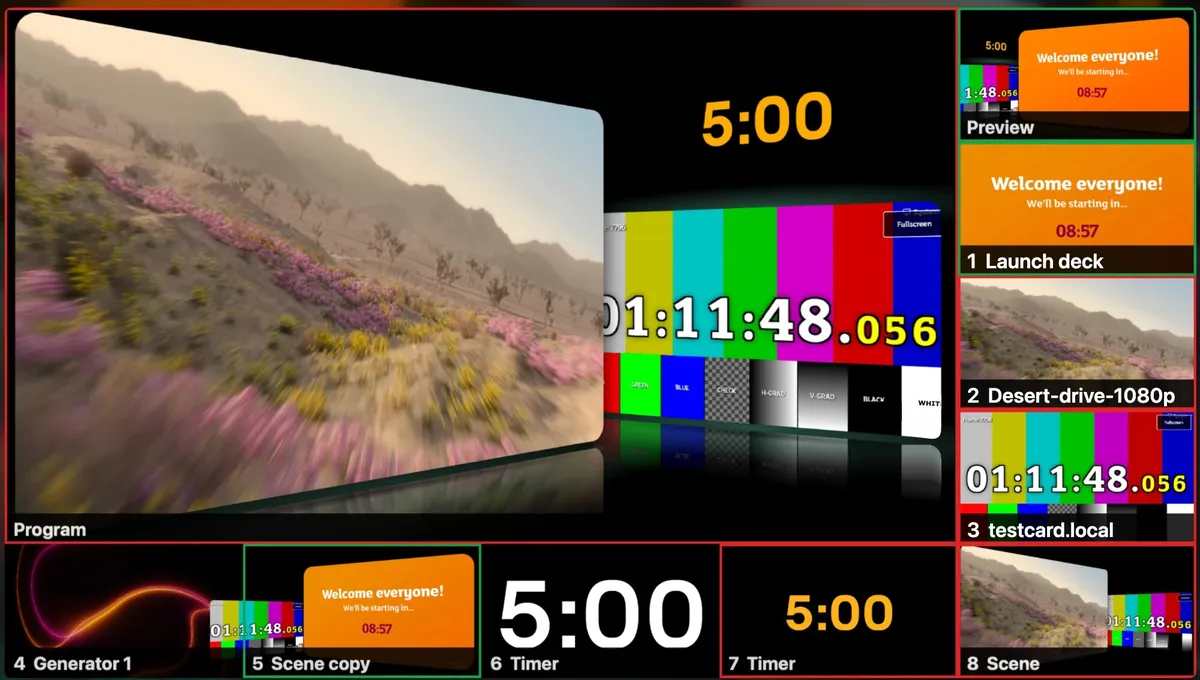
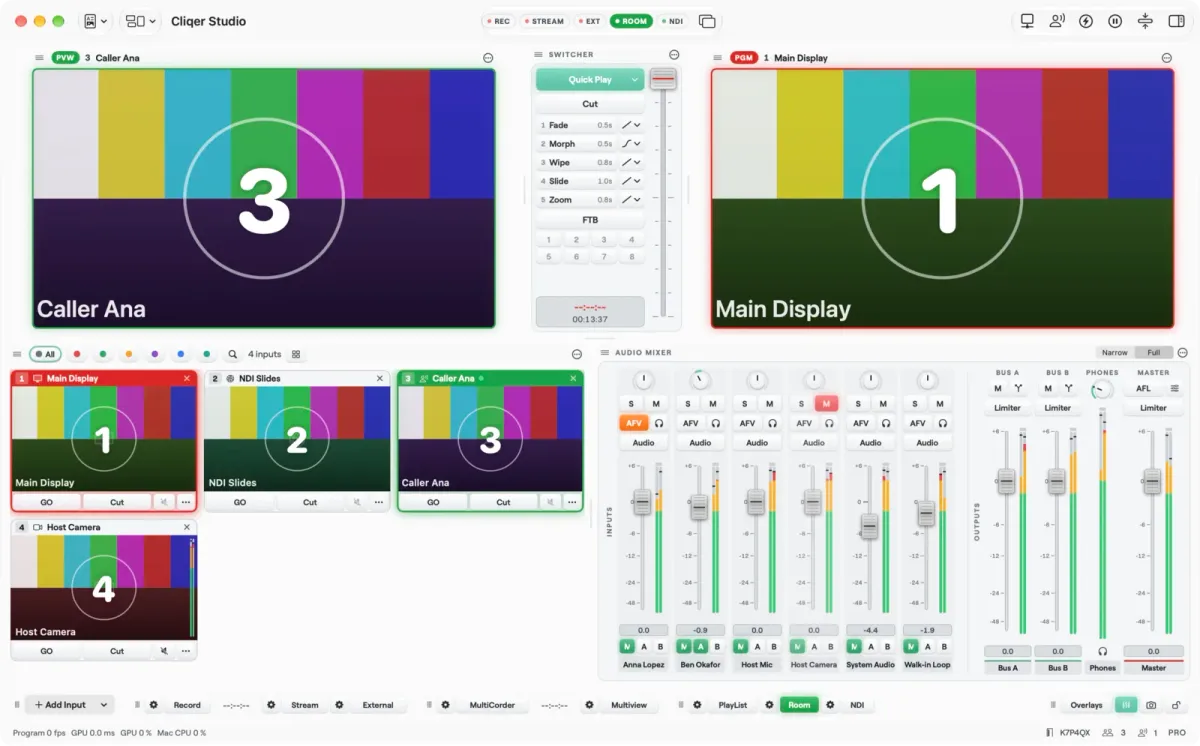
Multiview: Program large, Preview in green and every input numbered, with red tally on what is live. Any screen on the network can show it.
NDI is how most software shows move video over a network, and Cliqer sends Program, any input, the Multiview and the timer as NDI sources (how NDI works). Barco's E2 spec sheet lists no NDI input. Barco's brochure points at its IO Gateway for SMPTE ST 2110 and IPMX instead, which is another box to buy. In the setup above none of that is needed.
The numbers below are Barco's published figures for the E2 range and the limits from our docs. Where a row says not stated, we found nothing on the vendor's page and did not guess.
| Name | Warp onto curved screens | Edge blend | Processing delay | NDI in and out | Outputs | Redundancy | Weight | Entry cost |
|---|---|---|---|---|---|---|---|---|
| Cliqer StudioMac or Windows | YesCorners, Bezier warp grid, masks | YesWorked out from the overlap, with gamma and black level | Not statedDepends on the computer and the output | Yes | YesDisplays, NDI, Blackmagic cards, screens by plan | YesHot standby computer | Your laptop | A plan, plus a computer |
| Barco E2 Gen 2 | NoNone in Barco's feature list | PartlyBy hand per side; in 4K, 2 blends of 2 outputs | Partly1 frame for progressive sources | NoNot on the spec sheet | Yes18 | YesDual hot-swap power supplies | 31 kg, 4U | Rental or a reseller quote |
| Barco E2 Lite | NoNone on the spec sheet | PartlyBy hand per side, HD outputs only | Not stated | NoNot on the spec sheet | Yes16 HDMI | YesDual hot-swap power supplies | 30.4 kg | Rental or a reseller quote |
| Barco E2 Jr | NoNone in Barco's feature list | PartlyBy hand per side, no 4K blending | Partly1 frame for progressive sources | NoNot on the spec sheet | Yes10 | Not stated | Not stated | Rental or a reseller quote |
0
warp or geometry tools in Barco's E2 feature list
1 frame
E2 processing latency for progressive sources, by Barco's figures
4U, 31 kg
the size and weight of an E2 Gen 2 chassis
9 x 9
points in a Cliqer Studio warp grid, straight or Bezier
Be fair to the numbers: the E2 Gen 2 has up to 40 physical inputs, including 16 at 4K, 12G SDI, analogue genlock on BNC, up to 32 layers in HD, and chassis that link for very large flat LED canvases. If a touring rock show needs dozens of fixed SDI sources on one huge flat LED wall, that is the job it was designed for.
That is not a corporate event. A conference, an awards night or a product launch is a handful of presentation laptops, a few cameras, a wide projection wall that is rarely flat, comfort monitors, a timer and a stream. For that show the E2 adds a rental, an operator and a warm rack, and its blend cannot follow a screen that is not flat.
Cliqer covers the edges too. Blackmagic capture cards work as inputs and outputs (Cliqer needs Blackmagic Desktop Video installed), and with Reference Master on, the studio clock follows a Blackmagic card's genlock reference, so Cliqer can run to a house reference when the card supports one. Each Blackmagic output shows its genlock state, and the card sets the frame rate.
Barco. Barco publishes no list price for the E2. It is built to order or rented, and every show day also pays for a trained operator and the rack, power and cabling around it. On the shows we have priced, the processor's rental alone cost more than our whole software and hardware kit.
Cliqer. Our plans are listed on the pricing page: Studio HD and Studio 4K bring Studio at a smaller scale, and Studio 8K adds the largest outputs and the projection tools. You can try the lot first on the free trial, whose outputs carry a moving watermark; the limits are in Plans and limits. Add a computer, a 100G switch, an HDMI switcher and a splitter, and the kit fits in a carry-on case.
Not beyond flat edge blends. Barco's feature list for the Event Master processors gives edge blending and feathering set by hand on each side of an output, and names no warp, grid or geometry correction. That suits a perfectly straight, flat projection only. A curved or uneven surface has to be warped elsewhere, in the projectors or in software such as Cliqer Studio.
No. Barco describes independent edge blending and feathering control for all four sides, which an operator sets per output. In 4K an E2 Gen 2 blends two screens of two outputs each, and the E2 Jr does not blend in 4K at all. Cliqer Studio works out the fade from where the slices overlap once you turn Edge Blend on.
No. Barco's own user guide gives 1 frame of processing latency for progressive sources. An HDMI switcher and a matrix that do not process the picture add none, which is why our hardware path uses them instead.
On a corporate show, yes. Cliqer Studio maps and blends the wall, and an HDMI switcher and a matrix carry it to the projectors with zero latency. Cliqer Studio runs everything else on the NDI network: comfort and downstage monitors, the timer, the Multiview, recording and the stream.
Yes, on the Studio 8K and Enterprise plans, on Mac and Windows. Studio has slices, corner pinning, a warp grid of up to 9 by 9 points with Bezier curves, edge blend worked out from the overlap with gamma, power and luminance, black level with corner trims, masks and per-slice colour trim.
Barco's E2 Gen 2 spec sheet lists SDI, HDMI and DisplayPort inputs and does not mention NDI. Bringing an NDI source onto an E2 needs an NDI decoder with an HDMI or SDI output in front of every input you use.
The E2 earned its place when a computer could not drive a projection wall. Today it can. Map and blend the wall in Cliqer Studio, send it through plain hardware with zero latency, and run everything else on an NDI network with Cliqer Studio. It is quicker to set up, easier to fix, and it costs less per show than the processor's rental alone. Download Cliqer to try Studio on your own rig.
Cliqer vs vMix: Studio Compared Fairly, with What vMix Does Better
Cliqer Studio vs vMix compared fairly: platforms, editions, replay, guests and slide control, and what vMix does better.
Cliqer vs Ecamm Live: which live studio fits your show?
Cliqer vs Ecamm Live compared fairly: Mac and Windows, Studio, Live, Timer and phone remotes against a Mac-only studio.
Keep reading


Practical guides for presenters, AV crews and event teams, plus the Cliqer releases that matter. No spam, one click to leave.