


Live Production
Cliqer vs Ecamm Live: which live studio fits your show?
Cliqer vs Ecamm Live compared fairly: Mac and Windows, Studio, Live, Timer and phone remotes against a Mac-only studio.
Most live streams run late. You press Go Live, the applause happens in the room, and the people watching online see it ten or thirty seconds later, if the stream has not stalled by then. Questions arrive after the moment has gone. A translator is chasing a speaker who has already moved on. Everyone online is watching a different show from the one in the room.
Cliqer Live is our answer. It sends the Program from Cliqer Studio to your own stream on cliqer.io, and video reaches viewers in under 220 ms. This post walks through how it works, what it does besides being fast (captions, translation, a spoken voice-over, recording, statistics), where other tools do something better, and what the plan limits mean for you.
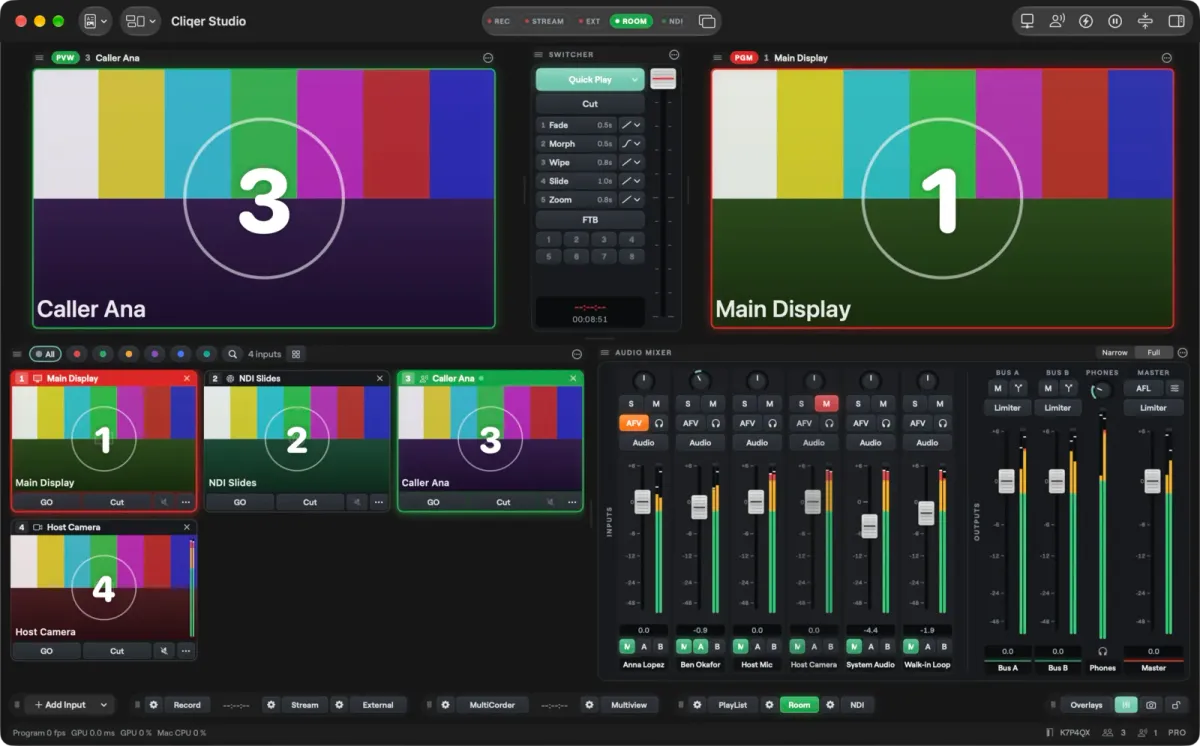
Cliqer Live is the streaming part of Cliqer 3. You run the show on a Mac or Windows computer in the Cliqer desktop app, where Studio mixes cameras, slides, video and callers into one Program picture. Cliqer Live then delivers that picture to everyone who opens your link. The computer hosts; the viewers only watch, in a browser or in Cliqer Remote, with nothing to install.
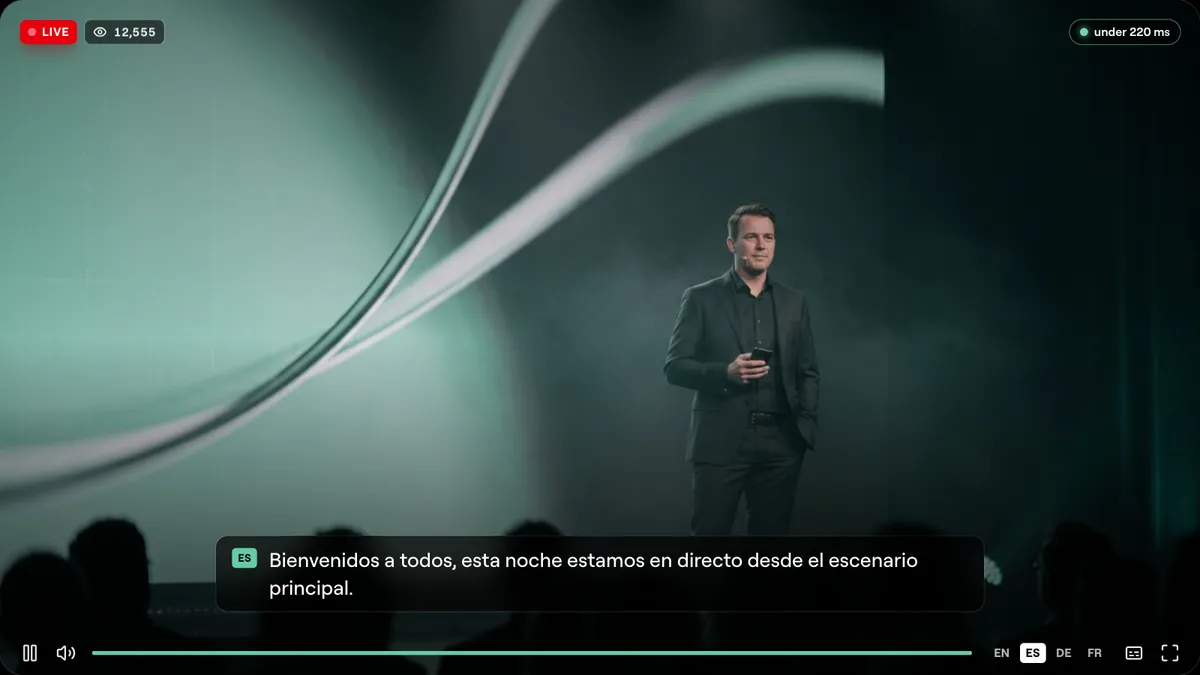
The Cliqer Live player: live badge, viewer count, the delay and captions in the viewer's language.
Latency is the time a frame takes from the stage to a viewer's screen. For a talk or a service, it decides whether online viewers react with the room or after it. On the Cliqer Live page we state the figure plainly: video reaches viewers in under 220 ms.
Vendors measure latency differently, so we show other figures exactly as each vendor publishes them, with the date.
Delay from stage to viewer, as each vendor publishes it
LiveKit is not on the chart. Its own site now quotes under 100 ms for its global network, a figure that measures a different path from ours, and it is a toolkit for developers rather than a ready stream. Speed also needs a stream that adapts. Studio sends Program plus up to two smaller copies, so a viewer on a weak connection gets a picture that plays smoothly.
The presenter side has its own numbers in how we made screen sharing four times faster and why milliseconds matter for a clicker.
Speed starts at the encoder. Studio encodes every stream for real time: there is no frame reordering and there are no B-frames, so a viewer's decoder never holds a frame back to wait for a later one, and viewers add no decode delay of their own.
The work runs on the computer's hardware encoder. On a Mac, H.264 runs at up to 2160p and HEVC at the full Program size, with 8K HEVC at up to 30 frames a second. On a Mac the video path is also zero copy: camera frames, sources and Program stay in GPU memory, and the hardware encoder reads Program straight from the GPU surface. On Windows, camera decoding and colour conversion run on the GPU. For recordings and destinations set to HEVC, a 10-bit or HDR Studio Format gives a real 10-bit picture (Main10), on Studio 8K and Enterprise. Studio's status line shows the Program frame rate with the GPU and CPU load beside it, so you can watch the machine while you stream.
A fast network is wasted if the player makes frames wait. The Cliqer Live player is a WebAssembly player: frames arrive over the low delay path, are decoded in a worker so the page thread stays free, and are drawn with WebGL2 the moment they are ready.
23 ms
about, from decode to draw at 720p30
0
dropped frames at 720p in our measurement
2.2x
about, less worker CPU than our previous browser player
1080p60
decodes to draw in 22 to 23 ms
These are measured figures, with the conditions on the Cliqer Live page.
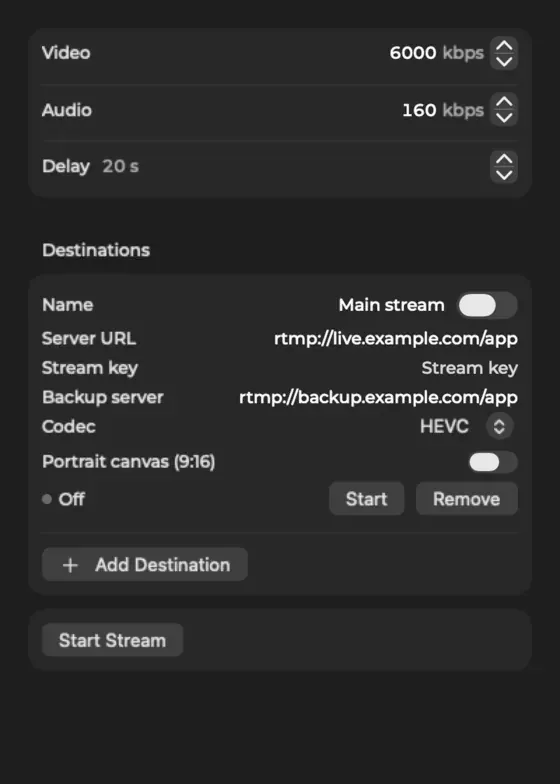
Most streaming tools make you copy a server address and a secret key into your encoder. Cliqer Live skips that. In Studio, Cliqer Live is a destination like any other, but it needs no key: you sign in with your Cliqer account, and Studio gets the server and a fresh permission each time it connects. A licence key alone is not enough, because the stream belongs to an account.
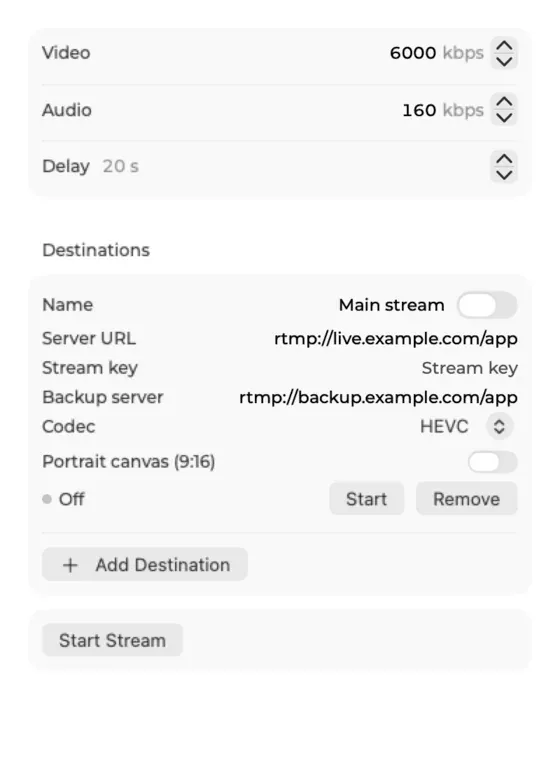
The Stream popover on macOS. Cliqer Live sits in the same list as RTMP and SRT destinations.
A few details from the Studio outputs documentation that are worth knowing before show day:
Studio also streams over RTMP, RTMPS, SRT and WHIP to other platforms, with a delay of up to 120 seconds if you want one, and the stream destinations your plan allows run side by side. Cliqer Live counts as one of them.
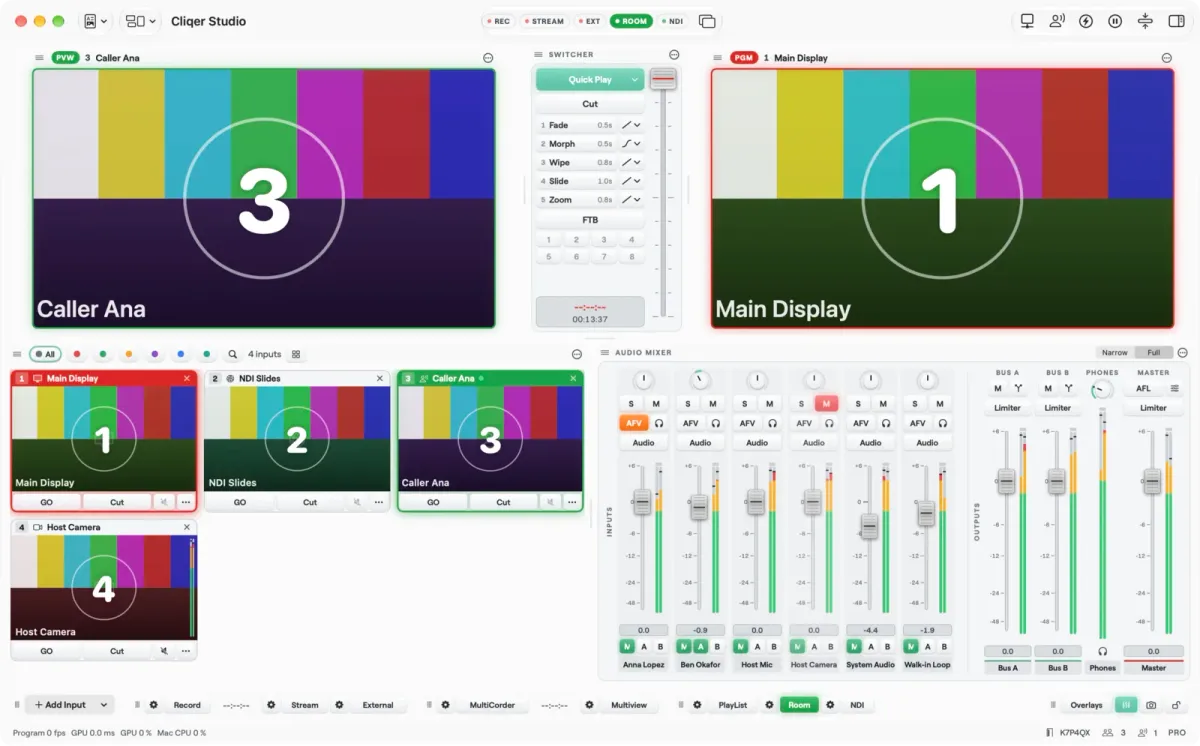
Studio on macOS. Whatever you take to Program is what Cliqer Live sends.
Captions change who can watch: people in a noisy room, people who are deaf or hard of hearing, and people watching in a second language. On Cliqer Live they appear word by word: speech to caption takes about 520 ms in Europe and the US, and about 530 to 650 ms at the 90th percentile. Each word appears about 120 ms after the recogniser finalises it.
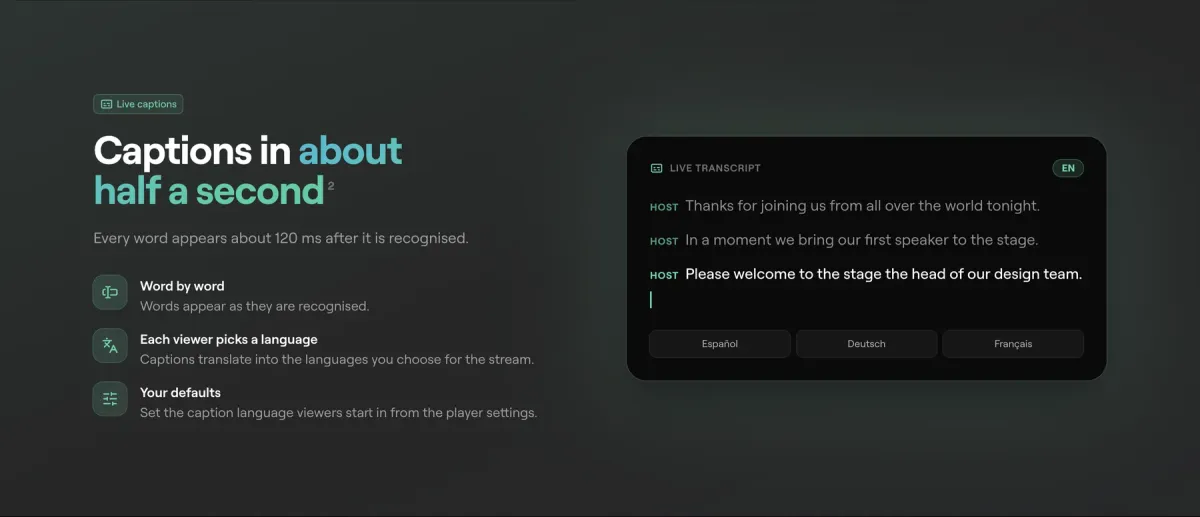
Live captions: the words appear as they are recognised, in the language each viewer picks.
You set the caption language that viewers start in from the player settings, and each viewer can then choose their own. If you also broadcast to YouTube from Studio, the Captions button can send the same captions into that broadcast. YouTube only accepts captions on a broadcast that had them switched on before it was created, so switch them on before you press Go Live. The full rules are in the Studio documentation. For a wider look at making presentations usable for everyone, see accessible presentations.
Captions can be translated into the languages you choose for the stream: up to 8 translations per stream from 60 languages, 3 by default, as your plan allows. Each viewer picks the caption language they want to read, so a single broadcast serves a mixed audience without you running a second event.
You can go one step further. Each viewer has a switch, Hear the translation spoken, and only the viewers who turn it on hear the voice-over. Everyone else hears the stage as it is. That keeps a translated broadcast from turning into a shouting match between two audio tracks.
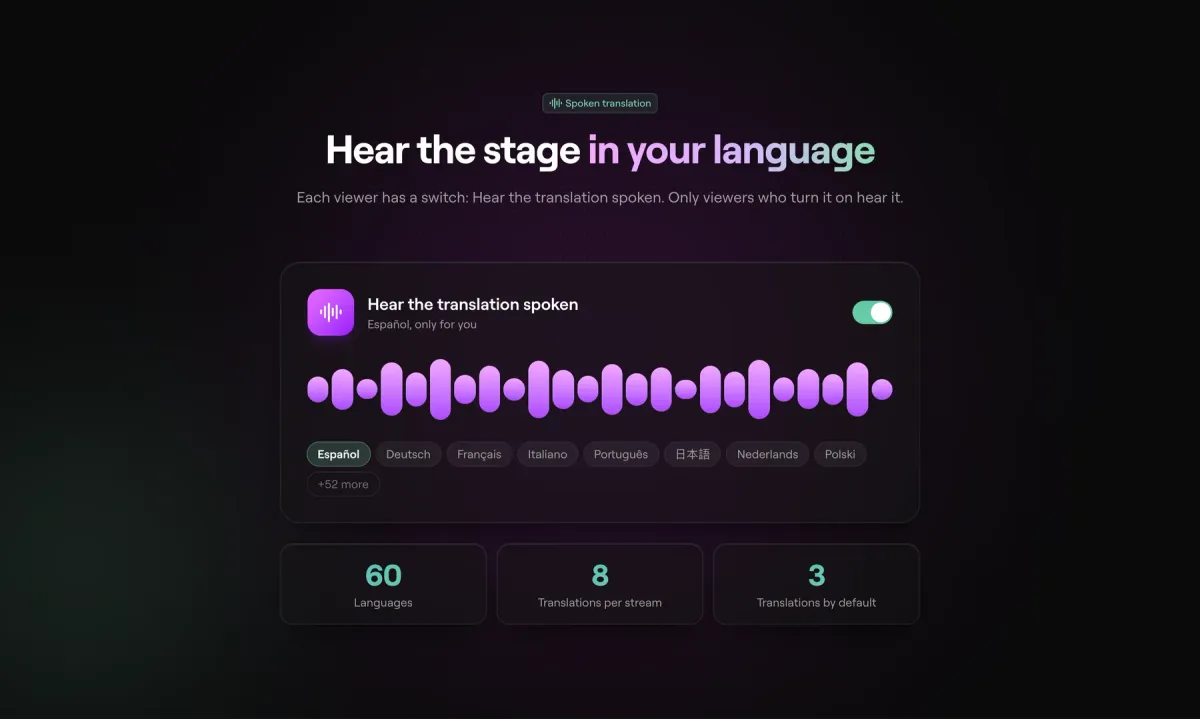
The viewer's own switch for the spoken translation, with 60 languages, 8 translations per stream and 3 by default.
Viewing uses viewer credits and captions use caption packs, covered in the cost section below. If you are planning an event with speakers in several languages, our hybrid events guide covers the surrounding setup.
Viewers watch in the browser, or in Cliqer Remote, from any of these:
In the dashboard, under Live, Player settings, the Access card controls who gets in. A change applies to viewers already watching: their players reconnect and check again.
example.com or *.example.com. With allowed sites set, the player plays only when embedded there; the watch link and QR code stop working.Other player settings, such as the title, the offline message, the poster, the viewer count, the accent colour and the caption defaults, change on every open player with no reload.
Studio can also put remote guests on the stream with a video call: see remote guests and live callers.
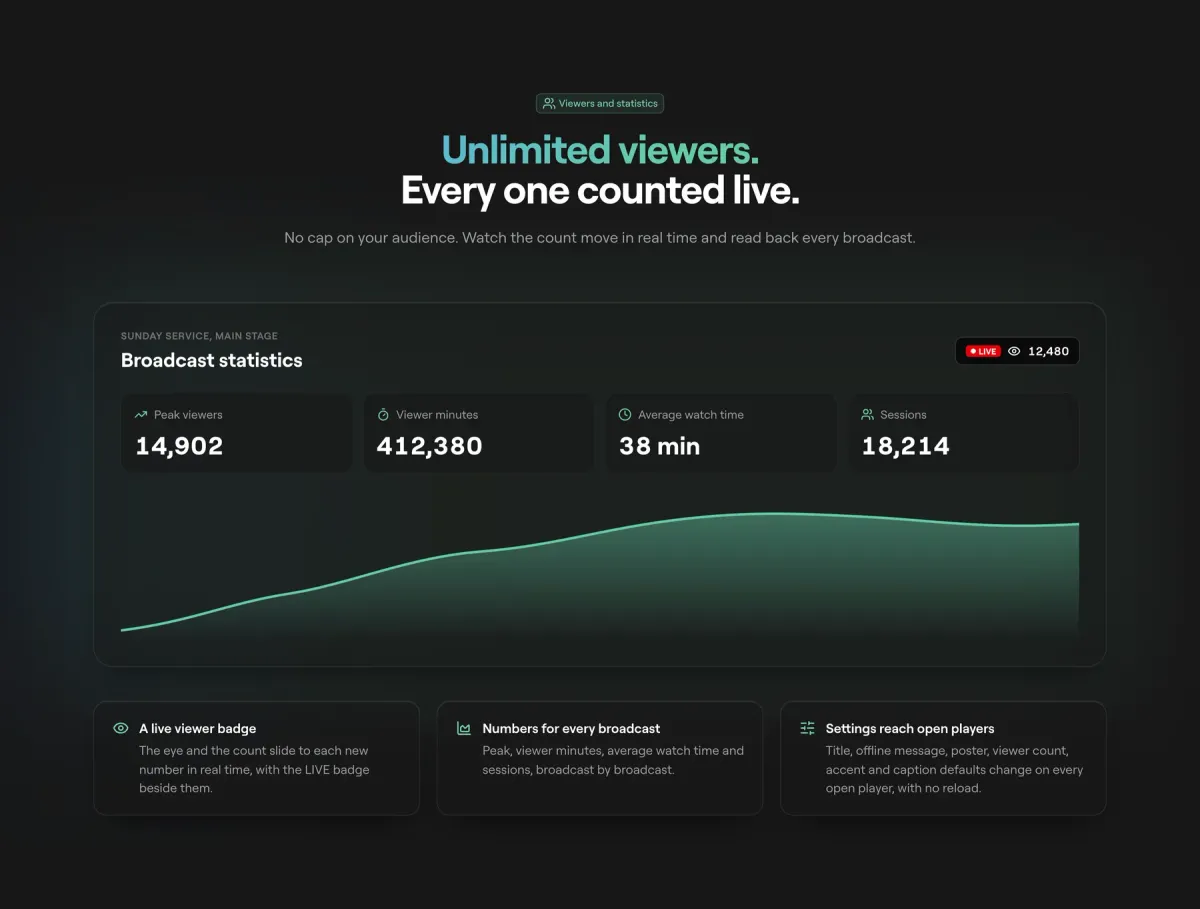
Statistics for each broadcast. The figures on the picture are sample data for the design.
A live viewer badge shows the count moving in real time next to the LIVE badge. Afterwards, the Statistics view gives you peak viewers, viewer minutes, average watch time and sessions, broadcast by broadcast. The dashboard also covers viewers per minute while on air, countries on a map, devices, bitrate, caption, translation and voice-over minutes per language, and a CSV export of every broadcast.
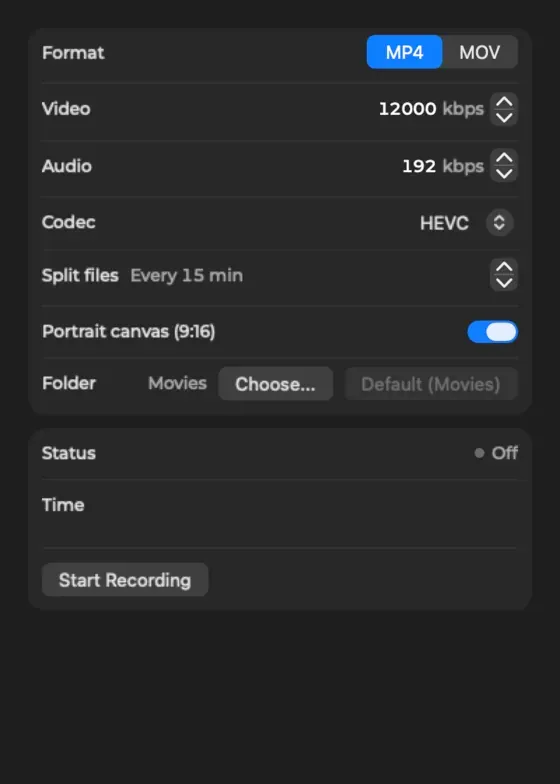
You have three ways to record, and they do different jobs.
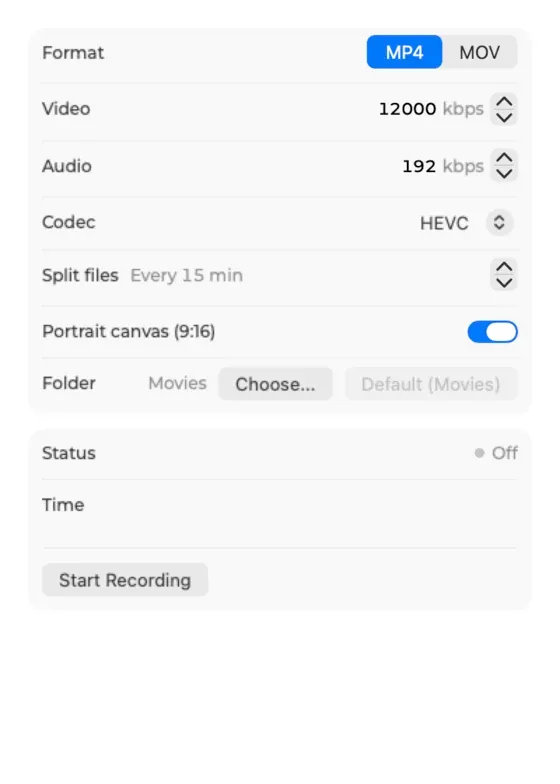
The Record popover on macOS, for the file on your own computer.
Use the cloud recording to play a broadcast back from your dashboard, and the local file as a master for an editor.
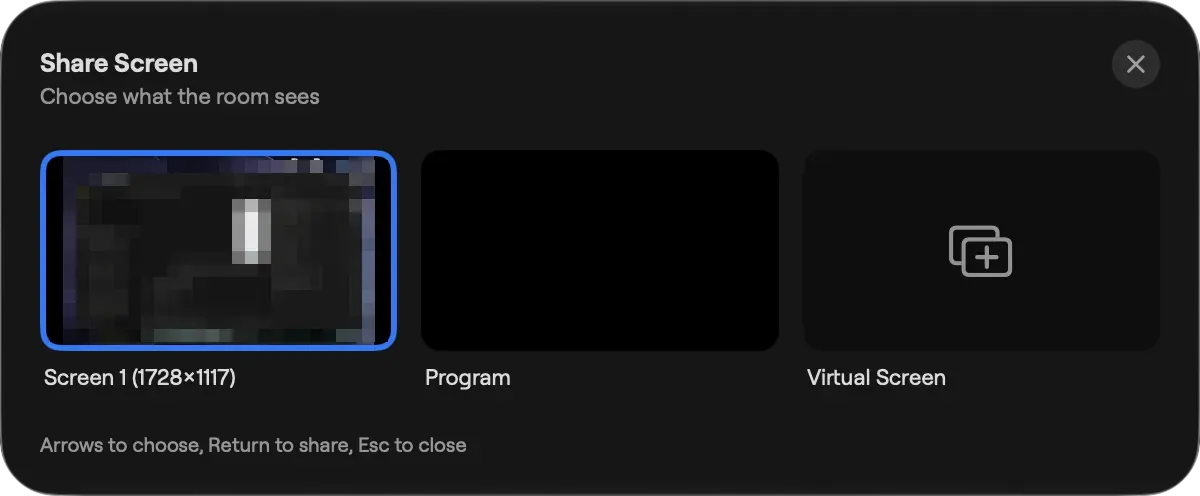
Cliqer has two ways to show a screen to other people, and they are different tools. The room is for your presenters and viewers: they join with a link in the browser or in Cliqer Remote, and the host shares a screen or Program to them. Cliqer Live is for an audience: it is a public or private stream with captions, statistics and a player you can embed.
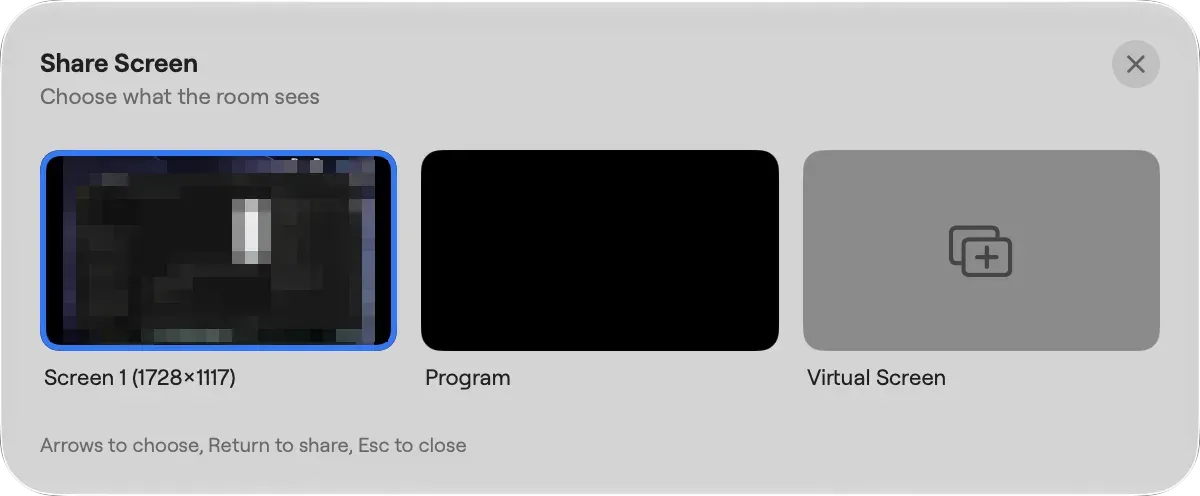
Choosing what the room sees. The room is separate from Cliqer Live, and you can use both at once.
For a typical hybrid event, the room carries the people on the panel and Cliqer Live carries the show to everyone else. Our hybrid event tech stack post shows where each piece fits, and NDI explained for event teams covers getting cameras into Studio in the first place.
Different tools solve different problems. Cliqer Live is a ready stream you operate from Studio. LiveKit, Mux, Amazon IVS, Cloudflare Stream and Wowza are platforms for developers or broadcasters who build their own player and workflow, which is more work and more control. Restream and StreamYard are production tools rather than delivery platforms, and our comparison data lists no live captions in either.
| Name | Unlimited viewers | Live captions | Translated captions | Go live with no code | WHIP or WebRTC input | Recording | End-to-end encryption or DRM | Open source or self-hosted |
|---|---|---|---|---|---|---|---|---|
| Cliqer Live | Yes | Yes | Yes | Yes | NoInput from Studio only | Yes | No | No |
| LiveKit | Partly | Partly | Not stated | Not stated | Yes | Yes | Yes | Yes |
| Mux | Yes | Yes | Not stated | No | No | Yes | Not stated | No |
| Amazon IVS | Partly | Partly | Not stated | Not stated | Partly | Yes | Not stated | Not stated |
| Cloudflare Stream | Partly | Not stated | Not stated | Not stated | Yes | Yes | Not stated | Not stated |
| Wowza | Not stated | Not stated | Not stated | Not stated | Yes | Yes | Partly | Yes |
What the table says in words:
On the production side, Cliqer against vMix and Cliqer against Ecamm Live cover the switcher you would run alongside the stream. You can also see our full comparison pages.
Cliqer Live is included from Studio 4K at the time of writing, with a free demo to start and then viewer credit and caption packs when you need more. The pricing page shows each plan and its current price: see Cliqer pricing.
Watching uses viewer credits. One credit is one viewer hour at 1080p; 4K uses about 4 an hour and 8K about 10. There is no cap on how many viewers can watch. Translation languages are limited by plan, from the 8 per stream the product allows down to the default of 3. Stream destinations are limited by plan as well, and Cliqer Live is one of them:
| Plan | Stream destinations |
|---|---|
| Studio HD | 1 |
| Studio 4K | 2 |
| Studio 8K | 5 |
A plan that does not include Cliqer Live shows "Your plan does not include Cliqer Live." with an Upgrade button in Studio, so you learn before the show, not during it. The plans and limits page lists every limit. Presenters and viewers never count against Studio's source limits.
Video reaches viewers in under 220 ms. Captions appear in about half a second after speech, and each word shows about 120 ms after the recogniser finalises it. Other vendors' figures are shown as they publish them, dated October 2026, because each measures latency a little differently.
No. Cliqer Live has unlimited viewers. Watching uses viewer credits instead: a free demo to start, then viewer credit packs, where one credit is one viewer hour at 1080p.
No. Sign in to Cliqer Studio with your Cliqer account and stream Program to Cliqer Live. Studio gets the server and a fresh permission each time it connects, so there is no key to copy or leak.
Yes. Captions appear in about half a second. You pick up to 8 translations per stream from 60 languages, 3 by default as your plan allows, and each viewer chooses the caption language. A viewer can also switch on a spoken voice-over of the translation, and only they hear it.
Yes. Turn on Record broadcasts in the dashboard's Player settings and each broadcast is saved to the cloud in 5 second parts for 90 days. You can also record Program to a file on your computer from Studio.
In the browser, from a share link, a QR code or the player embedded on your own site, and in Cliqer Remote. Viewers do not install anything. The show itself is run from the Cliqer desktop app on a Mac or Windows computer.
Start with the free download, go live to a private link with a password, and watch the delay yourself.
Cliqer Remote for Android and Wear OS: the native presenter app
Cliqer Remote for Android is a free native presenter remote with glass design, host control and a Wear OS watch clicker.
Cliqer Timer: the stage timer with rundowns, messages and screens for every role
Stage timer for live shows: countdowns, overtime, messages, rundown cues, screens and phone control in Cliqer Timer.
Keep reading


Practical guides for presenters, AV crews and event teams, plus the Cliqer releases that matter. No spam, one click to leave.