


Live Production
Cliqer vs vMix: Studio Compared Fairly, with What vMix Does Better
Cliqer Studio vs vMix compared fairly: platforms, editions, replay, guests and slide control, and what vMix does better.
If you search for a live streaming studio on a Mac, Ecamm Live is one of the first names you meet, and for good reason. It is a focused app that does one job, putting cameras, screens and guests on a live stream, and it does it without ceremony. Cliqer started somewhere else, as a way to control presentations from a phone, and in version 3 it grew a full production studio inside the same desktop app.
So the two overlap more than their origins suggest, and the question we hear is a fair one: which should you run? This post compares them honestly, using Ecamm's own pages for everything we say about Ecamm, and our own docs for everything we say about Cliqer. Where Ecamm is the better choice, we say so.
Ecamm Live is a streaming studio. Cliqer is a presentation and production system that includes a streaming studio. If your show is "me, a camera, a few guests and a link", Ecamm gives you a tidy path on a Mac. If it has a room, with speakers, a deck to advance, a clock and a tech operator, Cliqer covers all of it in one app and the stream is one output of it.
Fairness first, because it matters. From Ecamm's own pages, this is what the product offers today:
That list is aimed at creators, coaches and small teams who go live from one Mac. Ten destinations on the cheaper plan is also more generous than ours, as we say below.
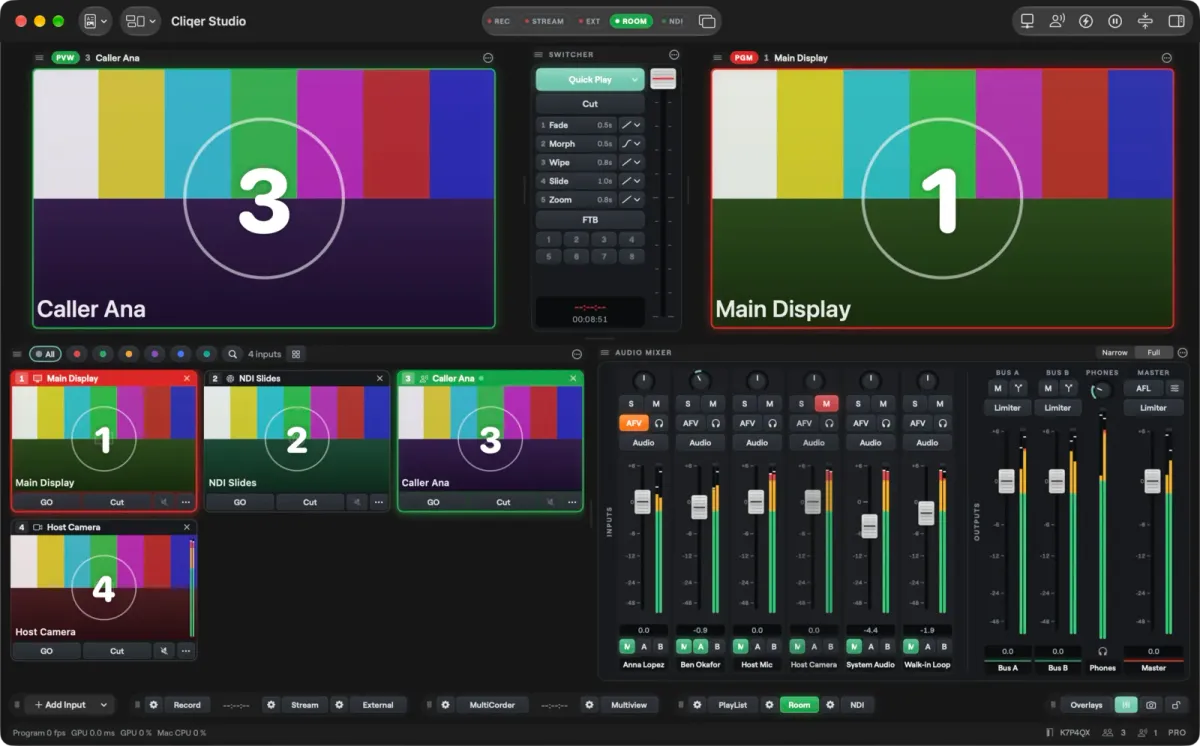
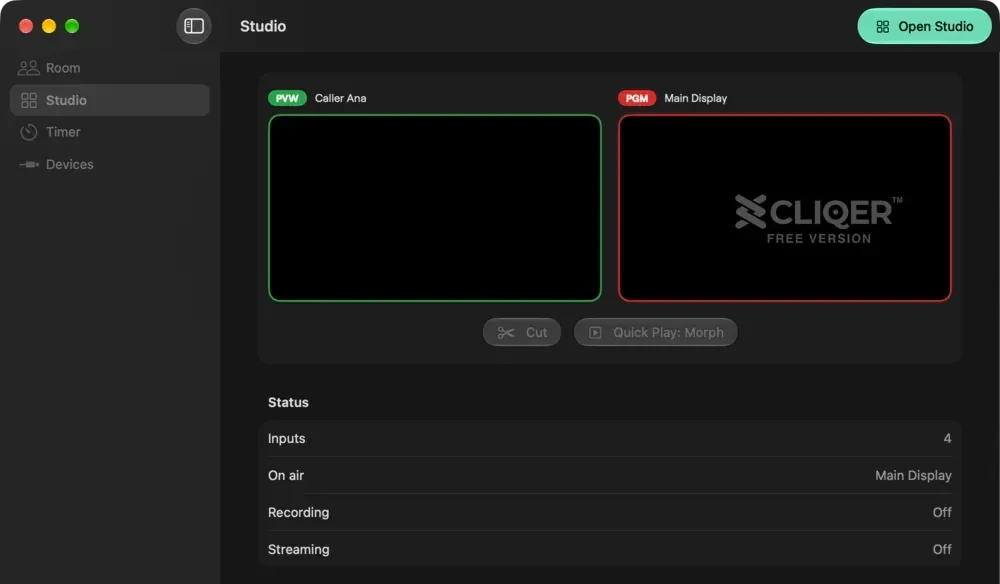
Cliqer 3 is a native desktop app for Mac and Windows (it needs macOS 15 or later, or Windows 11). The computer runs the app; phones, tablets and browsers join it. Inside the app, Studio is a live switcher: you add inputs (displays, cameras, NDI sources, video callers, media, web pages, scenes), put one on Preview, and take it to Program with a cut or a transition. Program then goes to the room, an NDI source, a recording, a stream or a virtual camera.
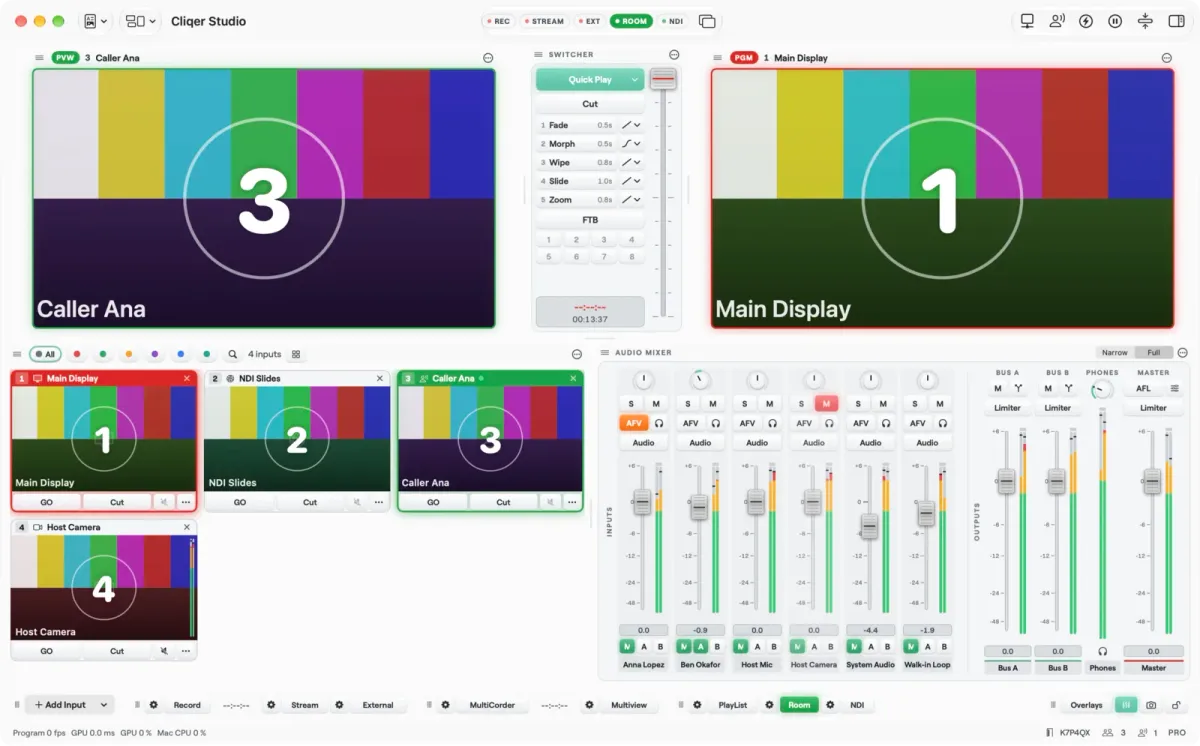
The Studio window on macOS. The same panels exist on Windows.
If you want the full tour, read Cliqer Studio, a live production switcher in your desktop app. For the same comparison against the other big name in this space, see Cliqer vs vMix.
The first practical difference is the operating system. Ecamm's pages say the product is built for Mac and do not mention Windows. Cliqer runs on both, with the same Studio panels on each, so a church, school or venue that mixes laptops does not have to pick a side.
On price, Ecamm's pricing page lists two plans at the time of writing (October 2026):
| Ecamm plan | Price on its page | What the page lists |
|---|---|---|
| Standard | $16 a month | Multistreaming to 10 destinations, overlays, green screen, screen sharing, automatic recording, comment stream, no watermark |
| Pro | $32 a month | Everything in Standard, plus 4K streaming, virtual camera and microphone, live monitoring to any display, isolated recording, Ecamm for Zoom |
| Free trial | 14 days | All Standard and Pro features, no credit card |
Cliqer's model is different in shape. There is a Free tier, a free trial of the full feature set with a watermark, and paid plans from Studio HD through Studio 4K and Studio 8K to Enterprise. You can pay monthly or yearly, buy a licence outright, or take the Event Pass, one payment for 7 days that does not renew and carries the Studio 4K feature set. That last one suits a single conference weekend better than a subscription does. Current prices are on the pricing page.
Here is the honest catch. Ecamm Standard gives you more simultaneous stream destinations than our entry plan: 1 on Studio HD, 2 on Studio 4K and 5 on Studio 8K. Cliqer also keeps some Studio features, such as the virtual camera, buses in the mixer and ISO recording, for Studio 4K and above. Read the Studio plans and limits before you buy for a specific show.
Both apps give you a scene-based workflow: build looks in advance, switch between them live, layer titles on top. Ecamm's scene model is friendly and quick to learn. Cliqer's is closer to a broadcast switcher: Preview and Program, Cut, Quick Play, five numbered transitions, fade to black, stinger keys and a T-bar, with scenes as inputs that can hold layers of other inputs.
Where Cliqer goes further is breadth for event work. Studio takes network streams (SRT, RTMP, RTSP, HLS), Syphon on Mac and Spout on Windows, Blackmagic cards, web pages and a timeline. It offers up to eight overlay channels on the higher plans, a Multiview to a display or over NDI, and extra output screens, each its own program or a follow of one. A built-in Teleprompter is covered in teleprompters for presenters and in the Teleprompter docs.
Under the panels sits a native engine built for picture quality. On a Mac the video path is zero copy: camera frames, sources and Program stay in GPU memory, and the hardware encoder reads Program straight from the GPU surface. On Windows, camera decoding and colour conversion run on the GPU. On Studio 8K and Enterprise, Program runs in 10-bit SDR, HDR PQ or HDR HLG up to 4K, with HDR inputs tone mapped for the outputs; with a 10-bit or HDR Studio Format, Blackmagic outputs send 10-bit and NDI sends 16-bit. Display outputs use the monitor's native mode for the sharpest picture.
Where Ecamm goes further is simplicity and creator extras: web widgets and a USB iPhone camera are things a solo streamer notices on day one. If you do not need a stage's worth of outputs, a smaller tool is a feature.
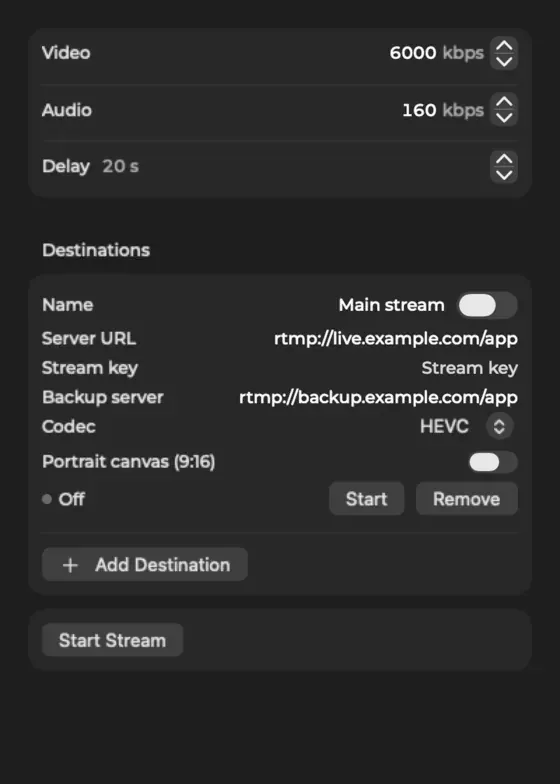
Both apps stream to platforms over RTMP. Cliqer Studio also streams over RTMPS, SRT and WHIP, with a backup server for RTMP, a stream delay, a per-destination codec and a per-destination size. Its one-click Go Live works with YouTube and Facebook accounts, with live comments you can put on air. Ecamm lists more platforms for one-click going live, including Twitch and LinkedIn, and scheduling for three of them. If you live on Twitch, that gap is real.
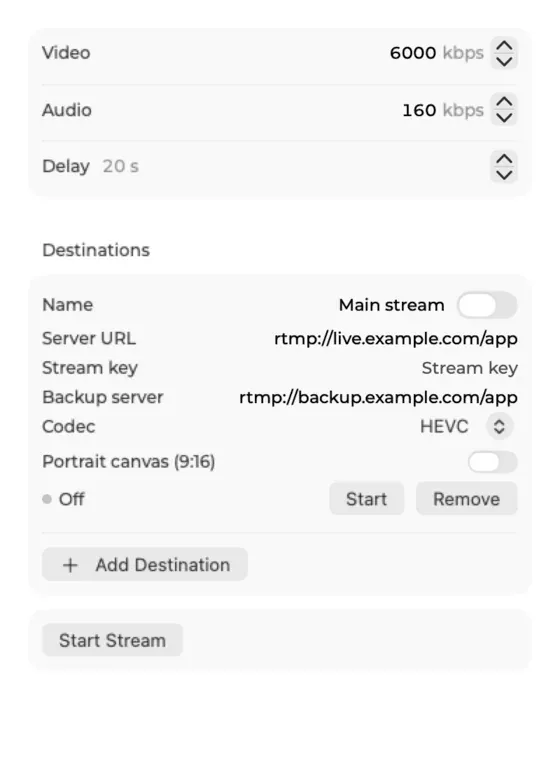
Stream settings: bitrates, delay and destinations.
Cliqer's other option is its own delivery, Cliqer Live. Studio signs in with your Cliqer account and sends Program to your stream with no stream key. Viewers watch in a browser or in Cliqer Remote, from a share link, a QR code or a player embedded on your site. Our pages state video delay under 220 ms and unlimited viewers, with a free demo to start and viewer credit packs after that. Ecamm's pages describe sending to third-party platforms, and we found nothing on them about a delivery network of its own, so this is a different kind of feature rather than a head-to-head one. Cliqer Live, sub-second streaming goes into the numbers.
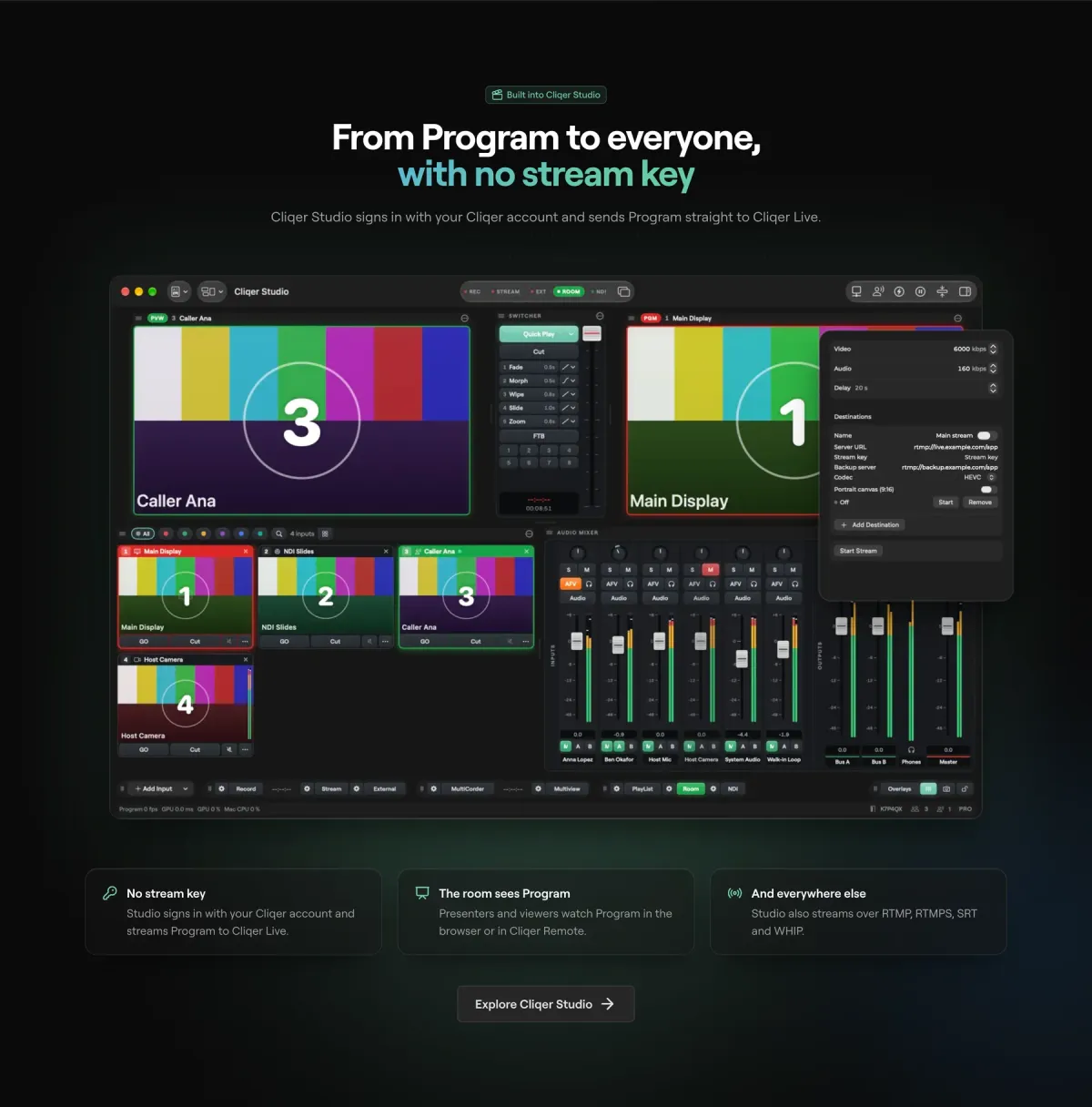
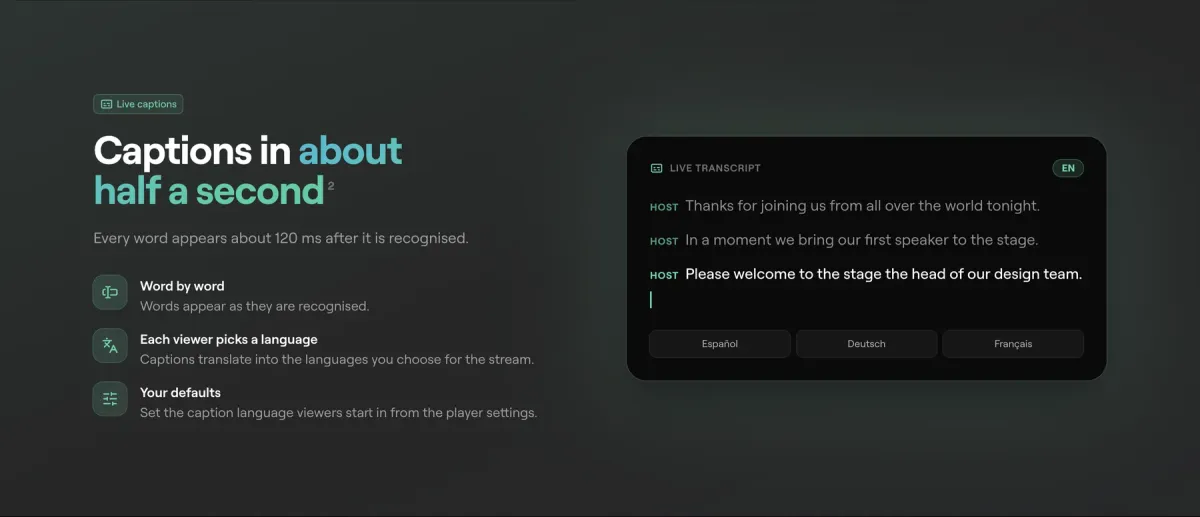
Captions are part of the same service. Cliqer Live puts words on screen about half a second after they are spoken, lets each viewer choose a language, and supports up to eight translations per stream from 60 languages. For a multilingual conference or a congregation, that is a large part of the value.
Ecamm's guest feature is one of its best: up to ten guests, in a browser, in a clean split screen. Cliqer treats a guest as an input like any other. A presenter in your room can be invited onto camera, or a guest can join from the room link on a phone, tablet or computer, and agrees to the call themselves. The number on the call at once depends on the plan: 3 on Studio HD, 9 on Studio 4K and 16 on Studio 8K.
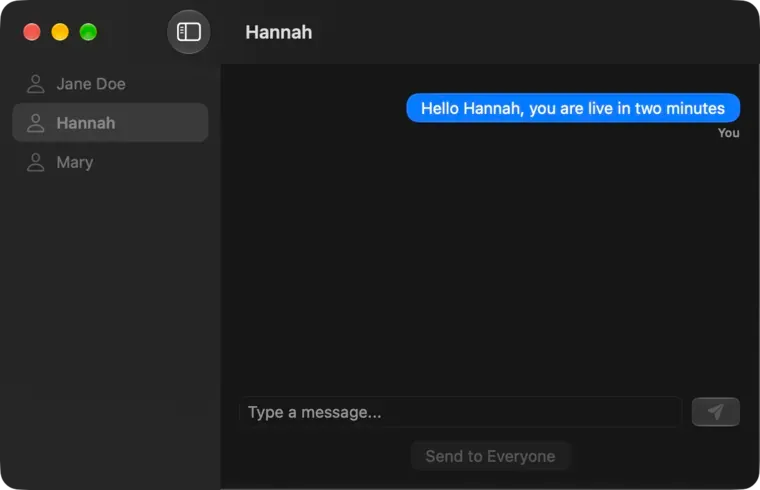
What is different is the backstage. Guests can be messaged one by one or all together from the host's chat, they get a return feed with the mix-minus audio, and a presenter can ask to join the call from the status bar. If your guests are also speakers with slides, they are already in the room, and that is the situation Cliqer was built for. See remote guests and live callers and the video call docs.
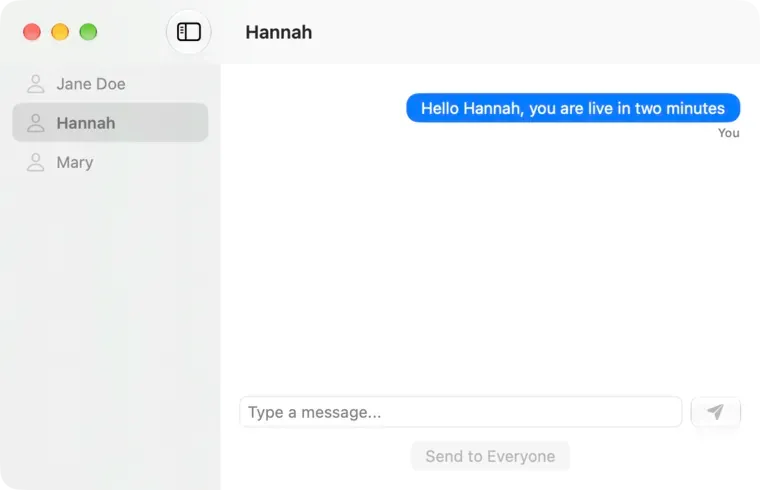
Messaging a guest before they go on air.
Both record the show to a file automatically or on demand. Ecamm's Pro plan adds isolated audio and video tracks. Cliqer's equivalent is MultiCorder, which records one file per input alongside the Program recording, and a replay buffer for instant replay. Studio records in H.264, HEVC, ProRes 422 and ProRes 422 HQ, with ProRes on a Mac; HEVC and ProRes come with Studio 8K and Enterprise, and with a 10-bit or HDR Studio Format an HEVC recording carries a real 10-bit picture (Main10).
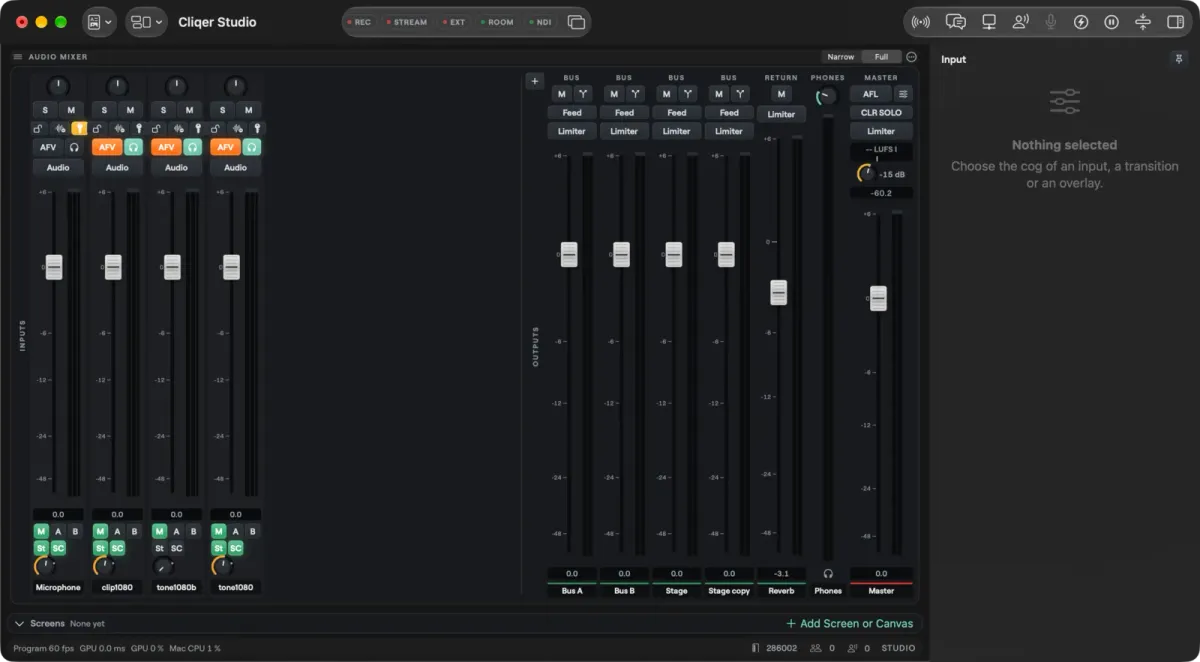
Audio is where a stage show asks the most of a mixer, and Studio's is a full mixer with routing. Each Cliqer input with sound gets a strip, feeding Master, Bus A, Bus B and a Phones mix, and you add your own Groups for sub-mixes and Returns for effects and shared sends, then rename, reorder and duplicate them. Sends are pre or post fader, and every bus has a fader, mute, meter, processing and a limiter. The room, each NDI output, each router output and each video call guest's return picks any bus by name, and every edit is one undo step.
Under the faders is a 32-bit floating-point engine: every strip, bus and plugin runs in float, so nothing clips inside the mix however hot the sends, and the limiters set the ceiling on the way out. Each input strip has Cliqer's own delay, high-pass filter, gate, four-band EQ and compressor, written for the real-time audio thread so it does not glitch under load. You can also add VST3 plugins on macOS and Windows, or Audio Units on macOS, as inserts on input strips, with their own editors and their state saved in the show. The Router patches every audio input and output in Patch and Matrix views, with Dante Virtual Soundcard, Dante Via, AVB and BlackHole as ordinary devices, AES67 network audio up to 64 channels per endpoint, and ASIO on Windows.
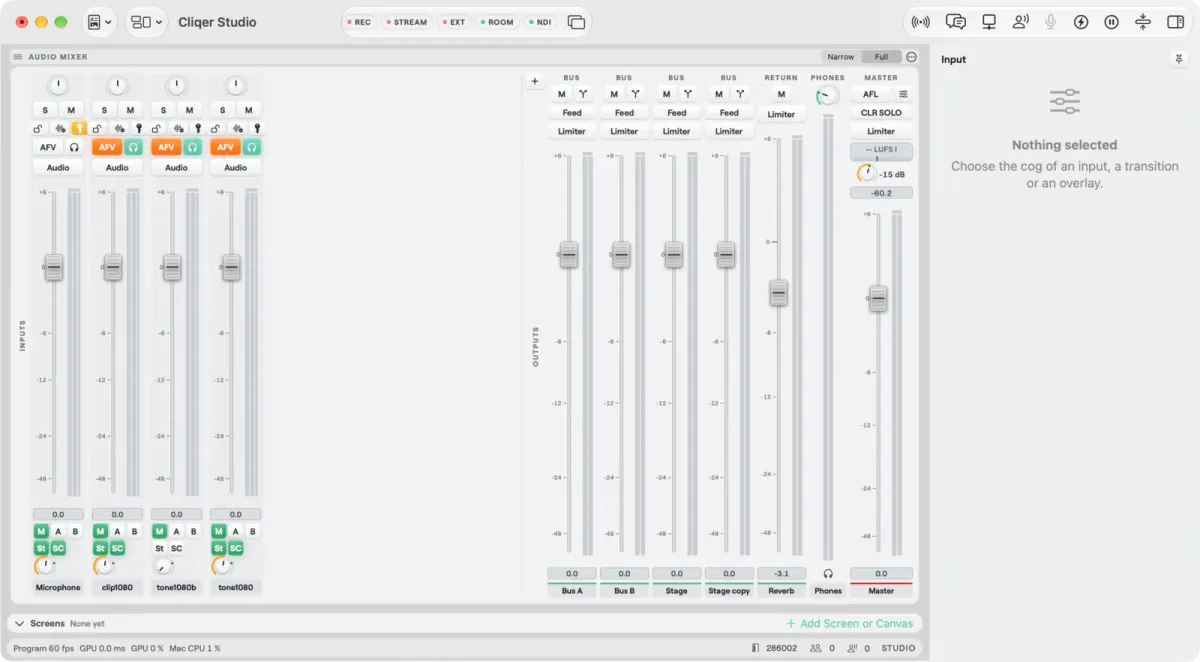
Buses, a group and a return beside the input strips.
Buses and the strip processing need Studio 4K or above. Ecamm's pages do not describe a bus-based mixer, so if you only need levels per source, you will not miss it.
This is the part of the comparison where the two products stop looking alike. Ecamm's pages talk about presenting in general terms, as screen and window broadcasting and video clips. They do not name PowerPoint, Keynote or Google Slides, and we found no phone remote on them.
Cliqer began as a presentation controller, and it still is one. A click from a phone, a watch, a clicker or a Stream Deck turns into a slide change in PowerPoint, Keynote (on Mac) or Google Slides, or an arrow key into whatever window is in front. The presentation control docs list each mode. The remotes are native apps for iPhone, iPad, Apple Watch, Android and Wear OS, described in the iPhone and iPad post.
Then there is the room itself. Cliqer Timer puts a countdown on stage, with a confidence view for the speaker and an operator page for the tech table. It is a separate product page, Cliqer Timer, and the long version is in the stage timer post. A Studio Timer can also be an input, so the same clock can appear on the stream.
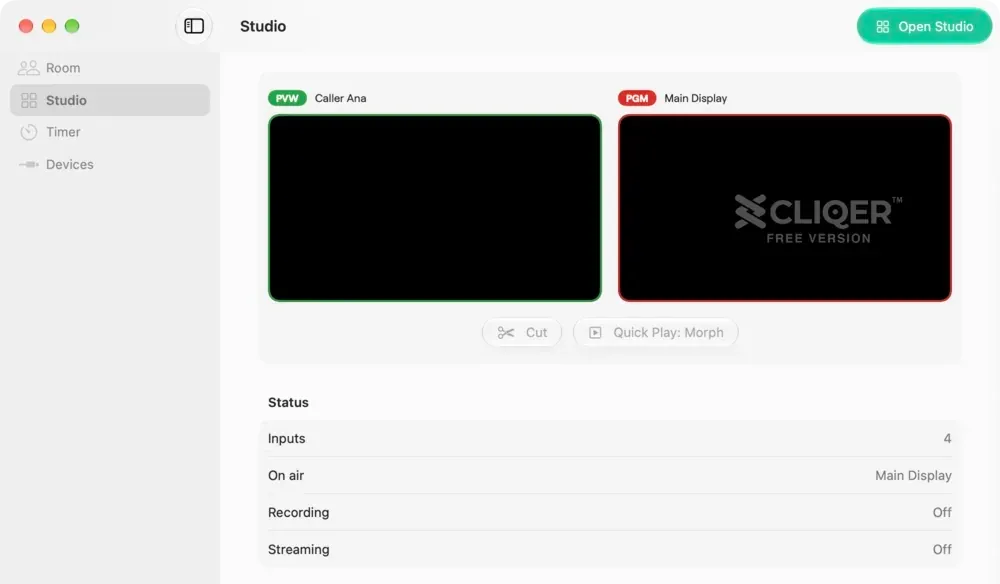
Studio sits beside Room, Timer and Devices in the main window.
The two ideas meet in one setup: the speaker's slides, the timer and the stream all come from the same computer, the same room and the same account. With Ecamm you would assemble that from separate tools.
| Name | Cliqer | Ecamm Live |
|---|---|---|
| Runs on Windows as well as Mac | YesMac and Windows | NoMac only |
| Runs on older macOS versions | PartlymacOS 15 or later | YesmacOS 11.2 or later |
| Scenes, overlays and live switching | YesPreview, Program, transitions | YesScenes and camera switcher |
| Remote video guests | YesCount depends on plan | YesUp to ten, from a browser |
| Streaming to several platforms at once | YesDestinations depend on plan | YesTen destinations on Standard |
| One-click go live and scheduling | PartlyYouTube and Facebook | YesSeven platforms, scheduling on three |
| Own low-delay viewer delivery | YesCliqer Live | Not statedNot stated |
| Live captions and translation | YesUp to 8 translations | Not statedNot stated |
| NDI and virtual camera | YesNDI and External | YesOn Pro |
| One recording per input | YesMultiCorder | YesIsolated tracks on Pro |
| Instant replay | YesReplay | Not statedNot stated |
| Slide control and phone remotes | YesPhones, watches, Stream Deck | Not statedStream Deck for scenes |
| Stage timer and teleprompter | YesTimer and Teleprompter | Not statedNot stated |
| Free trial | YesFree tier and trial | Yes14 days, no card |
Choose Ecamm Live if you are a creator on a Mac who streams to many platforms, wants guests and scenes working in an afternoon, and prefers a lower monthly price for a single-purpose tool.
Choose Cliqer if you produce events, teach, preach or present: when slides, a stage clock, phone clickers and a stream all have to work together, when your crew uses Windows, or when you want captions and translation for viewers. The AV team tech table is the setting we design for, and the hybrid event tech stack shows where Studio fits in it.
You can also use both: they do not conflict, and many teams start by trying Cliqer's free tier beside a tool they already know. The detailed feature-by-feature table lives on our Ecamm comparison page, and the whole comparison list covers other tools.
Pro tip: Before you decide, run one rehearsal on each tool with your real network, guests and laptop. A comparison on a fast desk connection says little about a venue.
Yes, for many shows. Cliqer Studio has a switcher, inputs, titles, recording, streaming, guests and a virtual camera. It adds slide control, a stage timer, phone remotes and Windows support. Ecamm Live suits a solo Mac creator better.
Ecamm's own pages describe the product as built for Mac and requiring macOS 11.2 or newer, and they do not mention a Windows version. Cliqer runs on macOS 15 or later and on Windows 11.
At the time of writing, Ecamm lists Standard at $16 a month and Pro at $32 a month, with a 14-day trial that needs no card. Cliqer has a free tier, a free trial, monthly, yearly and one-off options, and a 7-day Event Pass. Check the pricing page for current Cliqer prices.
Yes. Studio streams over RTMP, RTMPS, SRT and WHIP, so any service that accepts a stream key and server can receive Program. One-click go live with a connected account is available for YouTube and Facebook. For Twitch you paste the server and key as a destination.
Yes. A guest joins from the room link on a phone, tablet or computer with a camera and microphone, and appears as an input you can put on Preview and Program. The number of people on a call at once depends on your plan.
Ecamm Live and Cliqer are both good at putting you on air. The difference is what happens around the broadcast: a creator's studio on one side, an event's whole control room on the other. If your show lives in a room as much as on a stream, start with Cliqer and let the stream be one of its outputs.
Cliqer vs Barco E2: why we left the hardware processor behind
The Barco E2 blends by hand, lists no warp and adds a frame of delay. How Cliqer Studio runs corporate shows better, by Barco's own figures.
Teleprompters for Presenters: Pace, Glass and Who Scrolls
Teleprompter for presenters: prepare the script, set the reading pace, pick glass or a monitor, and choose who scrolls.
Keep reading


Practical guides for presenters, AV crews and event teams, plus the Cliqer releases that matter. No spam, one click to leave.