
AV Industry
Integrating DSAN Limitimer Speaker Timers with Your Slides
Connect a DSAN Limitimer to your slides: two-way sync, master or slave mode, and which settings matter on show day.
A rental and staging company lives and dies by what fits in the truck and how fast it sets up in a venue nobody on the crew has worked before. For years, that meant a case of hardware clickers, spare batteries, USB dongles labelled by client, and a spreadsheet tracking which one goes where. That model is getting harder to justify as more of it moves to software that travels on a laptop instead of in a Pelican case.
Here is what is actually driving the shift, and what a software-based show control setup looks like for a company running events in a different building every week, from a corporate conference on Monday to a wedding on Saturday.
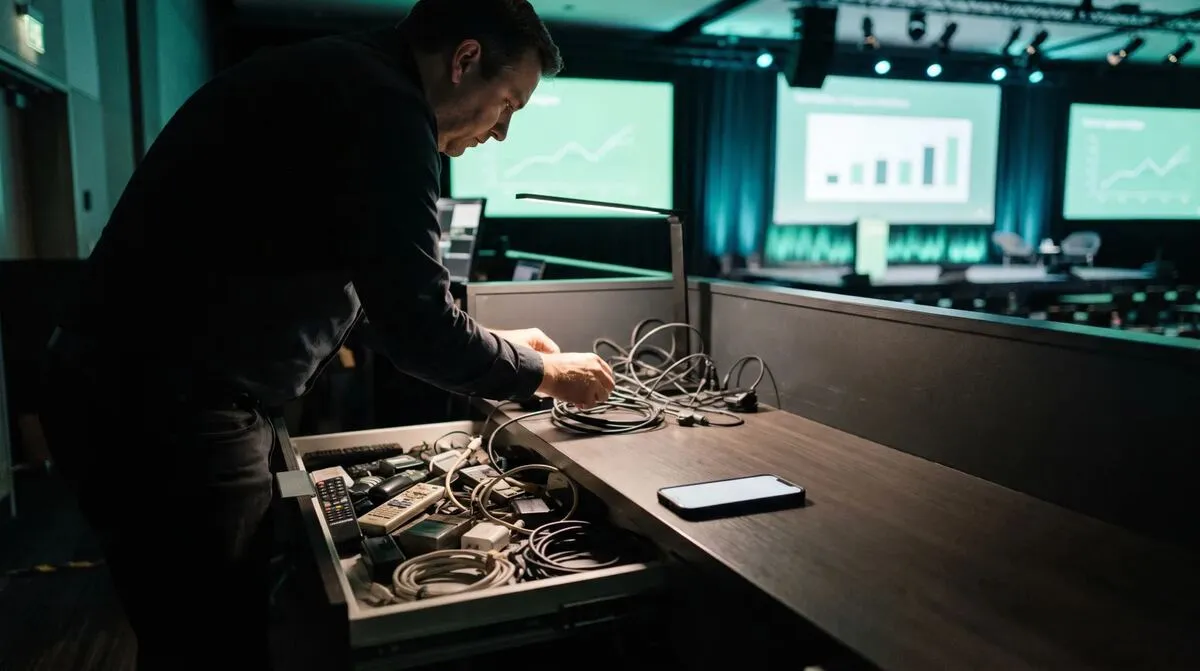
A fleet of hardware clickers works fine for one venue with a stable setup. It gets expensive and fragile fast once a company is running ten different events a month across ten different buildings:
RF range varies by venue
A clicker that reaches the booth in one room falls short in a bigger hall next week.
Inventory management is its own job
Dongles get lost, batteries die, and someone has to track which serial belongs to which client's rig.
Client branding is impossible
A generic hardware clicker cannot carry a client's logo or colours on the join experience, because there is no join experience, it is a physical device.
Backup means duplicate hardware
Redundancy for a hardware clicker means owning two of everything, doubling the kit weight for every job.
Cliqer's desktop app runs on whatever machine is driving the client's slides, PowerPoint, Keynote, Google Slides or a custom deck, and opens a room that any browser can join as presenter or backup, on a phone, tablet or laptop, no install needed on the client or speaker side. For a staging company, that changes the kit list rather than adding to it:
One laptop with Cliqer installed replaces a case of clickers, no RF range limit because control travels over the network.
Custom domains and branding on the Studio plan let the join link and room carry the client's own hostname instead of a generic address, so the presenter experience looks like part of the client's event, not a rented tool.
Multi-host setup gives redundancy without doubling hardware, a second laptop on the same room picks up automatically if the primary drops.
Presenter customisation and Room Designer let each job's presenter view match that event's branding, changed per booking instead of per physical device.
| Factor | Hardware clicker fleet | Software-based rooms |
|---|---|---|
| Range per venue | Limited by RF, varies by building | Anywhere with internet |
| Inventory to track | Physical devices, batteries, dongles | One app install per host machine |
| Client branding | Not possible on the device itself | Custom domains and Room Designer per job |
| Backup for a dropped job | A spare physical unit | A second host machine, automatic failover |
| Seats across a touring team | One clicker per presenter | Pooled team seats on Studio |
A staging company's crew rotates between jobs, not every technician is on-site for every show. Pooled team seats on the Studio plan mean licences follow the job rather than a specific person, a device activates for a show and releases afterward, instead of every crew member needing their own permanent licence. That matters more for a rental business than almost anyone else, since the whole model is built around equipment and access moving between jobs, not sitting with one owner. It is the same logic behind branded presenter rooms for agencies: the branding and the access both belong to the booking, not to a single piece of hardware.
The other advantage of a software setup: the crew's control surface does not change from venue to venue. A Stream Deck or Bitfocus Companion panel configured once travels with the laptop and works identically whether the job is a hotel ballroom or a purpose-built theatre, unlike hardware that depends on that venue's specific RF conditions. That consistency is worth more to a staging crew than almost any single feature, since it means less on-site troubleshooting and fewer surprises during load-in. It also makes the choice between a dedicated operator or direct speaker control a per-client decision rather than something the crew has to relearn for every different building.
None of this is visible to a client's attendees, which is exactly the point. What they do notice is a join link that carries their own event branding instead of a third-party tool's name, a presenter who never has to fumble with an unfamiliar clicker before walking on stage, and a show that recovers instantly if a laptop needs a reboot mid-event. Those are the moments that get remembered and repeated on the next booking, far more than anything happening in the crew's own equipment case.
For a staging company pitching a new client, that is also the easier sell: the technology stays invisible, and the story is about the show running smoothly, not about a piece of hardware the client has never heard of.
Hardware fleets do not scale across different venues, RF range varies by building, inventory management is its own overhead, and backup requires owning duplicate hardware for every job.
Yes. Custom domains on the Studio plan serve the join flow on the client's own hostname, and Room Designer applies their colours and layout to the presenter view.
Multi-host setup lets a second laptop join the same room as a backup host, and takes over automatically if the primary machine disconnects.
Not necessarily. Pooled team seats on the Studio plan let licences activate per job rather than per person, which fits a rotating crew better than individual accounts.
If your company is still packing a case of clickers for every load-in, try running one job on software instead. Download Cliqer free to test it on a rehearsal, or compare Pro, Ultra and Studio for pooled team seats and custom domains. For the crew-facing side of running a show from one desk, see show control from the tech table, and for larger operations with procurement requirements, Enterprise covers SSO, SCIM and custom contracts.
TURN Servers Explained: How Video Gets Through Restrictive Networks
TURN servers explained in plain language: how they relay encrypted video and control through firewalls that block you.
How to Use a Clicker with Google Slides
Google Slides runs in the browser, so clickers work differently than in PowerPoint. Here is how to control it properly.
Keep reading
Practical guides for presenters, AV crews and event teams, plus the Cliqer releases that matter. No spam, one click to leave.