
Presentation Skills
Accessible Presentations: Contrast, Captions and Pace
Make presentations more accessible with better colour contrast, live captions, steady pace and a room setup that helps.
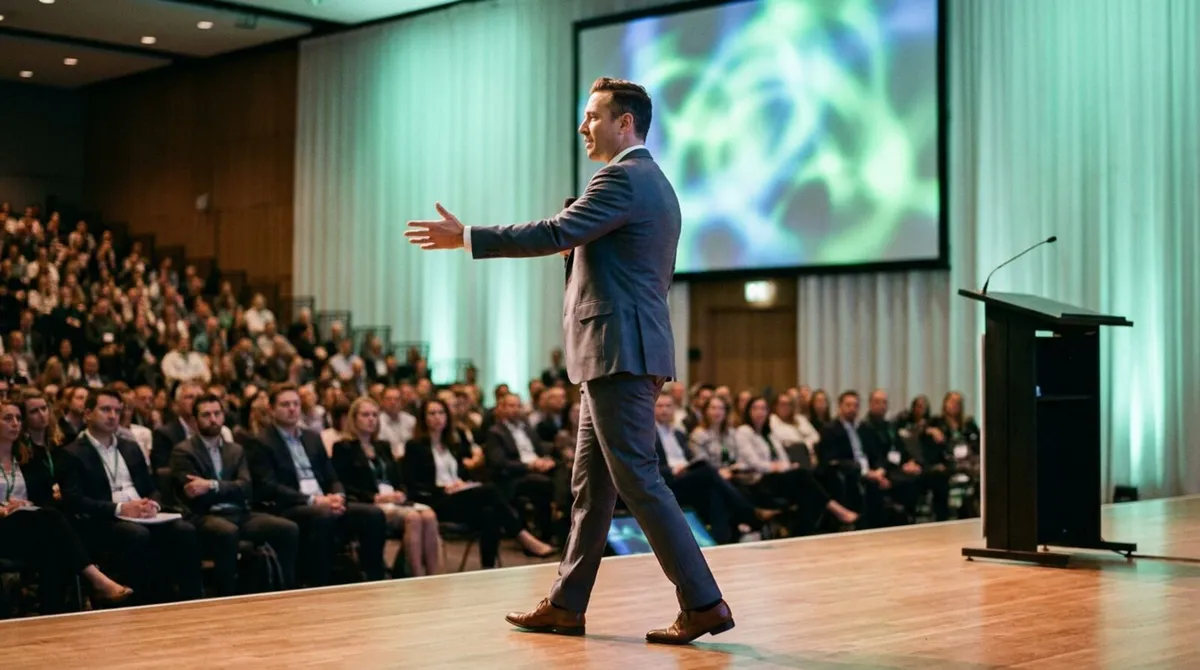
Watch any list of the most memorable talks from the last decade and you will notice something they mostly have in common: nobody is standing behind a lectern. They are walking the stage, pointing into the crowd, crouching to make a point land. Presentation body language does more work than most speakers give it credit for, and the lectern is often the single biggest thing holding it back.
This is not a call to pace nervously or wander for the sake of it. It is about why deliberate movement reads as confidence, why a fixed podium quietly undermines a talk, and what actually stops most speakers from leaving it in the first place.
A lectern feels safe. It gives you somewhere to put your hands, somewhere to rest your notes, and a physical barrier between you and the audience. That is exactly the problem: the barrier is the point. Communication research on nonverbal delivery consistently finds that open posture and physical proximity increase audience trust and engagement, while a fixed barrier does the opposite, even when the barrier is furniture rather than a wall.
There is also a simpler mechanical issue. Standing at a lectern usually means standing next to a laptop, because that is where the clicker and your notes live. The lectern is not really the constraint, the equipment tethered to it is.
Deliberate movement does several things at once that standing still cannot:
None of this works if the movement is aimless pacing. The goal is movement with intent: step forward for emphasis, move sideways between points, come closer for a personal story and step back for a broader one.

Almost nobody chooses the lectern because they love standing behind furniture. They stay because their tools force them to.
| Reason speakers stay at the lectern | What actually causes it |
|---|---|
| "I need my notes" | Notes only exist on the laptop screen |
| "I need to advance slides" | Clicker only works from close range |
| "I need to see the timer" | Countdown only visible from the lectern |
| "I'm worried about missing a cue" | No confidence in the setup working elsewhere |
Every one of those is solvable without touching your actual delivery skills, and solving them is usually the fastest improvement a speaker can make. If notes are the sticking point specifically, we cover it in how to use speaker notes without staring at your laptop.
Movement that looks scripted is almost as distracting as no movement at all. The trick is to tie movement to content rather than to a timer. Walk when you are making a transition, plant your feet when you are making a key point, and let pauses happen while you are still rather than while you are moving.
Rehearse this the same way you would rehearse the words: run through the talk standing in the actual room if you can, and notice where movement feels natural rather than forcing a pattern. A pre-show checklist that includes a genuine walkthrough will surface this along with the more technical checks.
If you are pitching rather than presenting, the same principles apply but the stakes and the room are usually smaller, our guide on delivering a pitch deck covers pacing and recovery specifically for that format.
Lecterns show up everywhere, not only on conference stages. Lecturers get stuck behind them in tiered halls, trainers get pinned to them at the front of a workshop room, and even a confident presenter can end up glued to one during a formal panel introduction. The fix is the same wherever it happens: move your control off the fixed spot and the rest follows. We cover the classroom version of this in phone clickers for lecturers and the training-room version in tools that keep corporate trainers on their feet.
Pace matters here too. A speaker who moves with intent but ignores the clock ends up rushing the close, which undoes the confidence the movement built. Keep an eye on your time the same way you keep an eye on your notes, our guide to stage timers and countdown clocks has practical setups for exactly that.
The technical fix for lectern-dependence is putting your clicker, your notes and your timer somewhere that moves with you, which is exactly what a phone-based setup does.
Open your Cliqer room link on your phone before you start, so slides, notes and timer are all in one place in your hand.
Turn on speaker notes in the presenter view so you never need to walk back to a laptop to check your next point.
Start the countdown timer and glance at it the same way you glance at your notes, no separate confidence monitor required.
Walk the room during your pre-show run-through to confirm your control link reaches every spot you plan to stand, not just the lectern.
If you are speaking on a large stage , position a fullscreen timer display where you can see it from anywhere you move to, as a backup to the one on your phone.
Because Cliqer controls PowerPoint, Keynote and Google Slides natively, slides advance reliably wherever you are standing, without the near-field limits of a traditional clicker.
Yes, some formal settings and some speakers genuinely deliver better from a fixed position, and there is nothing wrong with that if it is a choice rather than a constraint you never noticed.
Tie movement to your content structure rather than letting your feet wander on their own. Plant yourself for key points and only move during transitions, which turns nervous energy into something the audience reads as deliberate.
Usually the opposite, once your notes and clicker are not tied to a fixed spot. The risk of losing your place comes from equipment, not from movement itself.
Get your slide clicker and speaker notes off a fixed laptop and onto a device you can hold, that single change removes most of the reasons speakers give for staying at the lectern.
Ready to move freely on your next talk? Download Cliqer free and take your clicker, notes and timer with you, or see pricing for the full presenter toolkit.
Hardware, Phone or Internet: Presentation Clickers Compared for 2026
USB dongle, phone app or internet clicker? Range, reliability, cost and setup compared so you can pick the right remote.
The Hybrid Event Tech Stack: What You Actually Need
The hybrid event tech stack that earns its place on the tech table, from slide control to NDI output and backup gear.
Keep reading

Practical guides for presenters, AV crews and event teams, plus the Cliqer releases that matter. No spam, one click to leave.