


Presentation Skills
Accessible Presentations: Contrast, Captions and Pace
Make presentations more accessible with better colour contrast, live captions, steady pace and a room setup that helps.
A pitch deck lives or dies on delivery more than on the slides themselves. Investors have seen hundreds of decks with near-identical structure: problem, market, traction, ask. What actually differentiates a pitch is whether the founder controls the room, holds a pace that respects everyone's time, and recovers cleanly when a tough question arrives mid-flow, because it always does.
These pitch deck presentation tips focus on the mechanics of delivery rather than the slide content itself: how to stay in control when nerves are high, how to pace a strict time limit, and how to handle the interruption that every good pitch eventually gets.
A pitch is shorter, higher-stakes, and far more likely to be interrupted than a conference talk. Investors ask questions mid-deck because they are engaged, not because they are being rude, and a founder who cannot handle that gracefully loses more credibility than one who fumbles a slide transition.
That combination, tight time limit plus expected interruption, means your control setup needs to survive being knocked off the planned order without falling apart.
The single biggest delivery skill in a pitch is handling a question without losing your place in the deck.

Most pitch formats give you a hard number, ten minutes, five minutes, sometimes less, and running over is one of the fastest ways to lose the room's goodwill before you have even reached questions.
| Pitch length | Suggested internal checkpoint | Why |
|---|---|---|
| 3 minutes | Halfway check at 90 seconds | Almost no room to recover from an early overrun |
| 5 minutes | Ask stated by minute 4 | Leaves time for the number that actually matters |
| 10 minutes | Traction slide by minute 6 | Front-load substance in case questions eat the back half |
A visible countdown, glanced at the same way you would glance at notes, keeps this honest without you having to guess. Our guide on stage timers and countdown clocks covers setting warning thresholds that give you time to land the close rather than cutting it off.
Scripted pitches fall apart the moment a question breaks the sequence, because the founder was relying on momentum rather than genuinely knowing the material. Notes built as short prompts rather than a script hold up far better under interruption, since you are recalling a point rather than reciting a line.
We cover this in more depth in how to use speaker notes without staring at your laptop, and the same principle applies whether you are on a stage or standing at the head of a boardroom table.
A pitch delivered from behind a laptop screen reads as tentative, exactly the opposite of what you want investors to feel. Standing, gesturing, and making eye contact around the table signals confidence in a way that staring at a screen cannot. Our piece on why leaving the lectern makes you a better speaker applies directly to a pitch room, even a small one with no actual lectern in sight.
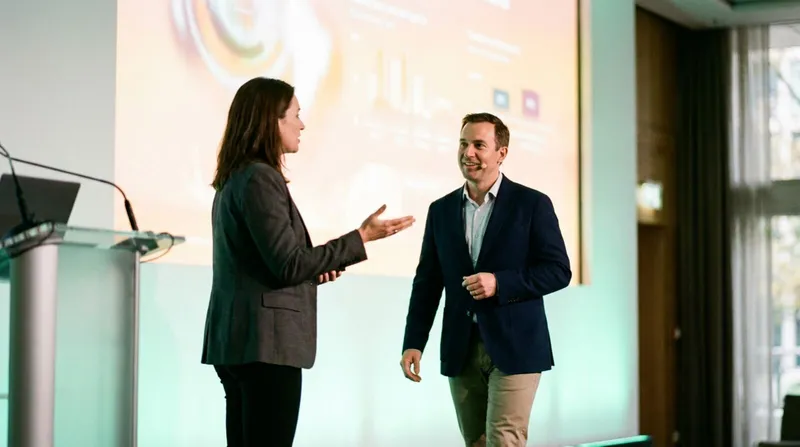
If you are pitching with a co-founder, agree in advance who answers which category of question and how you hand the deck back and forth, our guide to co-presenting without chaos covers exactly this.

Cliqer gives you a phone-based clicker, speaker notes and a countdown timer all on the same device, so nothing about your pitch is tied to a fixed laptop.
Connect your phone to the room before investors arrive, so you can walk and gesture freely instead of standing behind a laptop, following the getting started guide.
Set your timer to the pitch's actual length , with a warning threshold that leaves room to land your ask cleanly rather than being cut off.
Keep short prompt notes open on the same device, so answering a question does not mean losing track of your next point.
If you are pitching with a co-founder , both connect to the same room so control passes between you without a physical handover.
Practise jumping between slides , not just clicking forward, so a question that pulls you off-script does not leave you stuck on the wrong page.
Because Cliqer controls PowerPoint, Keynote and Google Slides natively, jumping to a specific slide mid-question works reliably, without fighting a laptop that has lost focus.
It is tempting to skip the usual pre-event checks for a pitch because the room is small and the stakes feel informal compared to a stage. Do the opposite. A dropped clicker connection or a laptop that will not connect to the boardroom screen is even more damaging in a ten-minute pitch than in a forty-minute keynote, because there is no slack in the schedule to absorb the delay. Run through the same core items from our pre-show presentation checklist: test your connection from the actual room, confirm the deck loaded is the final version, and know your fallback if the screen will not cooperate.
When slides freeze mid-show
What to check first, and how to recover, when the deck stops responding in front of investors.
Answer it, then explicitly say you are returning to your planned flow, and use notes that support jumping between points rather than a fixed script that only works in sequence.
Front-loading too much detail early and running out of time before reaching the ask, which is usually the single most important slide in the whole deck.
No, memorise the structure and key numbers, and use short prompt notes for the rest. A memorised script is far more fragile under an interruption than a founder who genuinely knows their material.
Enough times that you can handle an interruption without losing your place, which usually means rehearsing with someone deliberately asking questions, not just running through it alone.
Ready to pitch without being tied to a laptop? Download Cliqer free and take your clicker, notes and timer into the room with you, or see pricing if you are pitching regularly.
Bringing Remote Guests On Stage with Live Callers
Bring remote guests on stage as live callers, with camera and audio routed into your room or switcher, no extra app.
Presenting Confidential Content: Data Protection for Board Meetings
Keep board presentations confidential: what should never leave your device and how to check where a tool sends data.
Keep reading
Practical guides for presenters, AV crews and event teams, plus the Cliqer releases that matter. No spam, one click to leave.