

Security & IT
Getting AV Software Approved by IT: A Practical Guide
What an IT security review of AV software actually checks, and how to prepare so your tool gets approved first time.
A board deck is one of the most sensitive documents most organisations produce: unreleased financials, acquisition talk, restructuring plans, things that move markets or careers if they leak early. Yet the tool used to present it often gets less scrutiny than the tool used to book the meeting room. Data protection for board meetings deserves the same rigour applied to the numbers themselves, and it starts with a question most people never ask: where does the deck actually go once you hit present?
This is a practical guide to that question, written for the people who have to answer it before the next board meeting, not after something goes wrong.
Most presentation and screen-sharing tools upload your content to a server somewhere before displaying it to viewers. That is not necessarily malicious, it is often just the easiest way to build a screen-sharing feature, but it means your board deck sits on infrastructure you do not control, for however long the vendor's retention policy says it does.
For most presentations, that is a manageable risk. For a board deck, an M&A discussion or unreleased results, it is worth asking directly: does this tool ever store our content, and if so, where and for how long? The answer decides whether your exposure ends when the meeting ends, or continues quietly on someone else's server long after everyone has closed their laptops.
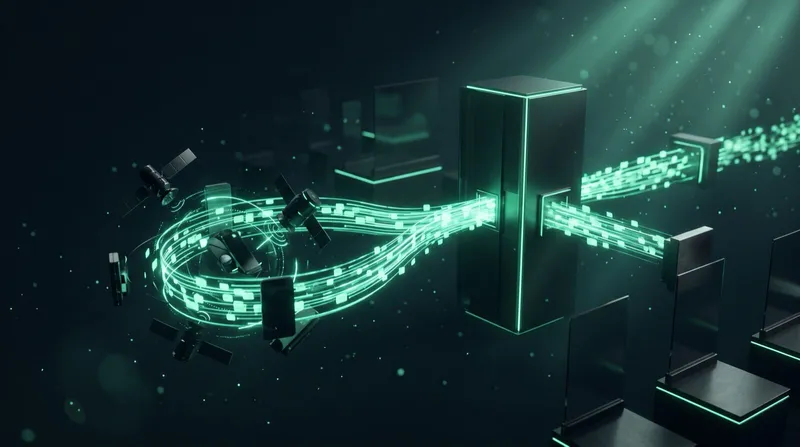
The strongest answer to that question is architectural, not procedural: content that is never uploaded cannot be exposed in a breach of the presentation tool, full stop. That is the model Cliqer's desktop app uses. The app drives your presentation software, PowerPoint, Keynote, Google Slides and others, directly on the computer showing the slides. Slide-advance commands, pointer positions and any screen or camera stream travel over encrypted WebRTC directly between participants, or through an encrypted relay on restrictive networks. The slides themselves are never uploaded to a server.
That distinction is worth spelling out for a board or legal team: it is not that the content is encrypted while stored, it is that there is no copy stored to encrypt in the first place.
Nothing is presented in a vacuum. Some data does move between the room coordination layer and participants, and it is worth knowing exactly what:
| What | Where it goes | Protection |
|---|---|---|
| Room ID, display names, presence | Signaling server | TLS (WSS) |
| Slide commands, pointer position, timer state | Directly between devices, or relayed | DTLS, encrypted end to end |
| Screen or camera streams, if enabled | Directly between devices, or relayed | SRTP, encrypted end to end |
| Session chat | Directly between devices | Text-only, peer to peer, never stored |
| Account and licence records | Cliqer's account platform | TLS, stored, standard SaaS data |
The full breakdown, built specifically for security review, is in the data flow diagram, which also covers what is transient versus what is stored.
Content protection is only half the job. The other half is making sure the right people, and only the right people, are in the room at all.
For a board specifically, it is worth combining this with a simple internal rule: only named, expected attendees join the actual session link, and anyone else gets a recording or a written summary afterwards instead of the live link itself.
If your organisation has a formal IT or security review for new tools, board-level presentations are exactly the use case that should trigger one, even if the tool is already in use elsewhere for lower-stakes meetings. Our guide to getting AV software approved by IT walks through that process, and the security checklist for presentation software gives you the specific questions to ask.
For organisations under formal data protection obligations, the UK ICO's guidance on UK GDPR and the NCSC's board toolkit are useful reference points when framing this as a governance question rather than a purely technical one.

No. The desktop app drives your presentation software on your own computer, and slides are never uploaded to Cliqer. Only control signals and, if enabled, encrypted video streams travel between participants.
Yes, when the connection is properly encrypted end to end, which is a property of the WebRTC standard itself, not an optional add-on. See is WebRTC secure for the full explanation.
The host can see every participant in real time and remove anyone immediately. Restricting how widely the room link is shared beforehand is the best prevention, but removal is always available as a backstop.
It is optional but useful for larger organisations: a custom domain keeps the room address consistent with your own brand rather than a third-party one, which some governance teams prefer for anything board-facing.
Before your next sensitive meeting, review the data flow diagram with whoever owns your governance process, or contact us if your board or legal team needs answers in writing. See the full security overview for everything self-service on the Enterprise plan.
Delivering a Pitch Deck: Control, Pace and Recovery
Deliver a pitch deck with confidence: control your slides, set your pace and recover calmly when something goes wrong.
Bitfocus Companion for Presentations: Automating Show Control
Run slide advance, timers and caller cuts from Bitfocus Companion, on the same buttons as your lighting and video cues.
Keep reading
Practical guides for presenters, AV crews and event teams, plus the Cliqer releases that matter. No spam, one click to leave.